For transport and logistics businesses

Every load and every run done your way.

New drivers start, subcontractors fill in, and the way you run the yard and the road lives with a few people. TKO Guides puts your procedures, inductions and driver forms in one place, so drivers look it up instead of ringing the depot.

Truck driver walking along a trailer backed onto a loading dock at dawn
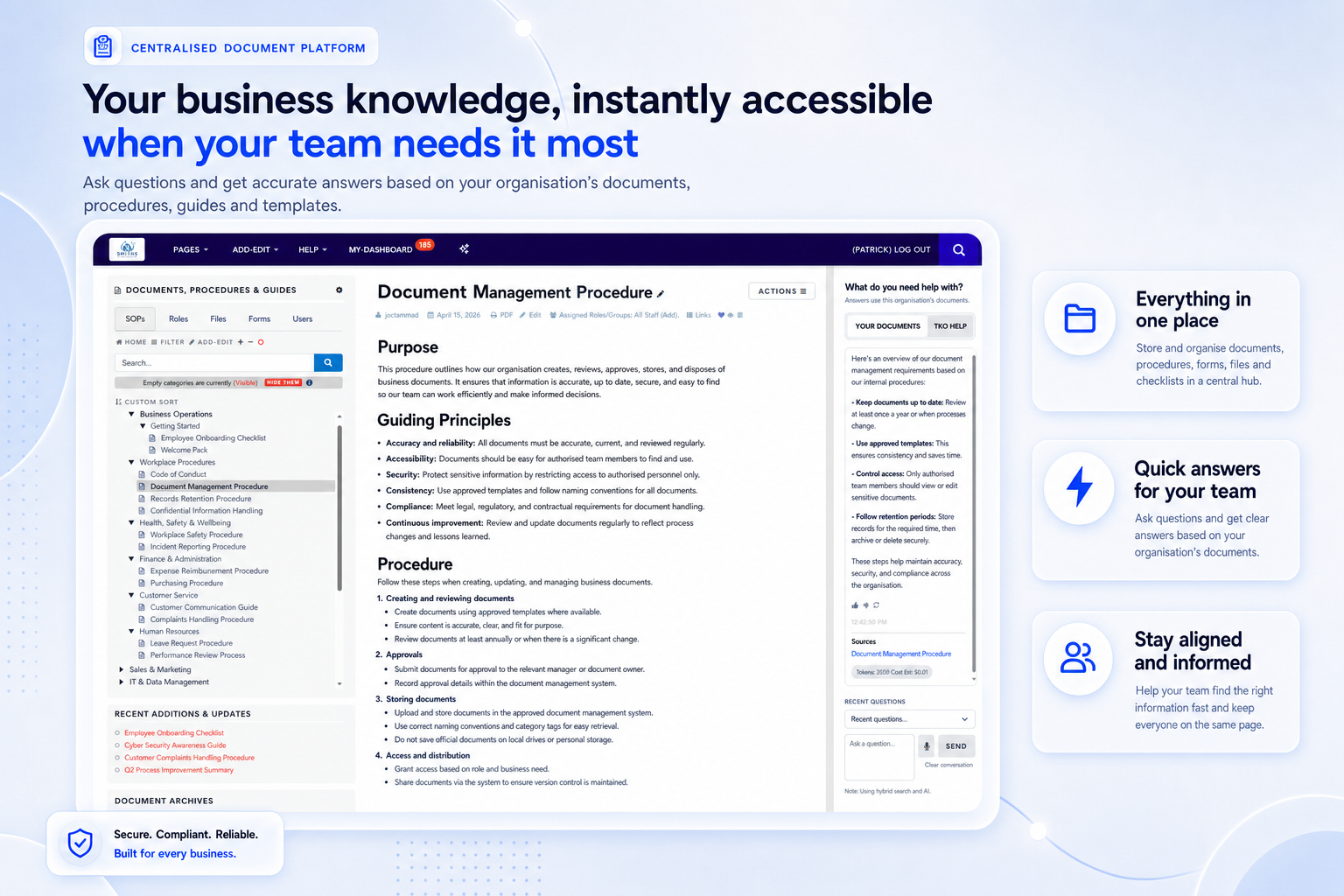
TKO Guides AI knowledge assistant product screenshot for document management

Answers from your own procedures

A question at the dock gets answered from the way your business does the job, not from another call to the depot.

Procedures for every runDrivers open the current version on a phone.
Inductions that stickNew drivers and subcontractors read it, then mark it read.
Checks and sign-offsPre-starts, load checks and delivery sign-offs on the job.
Records you can findVersions, review dates and who has read what.
New driver checking a load strap on a flatbed while an experienced driver watches from beside the cab
On the job

The new driver restrains the load your way, not a guess.

She started this week. How you check a truck, restrain a load and hand over a delivery is written down, so she is not working it out at the first drop.

  1. Write it once. Import your Word procedures or write them in TKO Guides: pre-starts, load restraint, coupling, fatigue, loading dock rules and proof of delivery.
  2. Assign it by role. Drivers, yard staff, schedulers and subcontractors each see the documents meant for them.
  3. See who has read it. Each person marks the procedure as read, and you have the record when a customer or auditor asks how your drivers are trained.
  4. Open it in the yard. A QR code in the cab or on the dock opens the right form on a phone, so nobody is filling in last year’s version.
Site forms and safety

Pre-starts, load checks and driver sign-offs, done before the truck moves.

Do the pre-start in the yard, photograph the load before it leaves, and get the delivery signed for at the dock. The office has every entry as soon as it is sent.

Driver crouched by the steer wheel of a prime mover, filling in a pre-start check on his phone
Pre-start done before leaving the yard
TKO GuidesSite forms
Vehicle pre-start
PM 07 · Northern run
Checks
Tyres and wheels
PassFail
Lights
PassFail
Air lines
PassFail
Brakes tested
PassFail
Anything to fix
Trailer marker light out. Replaced before leaving.Voice
Signature
Craig Dunn · signed with a finger
Submit

Forms your drivers fill in on the job

Tap a form to see it on the phone.

  • Photos and video
  • Signed with a finger
  • Speak into the comment box
  • Save a draft, finish later
  • Opens from a QR code
  • Linked to your procedures
Driver reading the coupling procedure on his phone beside the fifth wheel of a prime mover
SWP sign-on: coupling a trailerEntries today
Craig DunnDriver · read and signed
Aisha RahmanDriver · read and signed
Luke BradyYard hand · read and signed
Safe work procedures

Every procedure read and signed before the first run.

  1. Keep each safe work procedure in TKO Guides. Write it once or bring in the one you use now. When it changes, everyone is told and asked to read it again.
  2. Sign on before the work starts. The sign-on form links the procedure. Each driver opens it, ticks “I have read this document” and signs.
  3. Show it when you are asked. Every sign-on is an entry with the name, time and signature. Pick a date range and save it as a PDF.
Back at the office

The record is there when a customer or auditor asks for it.

Every entry on record

Who filled it in, when, the photos and the signature. Print it, correct it or add a note.

Emailed when it is sent

Choose who is emailed when a form comes in, such as a failed pre-start going straight to the workshop.

Reports as a PDF

Pick a date range and the fields you want, then save the report as a PDF to send on.

You choose who sees what

Set who can fill in each form and who can see its entries.

Built for transport and logistics

Write down how the work is done, once.

Most transport businesses run on what the owner and a few senior drivers know. TKO Guides replaces binders in the depot, old PDFs and text messages with one place for your procedures, safe work documents, induction material, forms and records.
  • ✓Hand a new driver the procedure for a pre-start, a coupling or a load restraint, instead of another ride-along.
  • ✓Keep every driver on the current version. When a procedure changes, drivers are told and asked to read it again.
  • ✓Show a customer or auditor your driver inductions, checks and sign-offs without digging through email.
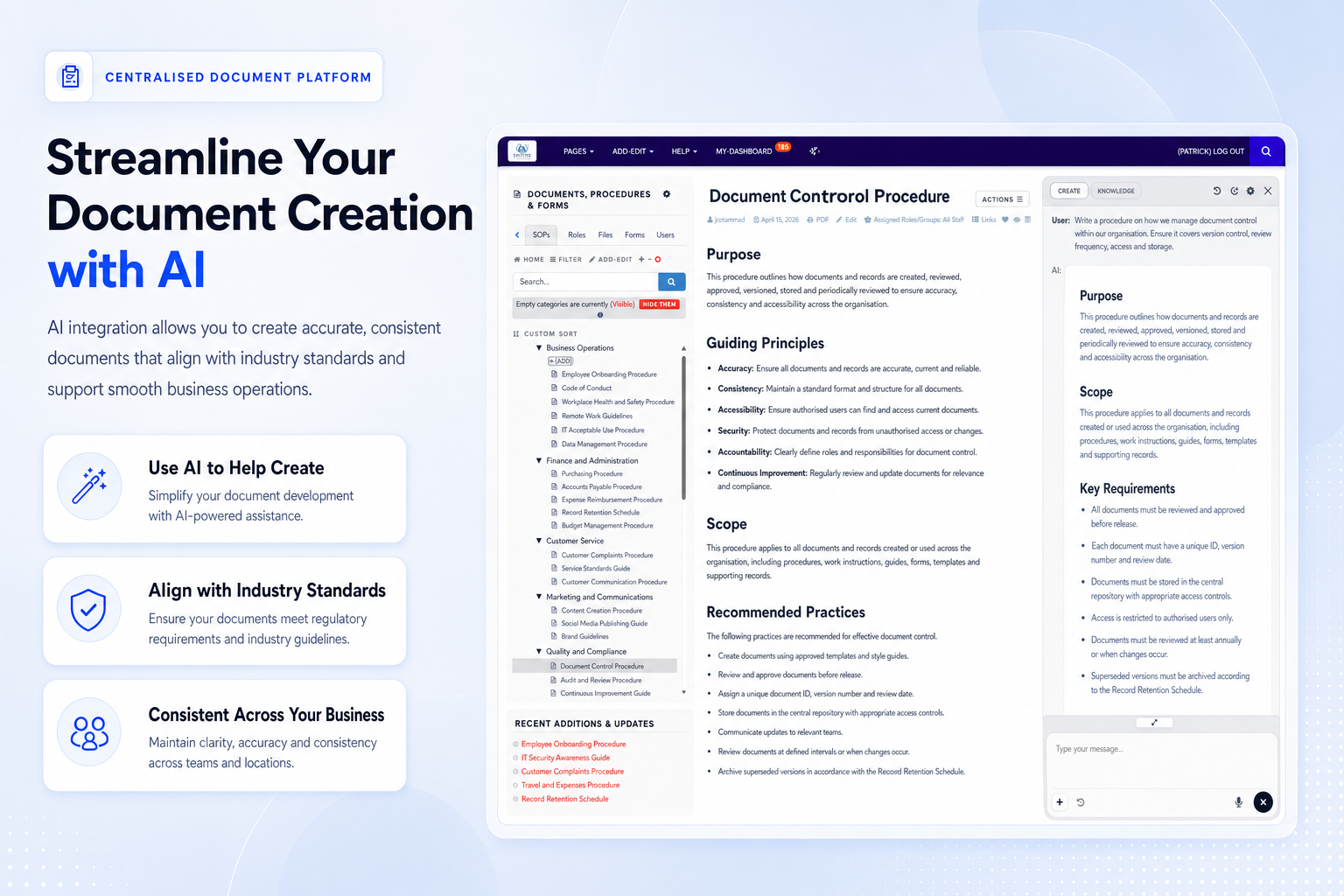
TKO Guides AI assisted document creation result screenshot
AI-assisted workflows

Get what your best drivers know into writing.

Use AI assistance to turn experience into clear procedures and training, without taking your senior drivers off the road for days.

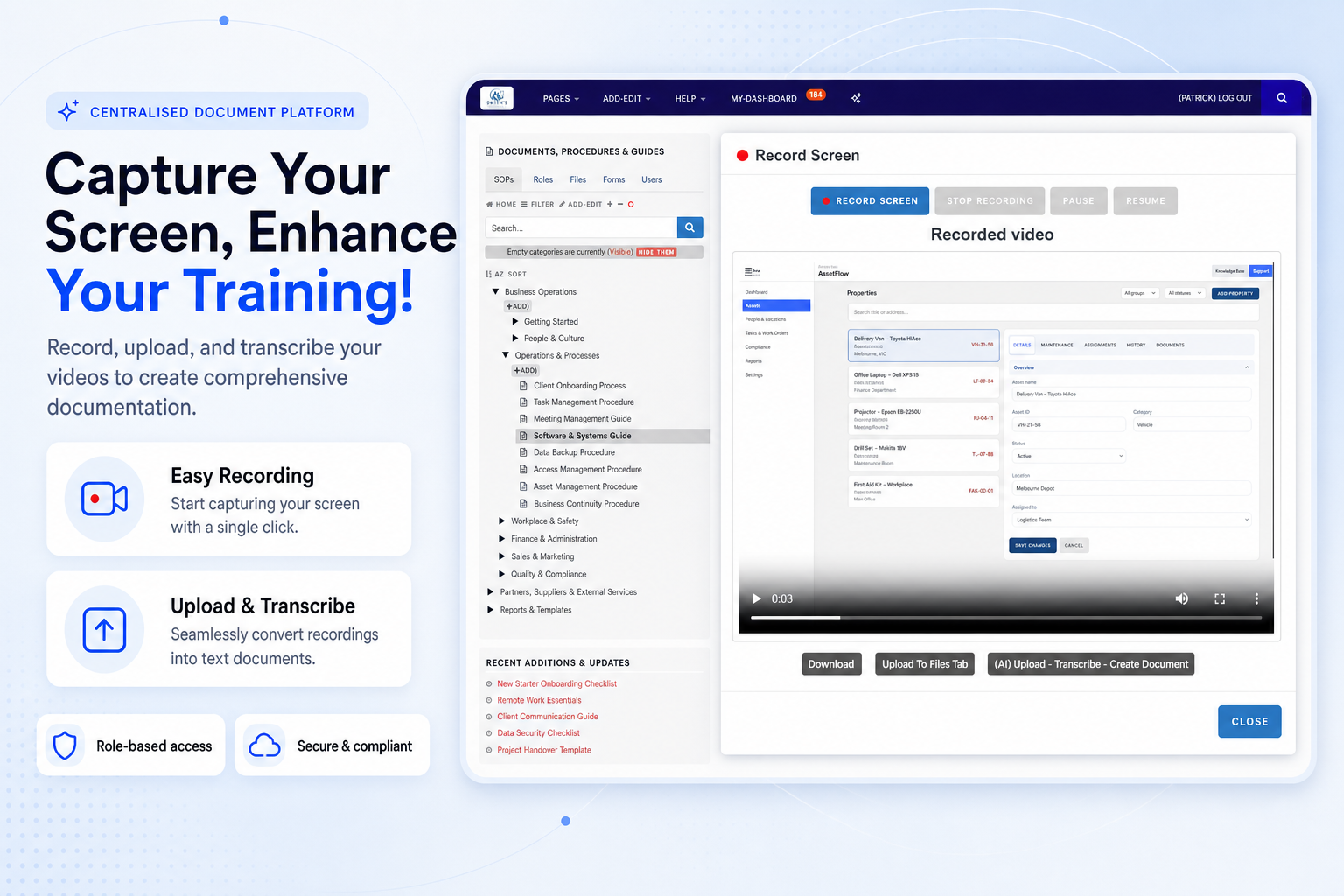
TKO Guides screen recording capability screenshot for training documentation

Record a Process Once, Train Everyone

Record how you book a job, plan a run or close out a delivery in your software, and turn the recording into a step-by-step guide.
Easy recording Upload and transcribe
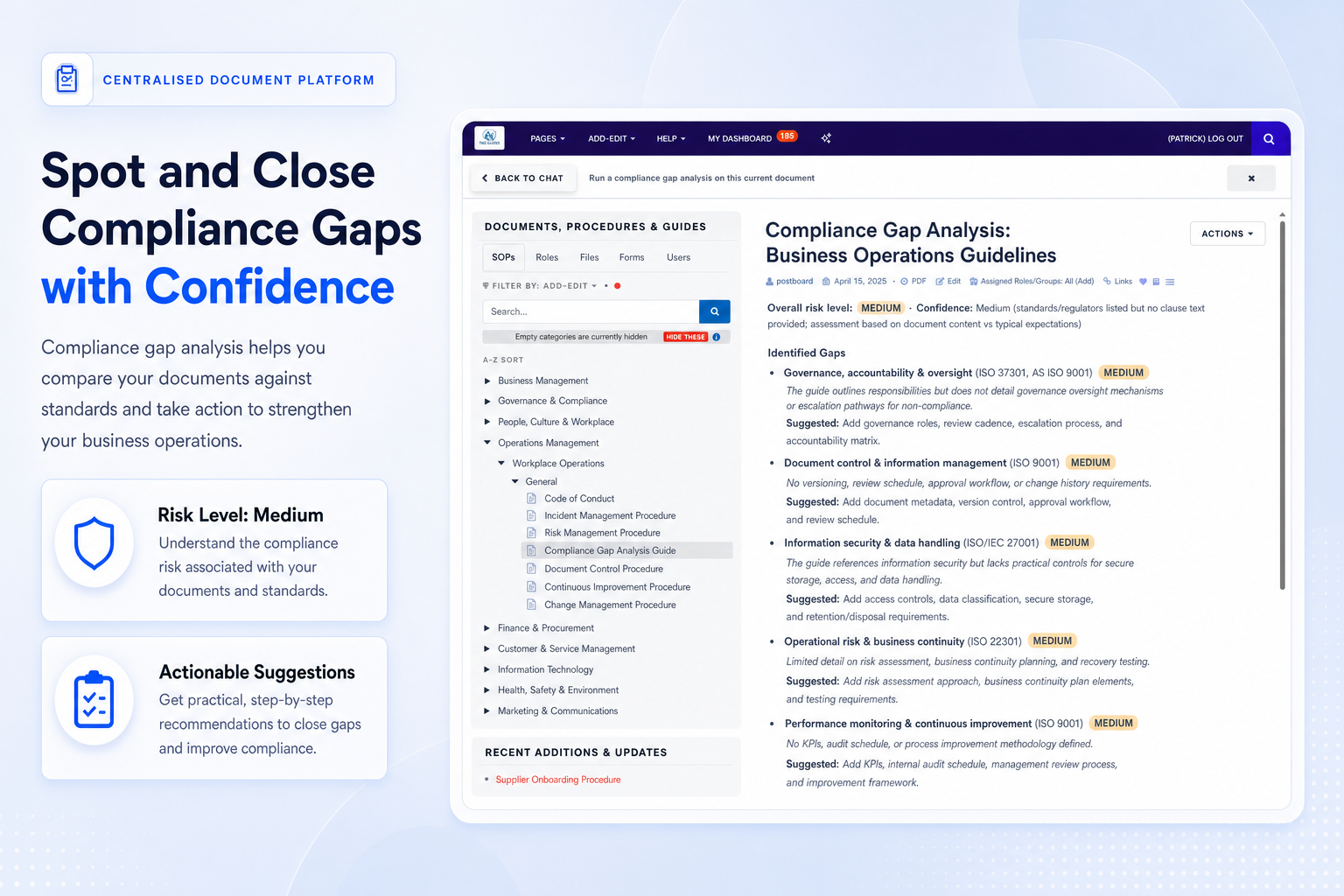
TKO Guides compliance gap analysis screenshot for business documents

See What Your Documents Are Missing

Check your procedures against the requirements you work to, and get a practical list of what to fix before a customer or auditor asks.
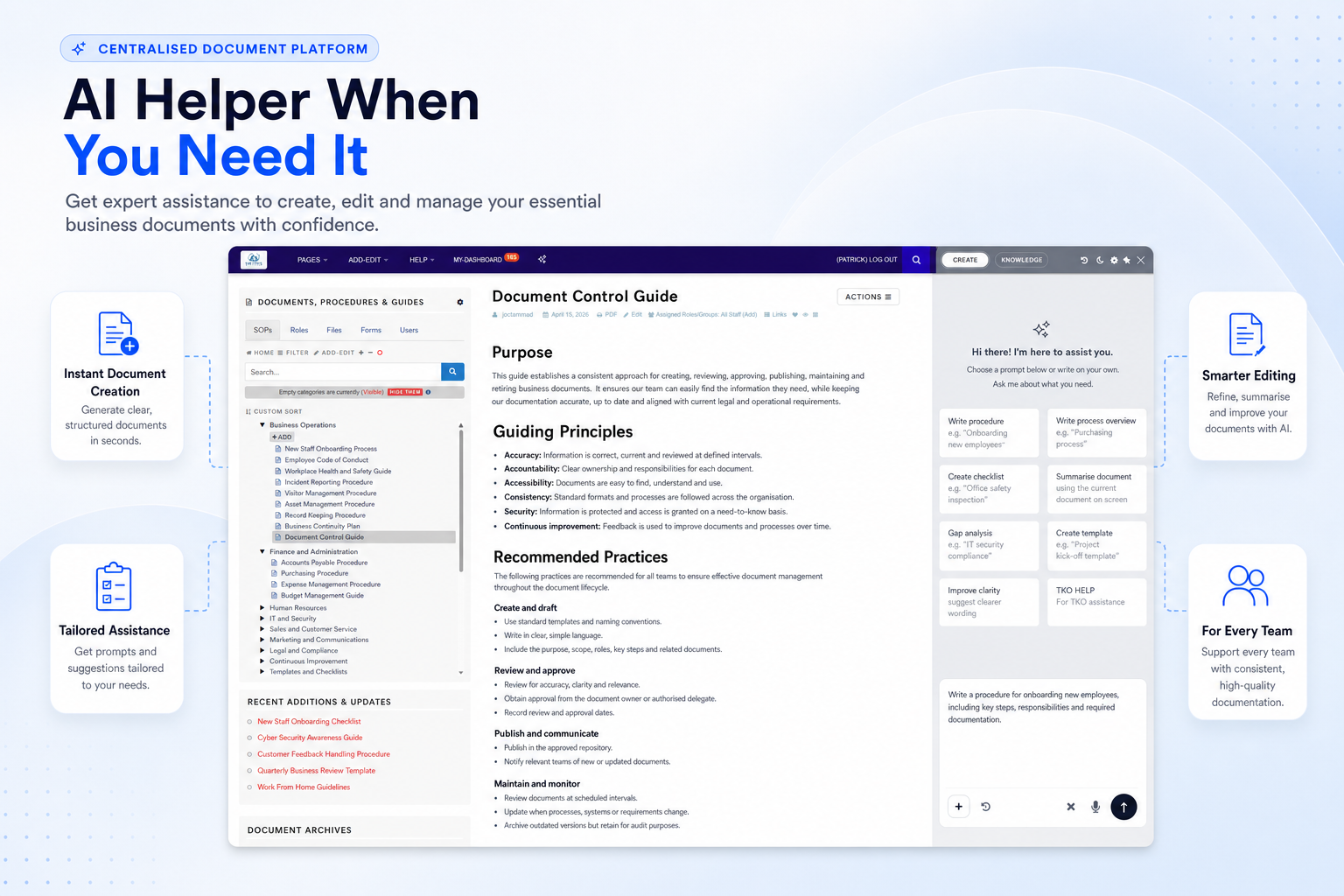
Risk visibility Actionable suggestions
TKO Guides AI helper prompt screenshot for document creation

Draft a Procedure in Minutes

Describe the task and the AI helper drafts a procedure in your format, ready for you to check and approve.

Instant drafting Tailored assistance

Stop running the depot from memory.

See how TKO Guides keeps your procedures, inductions and driver forms in one place, so drivers check there before they ring the depot.

Book a Demo
Hi-vis vest, ratchet straps, gloves and keys on the edge of a loading dock
Document library

Everything a transport business needs to keep its way of working.

From the first induction to the last delivery sign-off, TKO Guides holds the documents your drivers rely on and the record that they have read them.
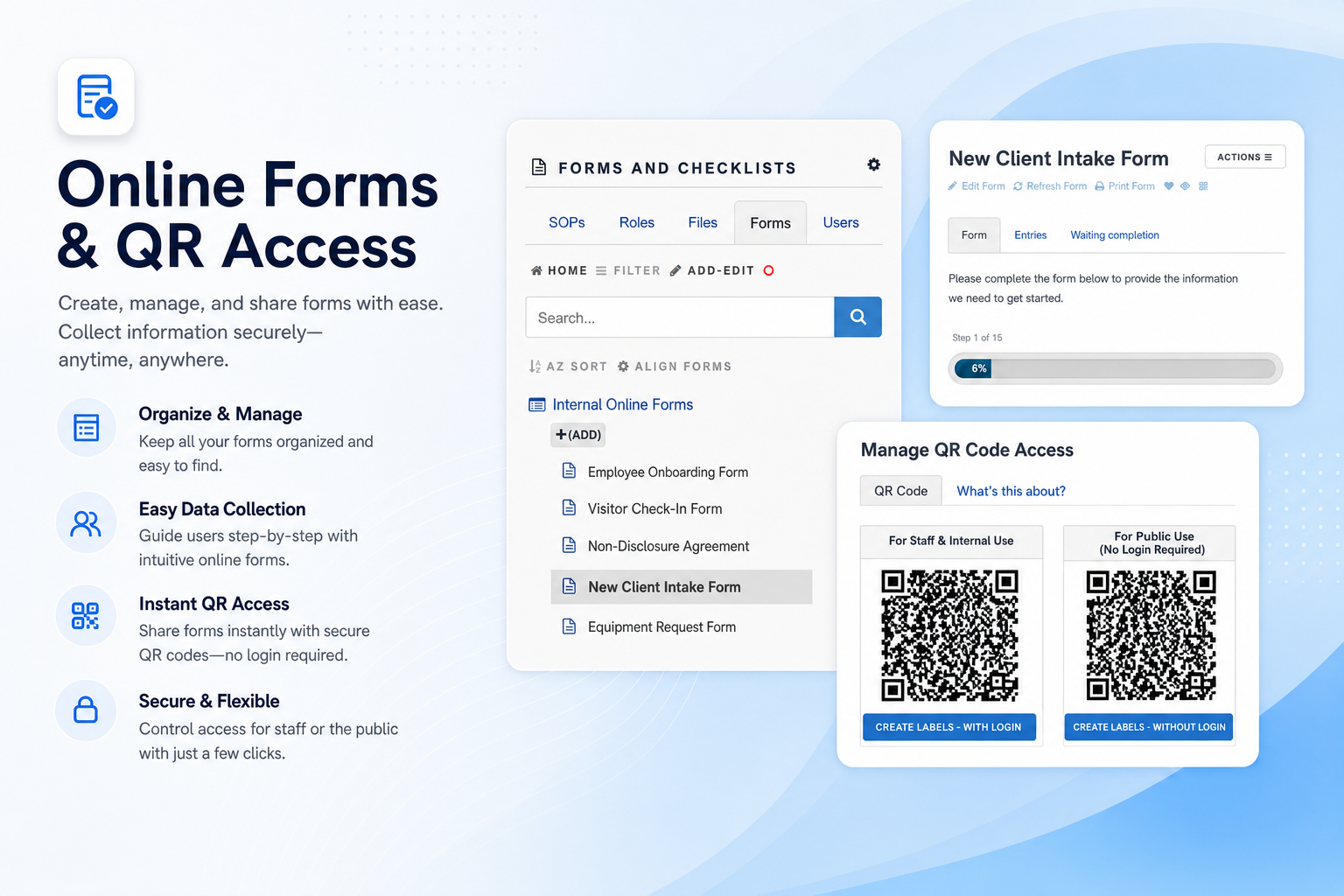
TKO Guides online forms and QR code access screenshot

Share Forms with QR Code Access

Put a QR code in the cab or on the dock so drivers open the right form on their phone.
Instant accessUser-friendly
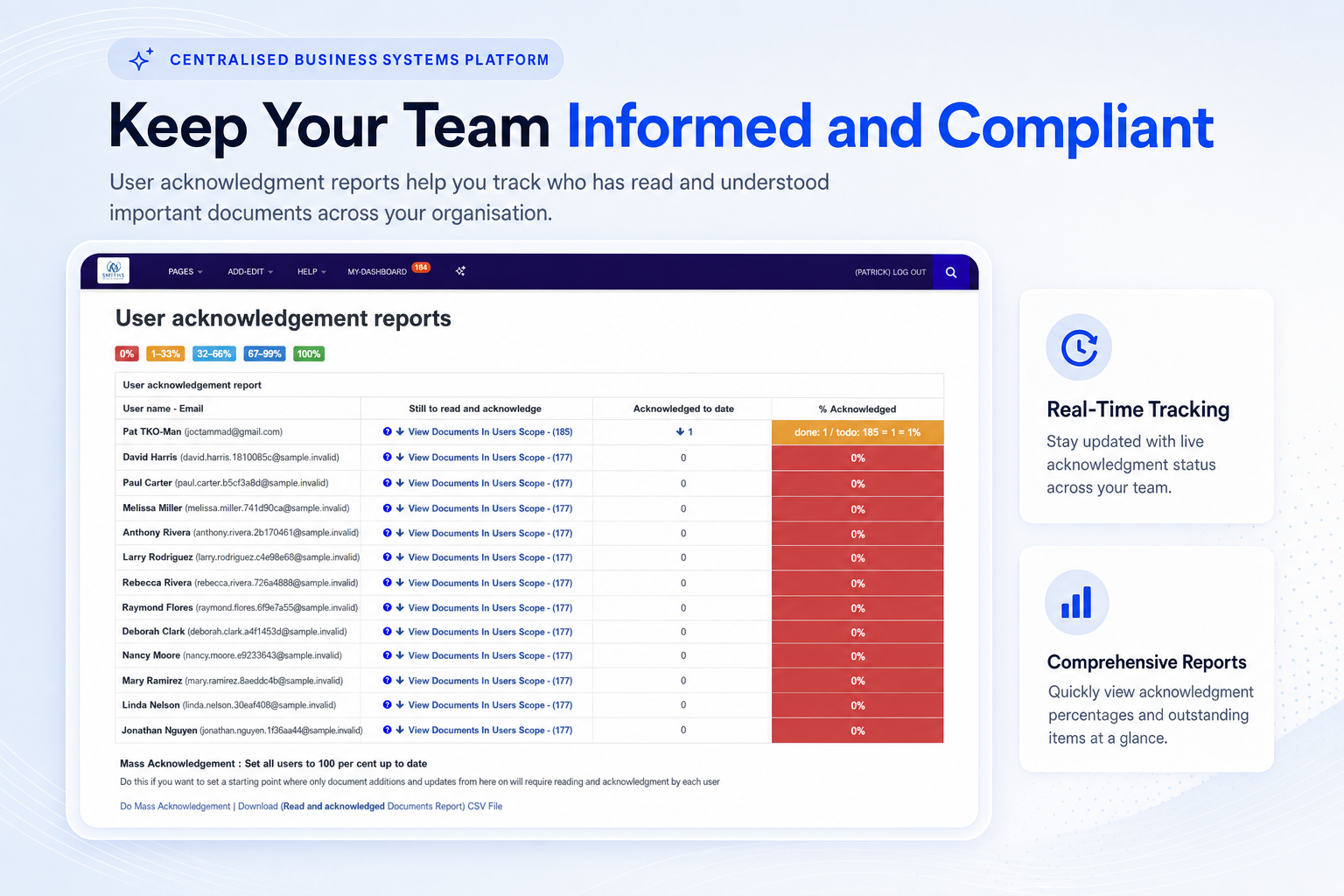
TKO Guides user acknowledgement reporting screenshot

Confirm Staff Have Read Updates

Monitor acknowledgement status and provide evidence that staff have reviewed critical documents.
Real-time trackingClear reports
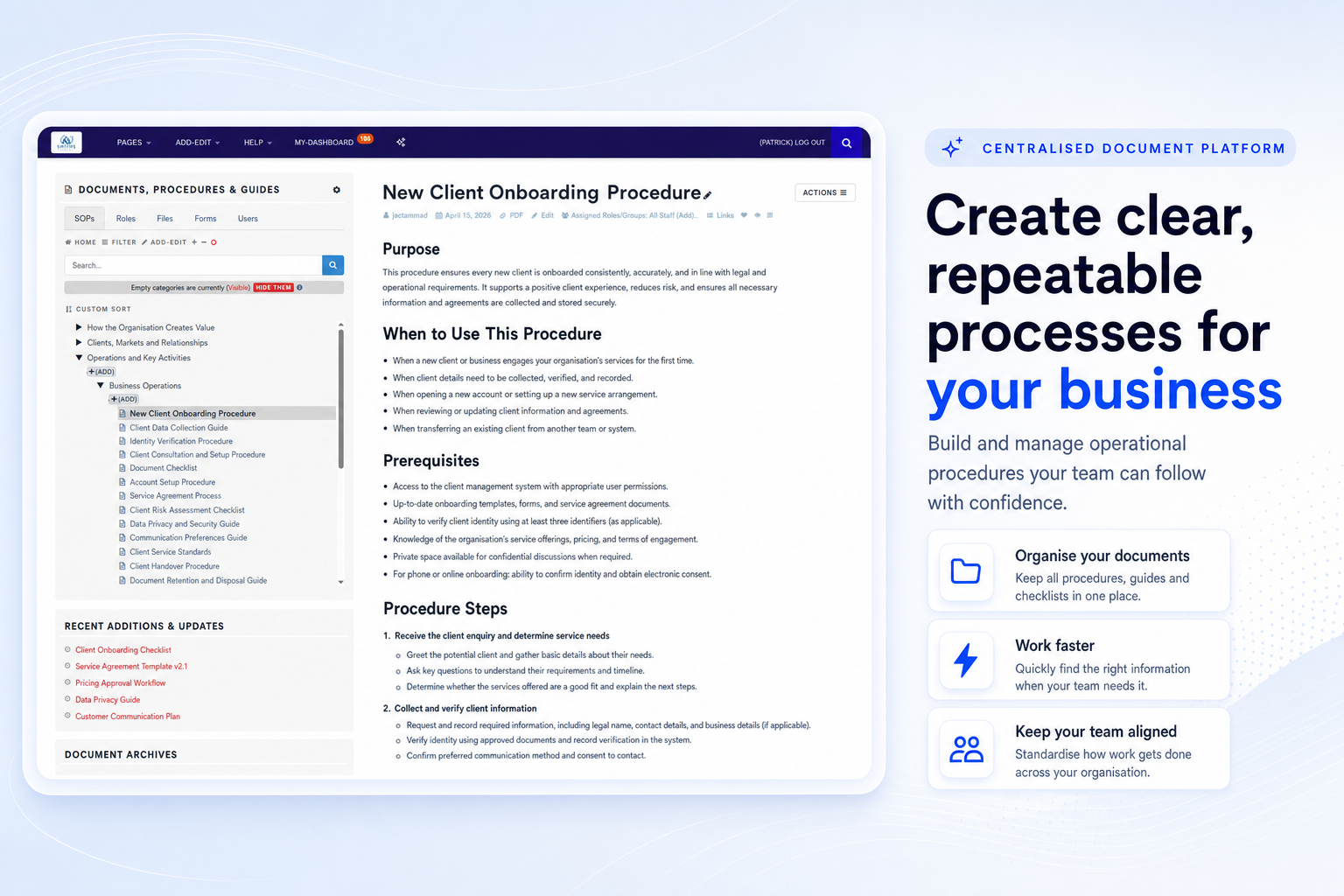
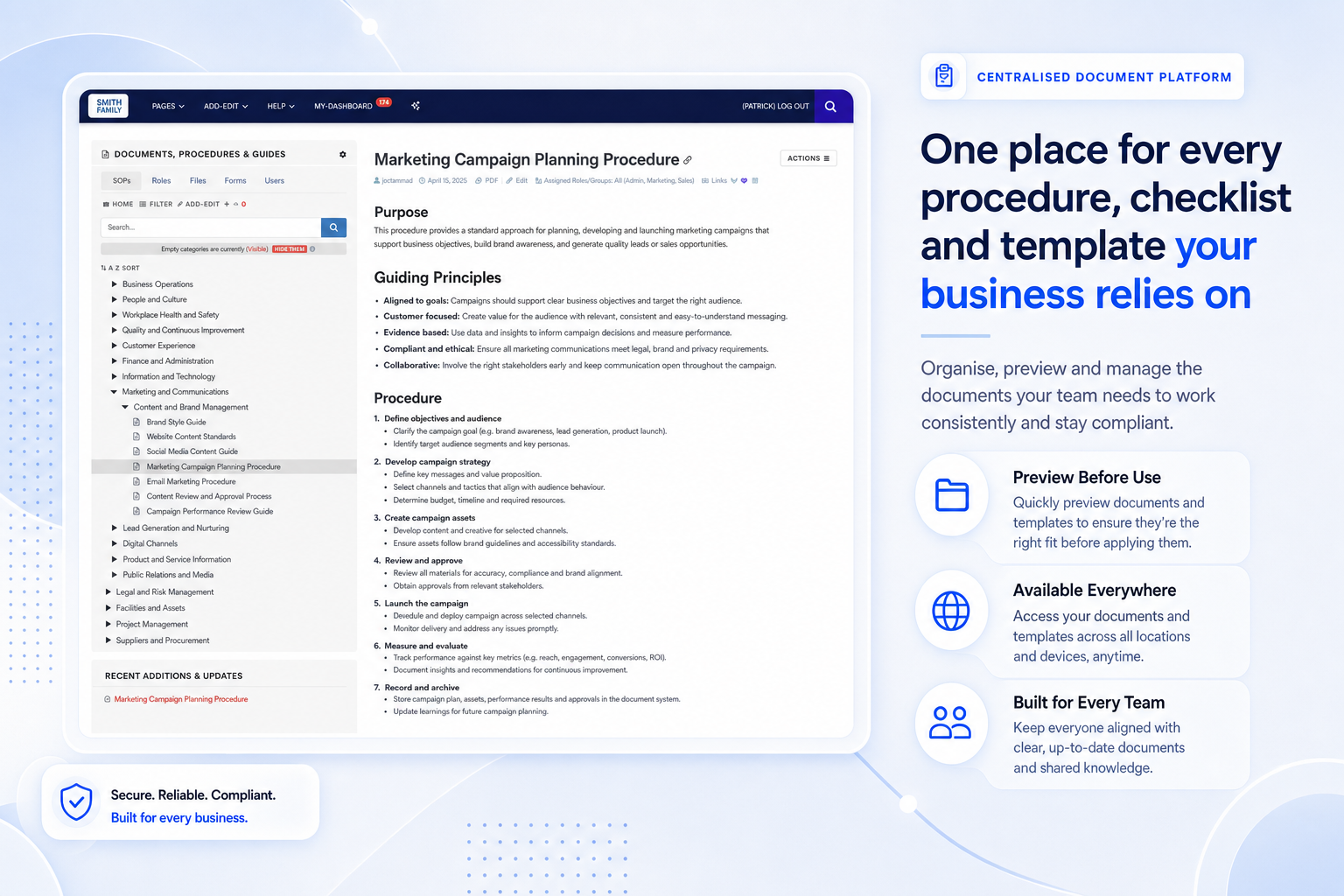
TKO Guides SOP creation screenshot for operating procedures

Create Practical SOPs

Standardise processes with clear operating documents that support safe, consistent work.
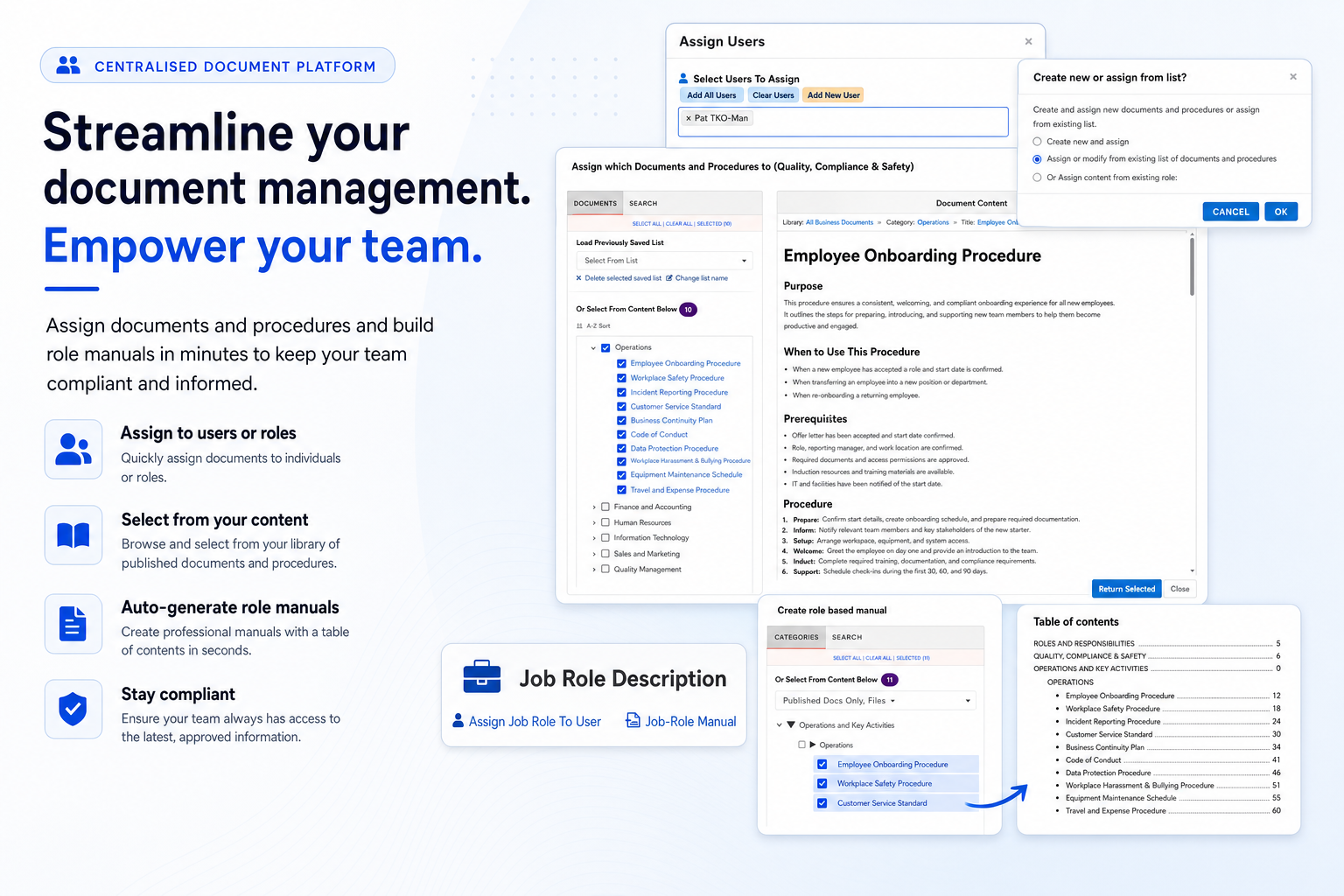
Structured SOPsClear guidelines
TKO Guides assigned documents and role manual creation screenshot

Streamline Document Management

Assign documents by user or role and generate role-specific manuals for faster onboarding.
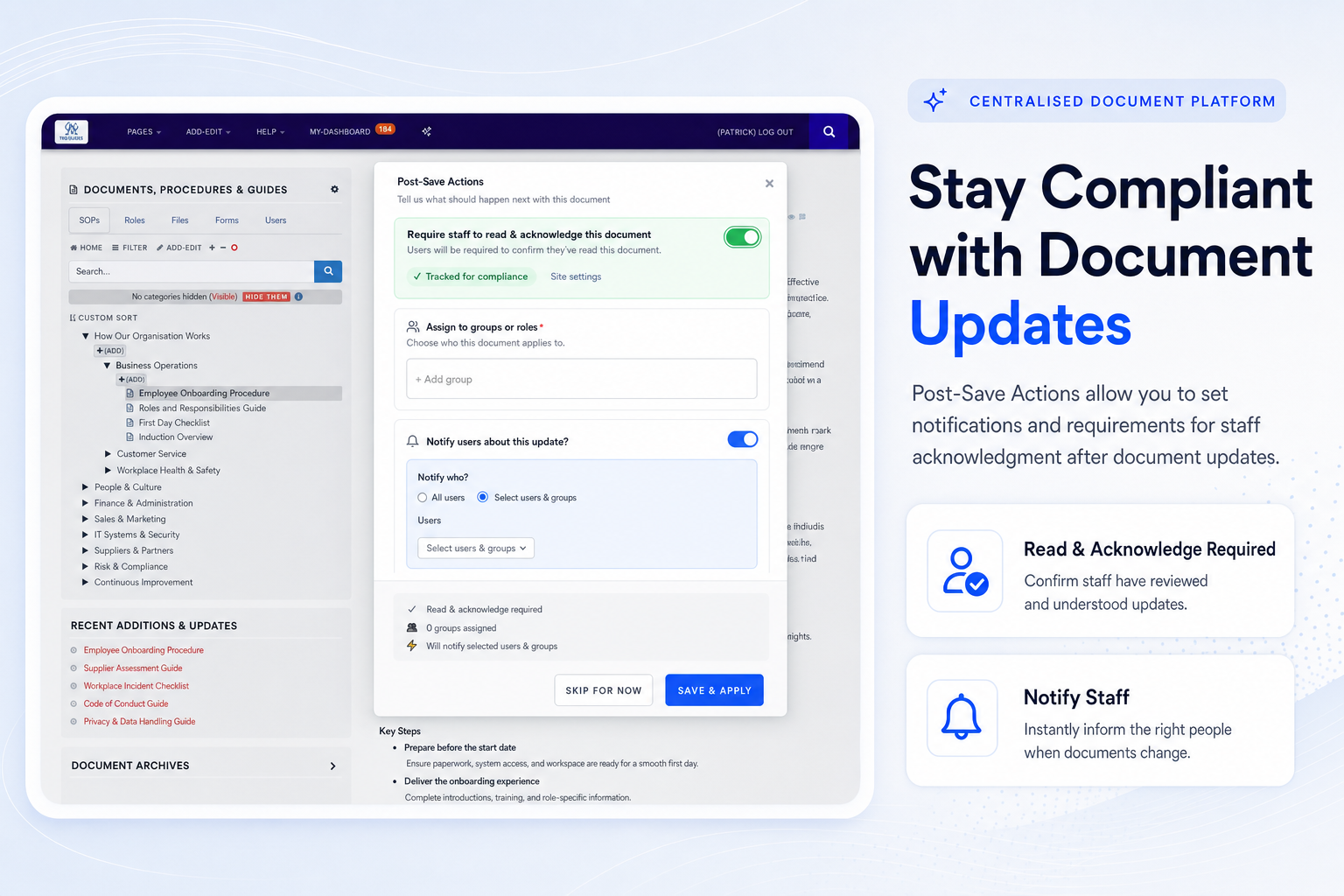
Assign to rolesCreate manuals
TKO Guides post save actions and notifications screenshot

Keep Teams Informed After Updates

Notify staff, request acknowledgement and reduce confusion when important documents change.
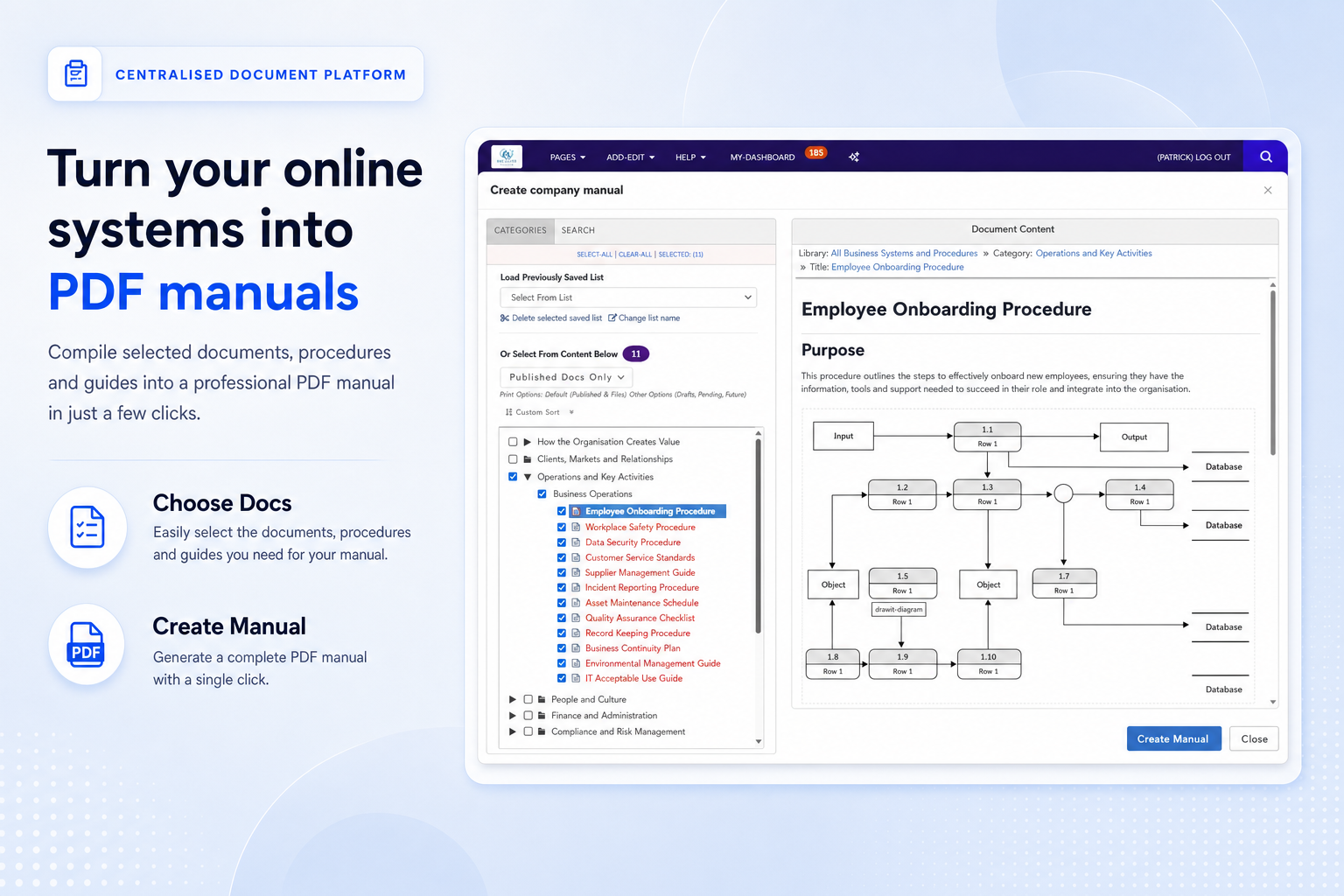
Read and acknowledgeNotify staff
TKO Guides create manuals screenshot for PDF document packs

Turn Online Content into PDF Manuals

Compile selected documents into professional manuals for drivers, subcontractors, customers or auditors.
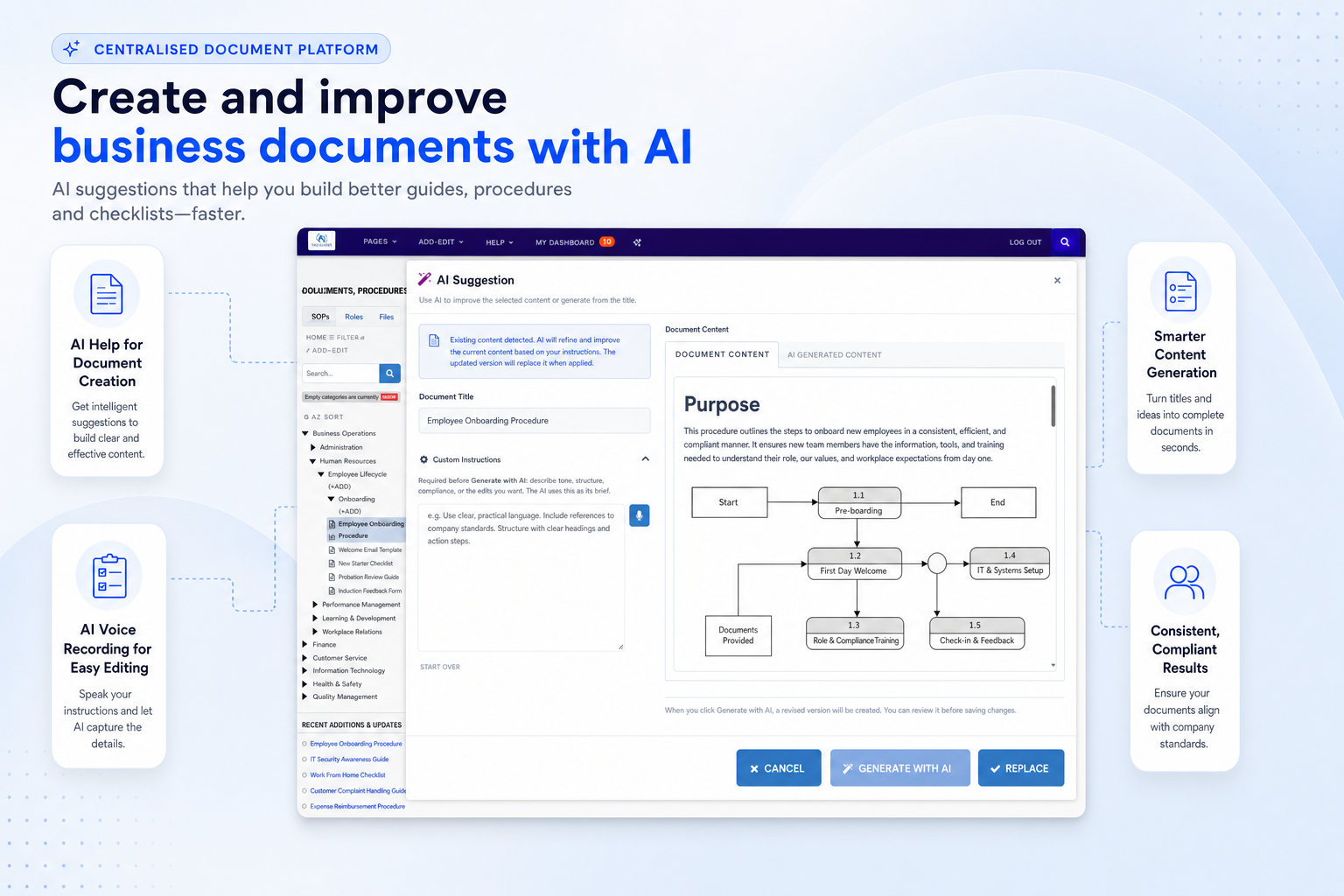
Choose documentsCreate PDF
TKO Guides AI suggestion screenshot for document editing

Transform Your Document Process with AI

Refine existing content, capture instructions by voice and improve documents with intelligent suggestions.
Smart suggestionsVoice input
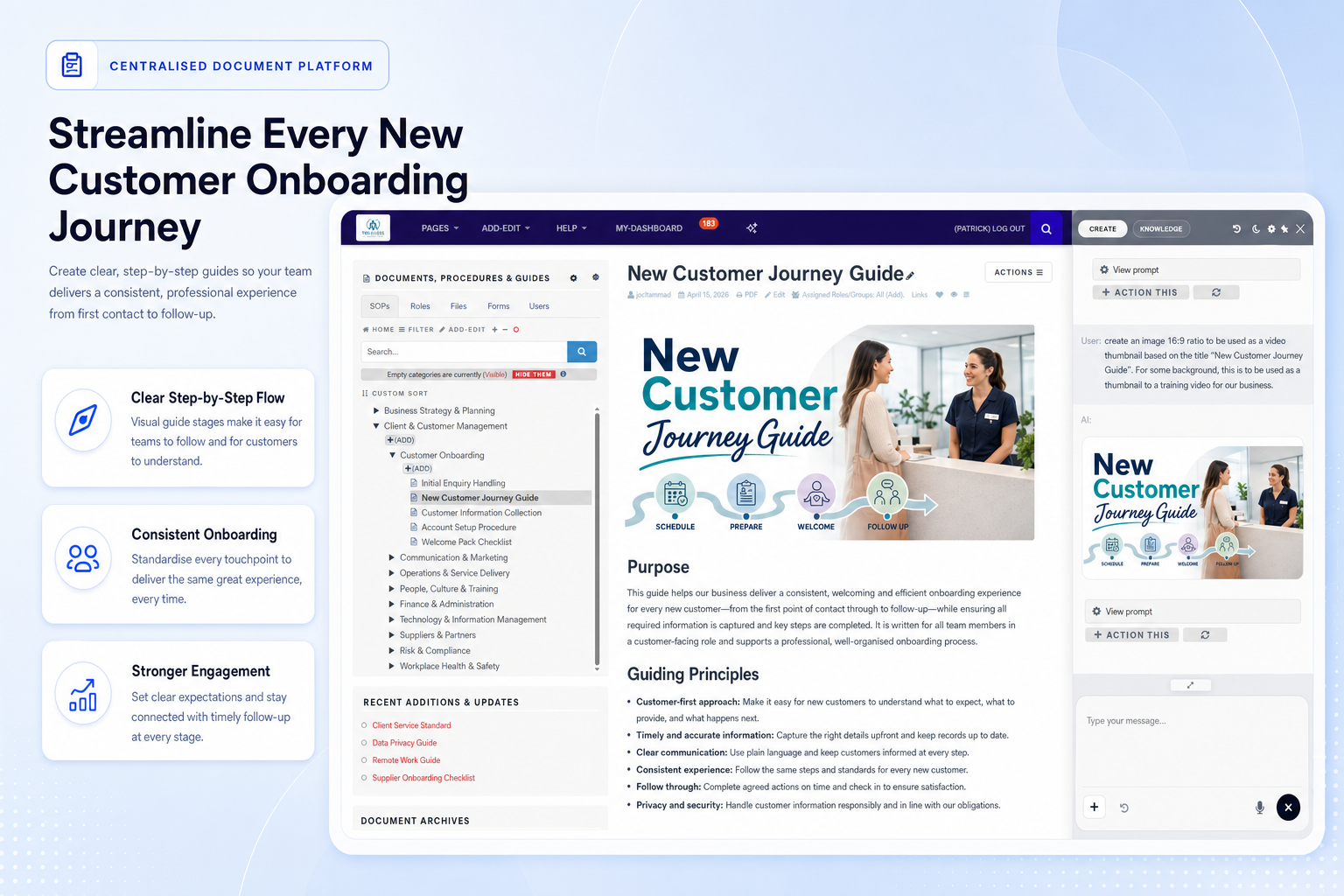
TKO Guides AI image creation screenshot for client journey guides

Show the Step, Not Just the Words

Add visuals to your guides so new starters can see each step, not only read it.
Visual guidanceClear next steps
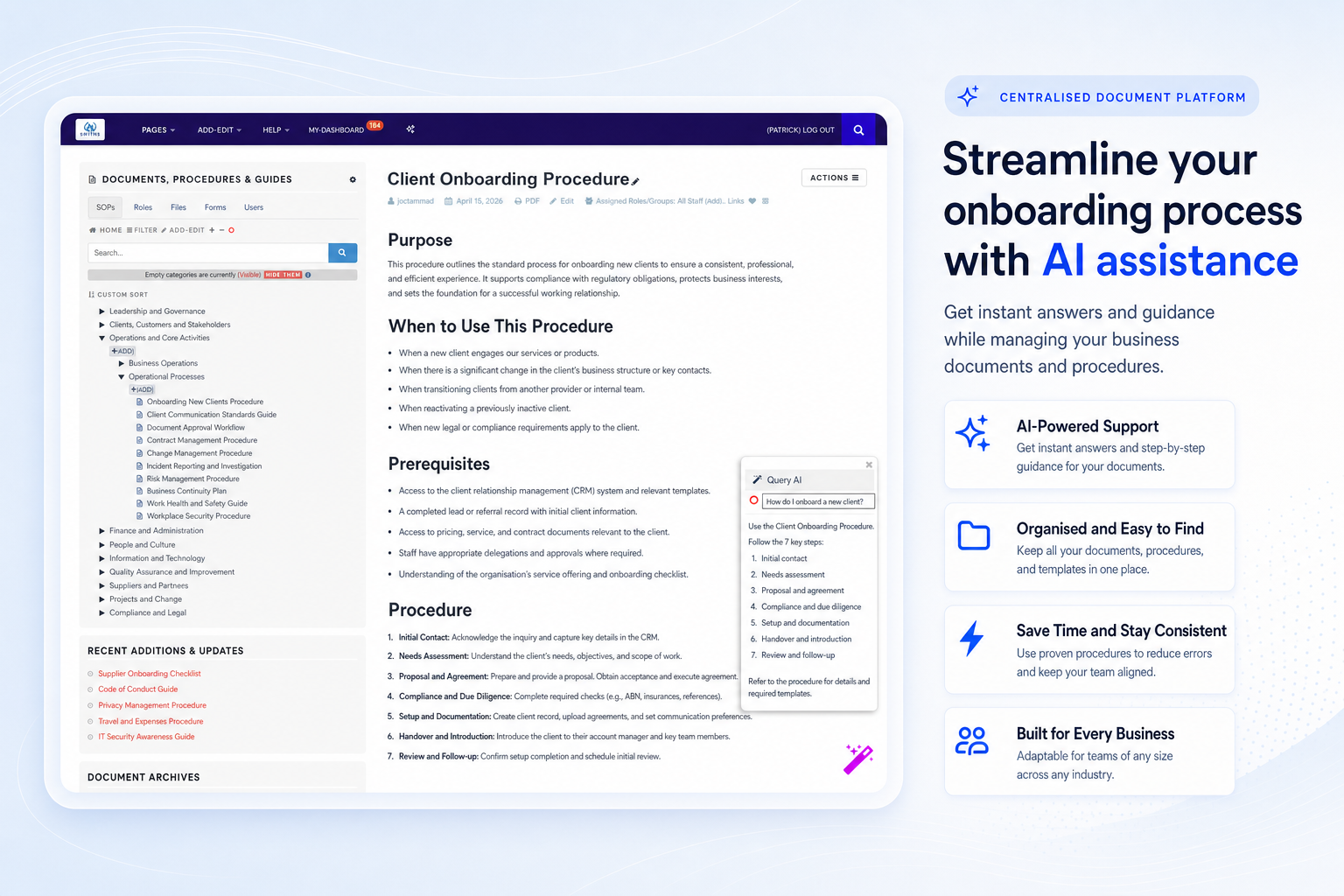
TKO Guides AI quick query popup screenshot for document assistance

Find Answers While You Work

Ask questions in context and retrieve guidance quickly without leaving the document workspace.
Real-time helpFast retrieval
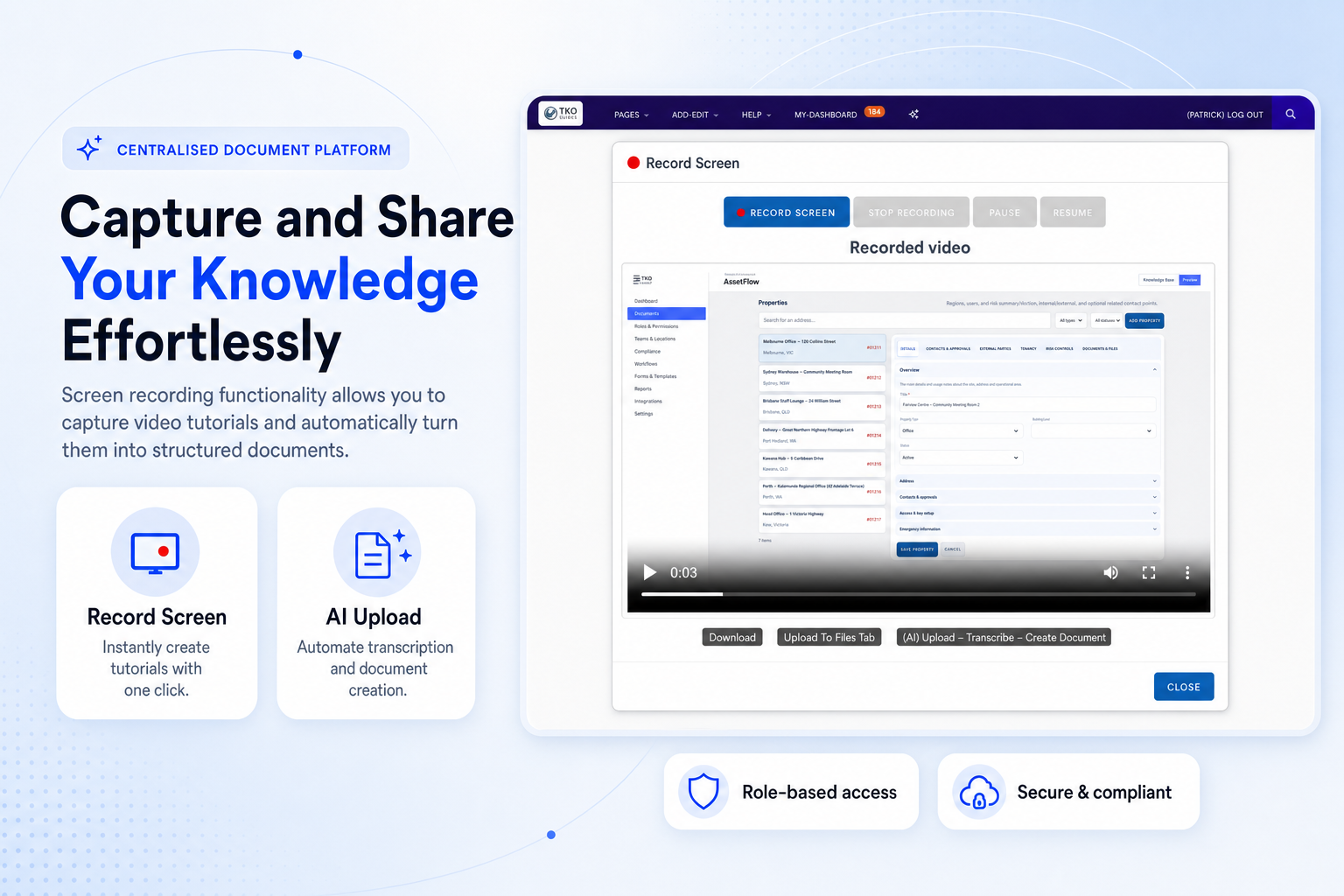
TKO Guides screen capture and transcription screenshot

Capture and Share Knowledge Effortlessly

Turn everyday screen demonstrations into structured training content and reusable workplace guides.
Record screenAI transcription
TKO Guides AI skills library screenshot for templates and procedures

Empower Operations with Essential Templates

Access reusable skills and structured resources that help teams produce consistent content faster.
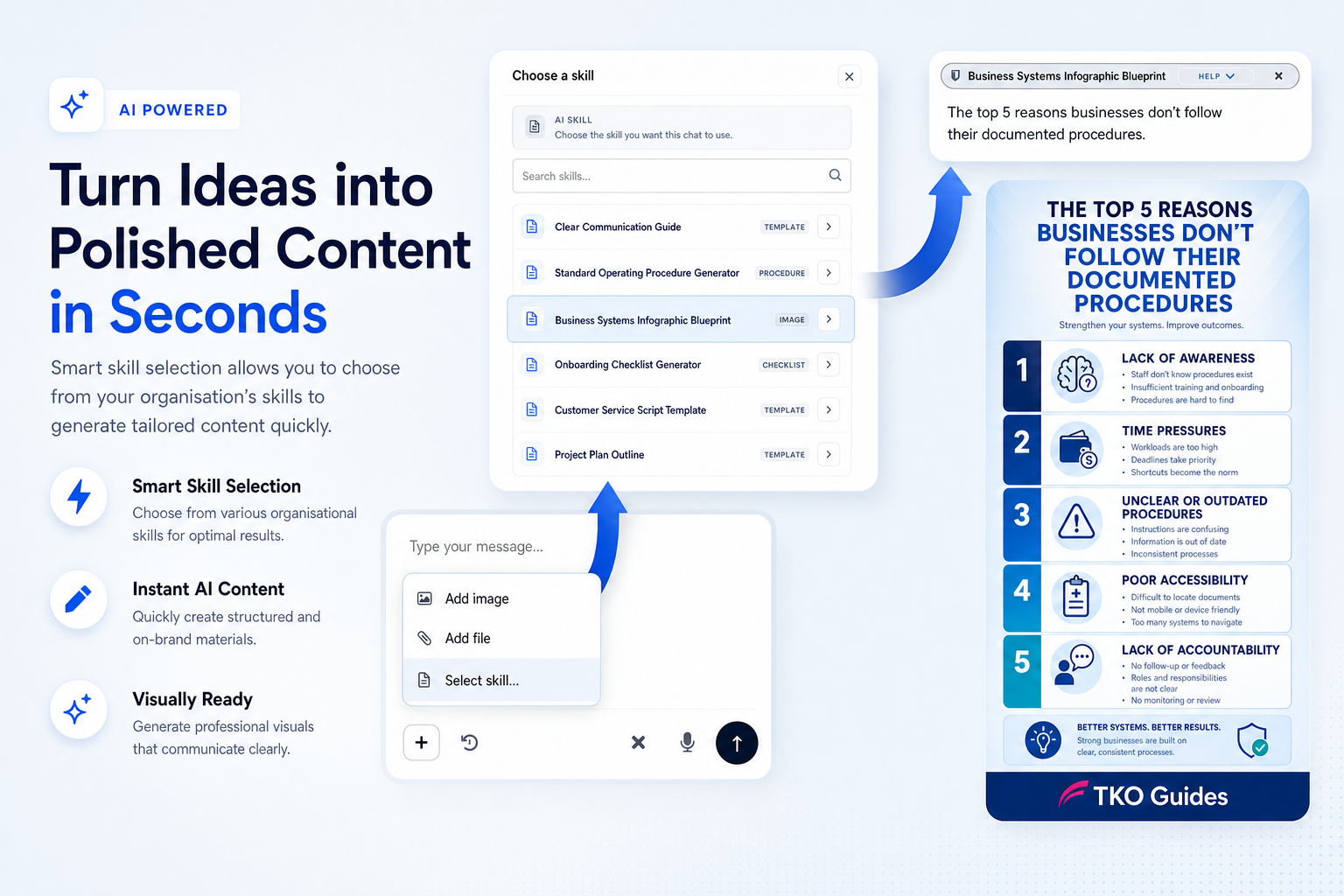
Preview resourcesShared access
TKO Guides AI skills workflow screenshot for content generation

Transform Ideas into Content Instantly

Select the right skill and generate structured, on-brand documents for your organisation.
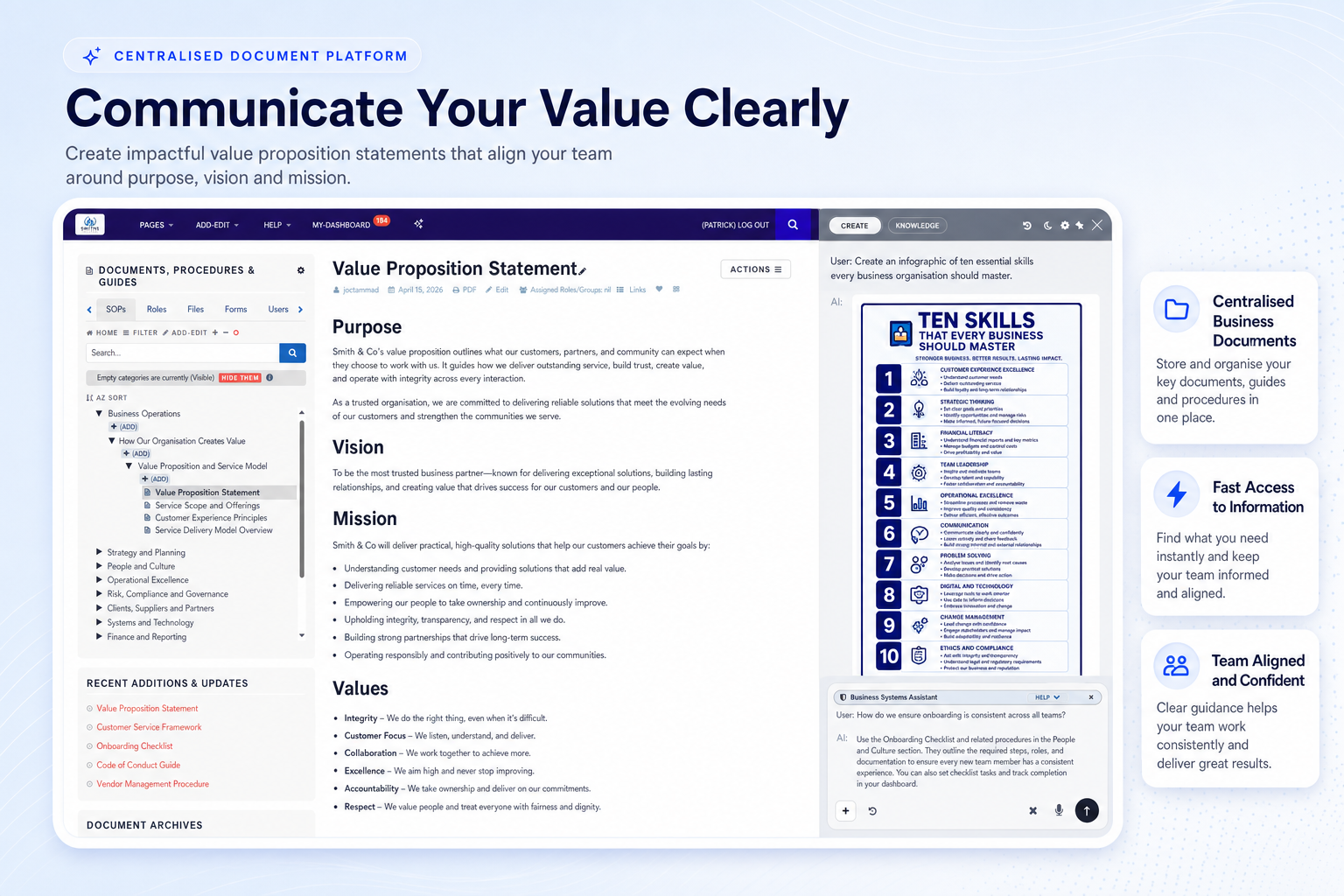
Skill selectionInstant content
TKO Guides AI skills screenshot for quality service documents

Build Consistent Workplace Guides

Document how you check, load, drive and deliver, so every driver does it the same way.
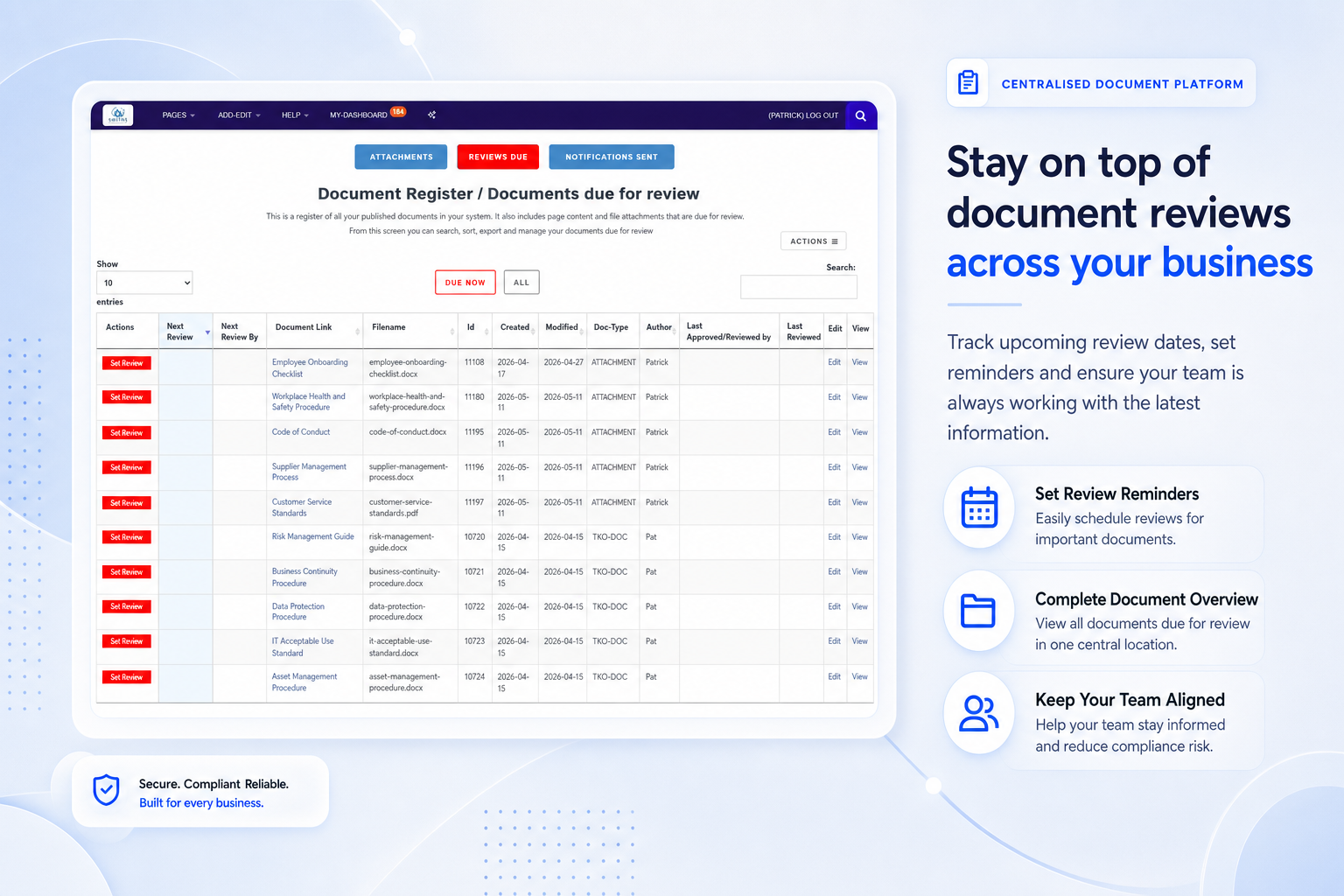
Consistent workQuality assurance
TKO Guides document review tracking screenshot

Track Document Reviews Effortlessly

Know what is due, what has changed and where attention is needed before content goes stale.
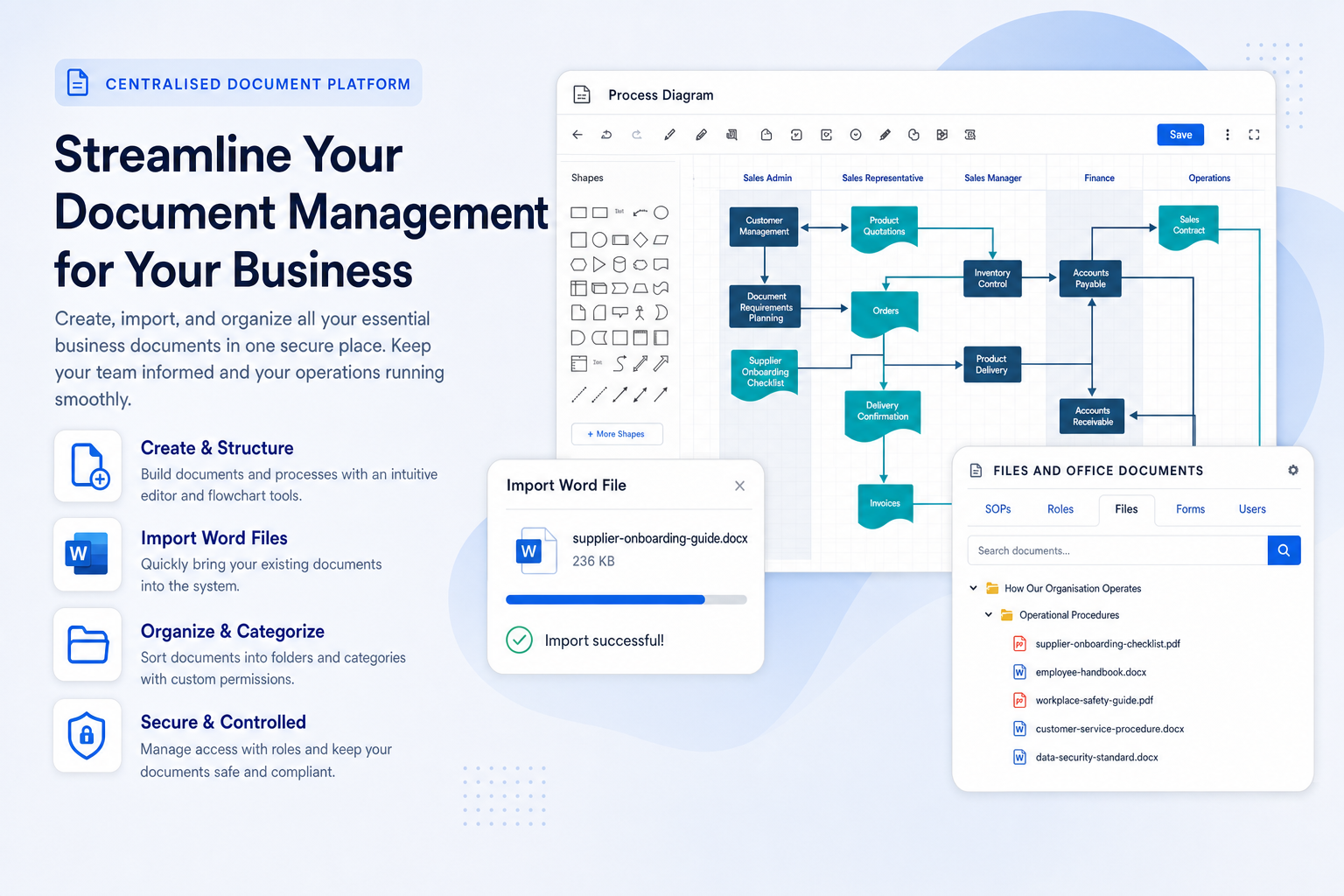
Review remindersClear overview
TKO Guides create import and organise documents screenshot

Import and Organise Existing Content

Bring Word files, diagrams, forms and other business documents into one searchable workspace.
Import filesOrganise content
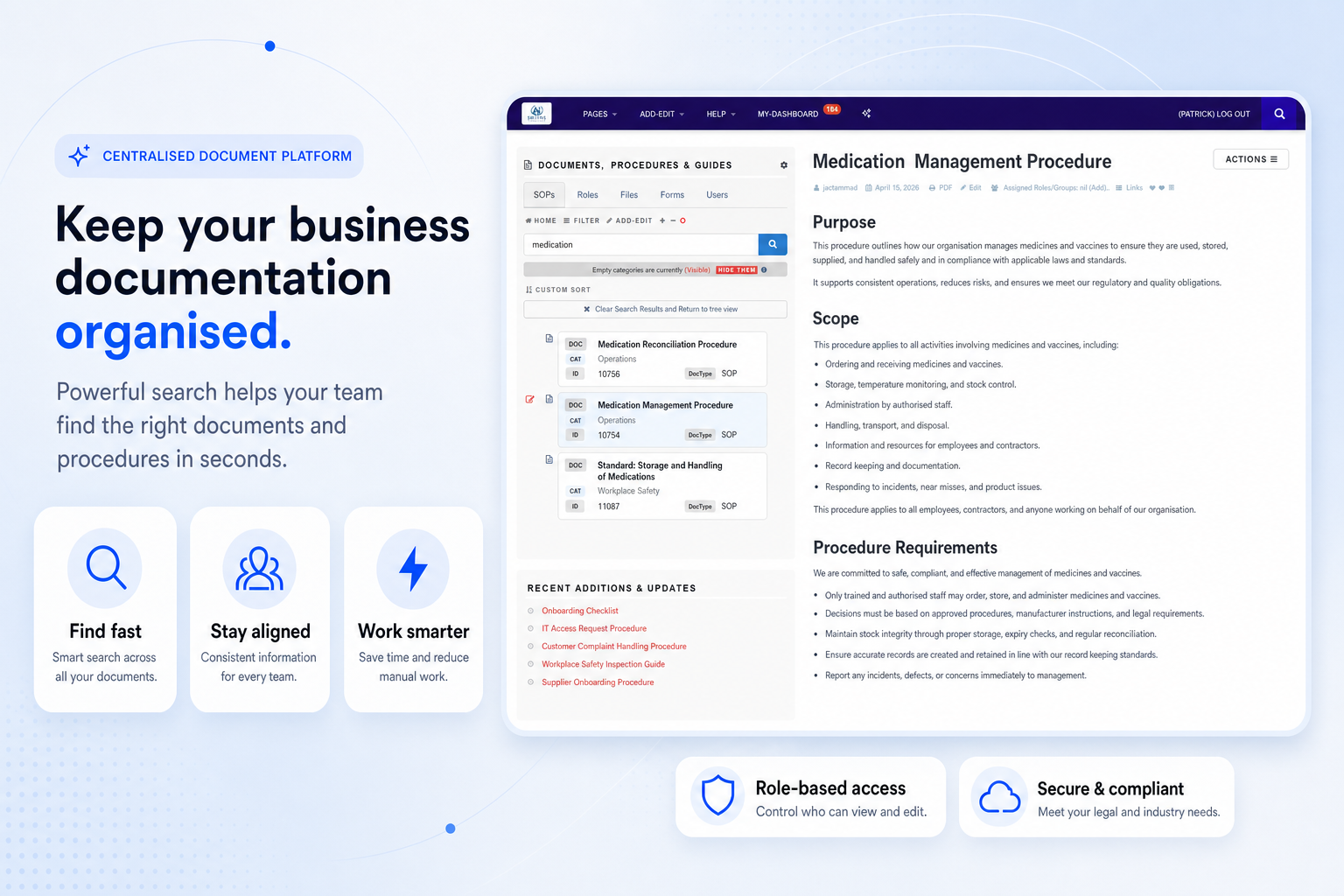
TKO Guides easy search screenshot for management documents

Find Anything Quickly

Search across documents and procedures so teams can locate the right guidance in seconds.
Keyword searchFast access
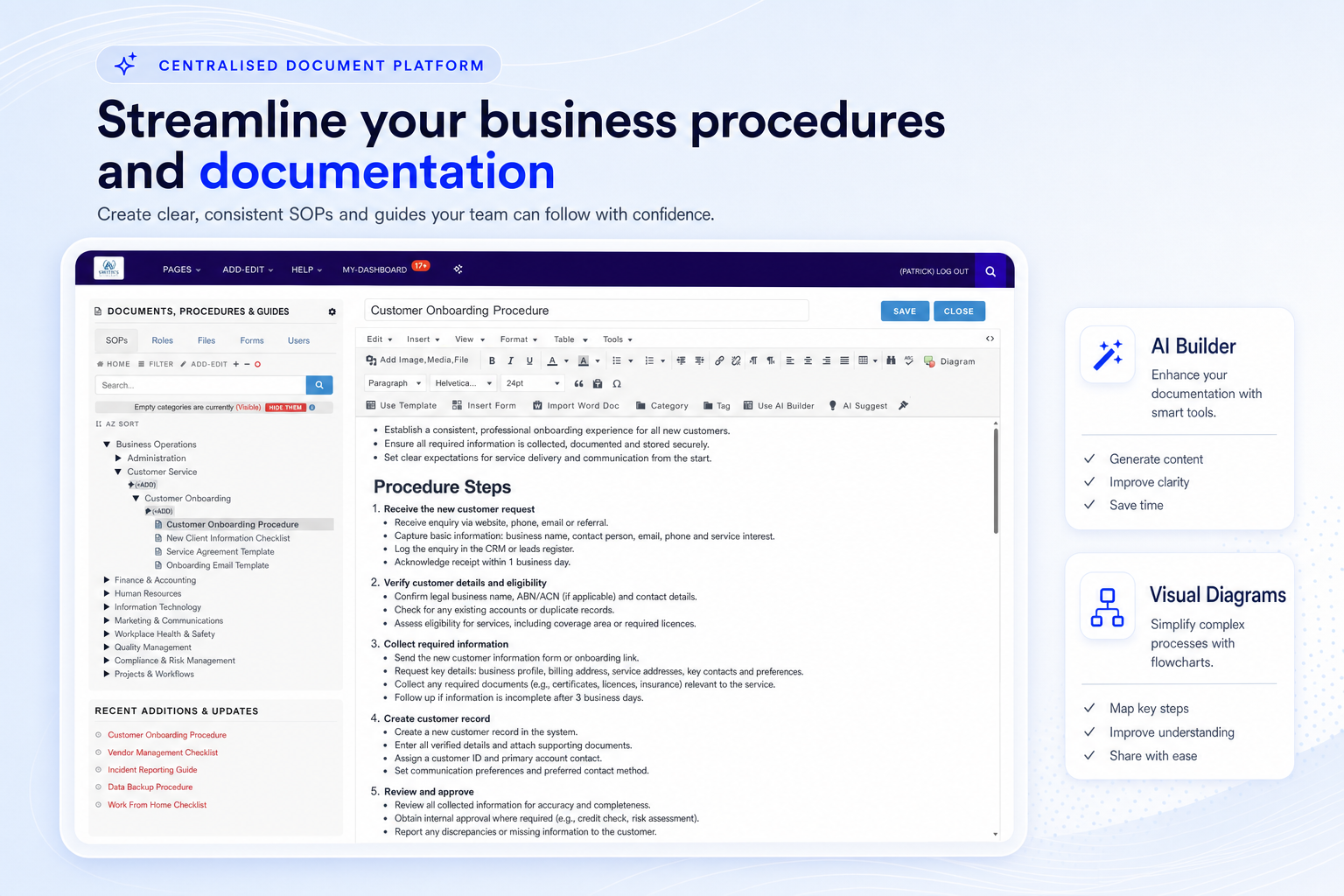
TKO Guides editor screenshot for intake and registration documents

Write Procedures with Diagrams

Create and format documents with diagrams, structured content and AI-assisted editing tools.
AI builderVisual diagrams
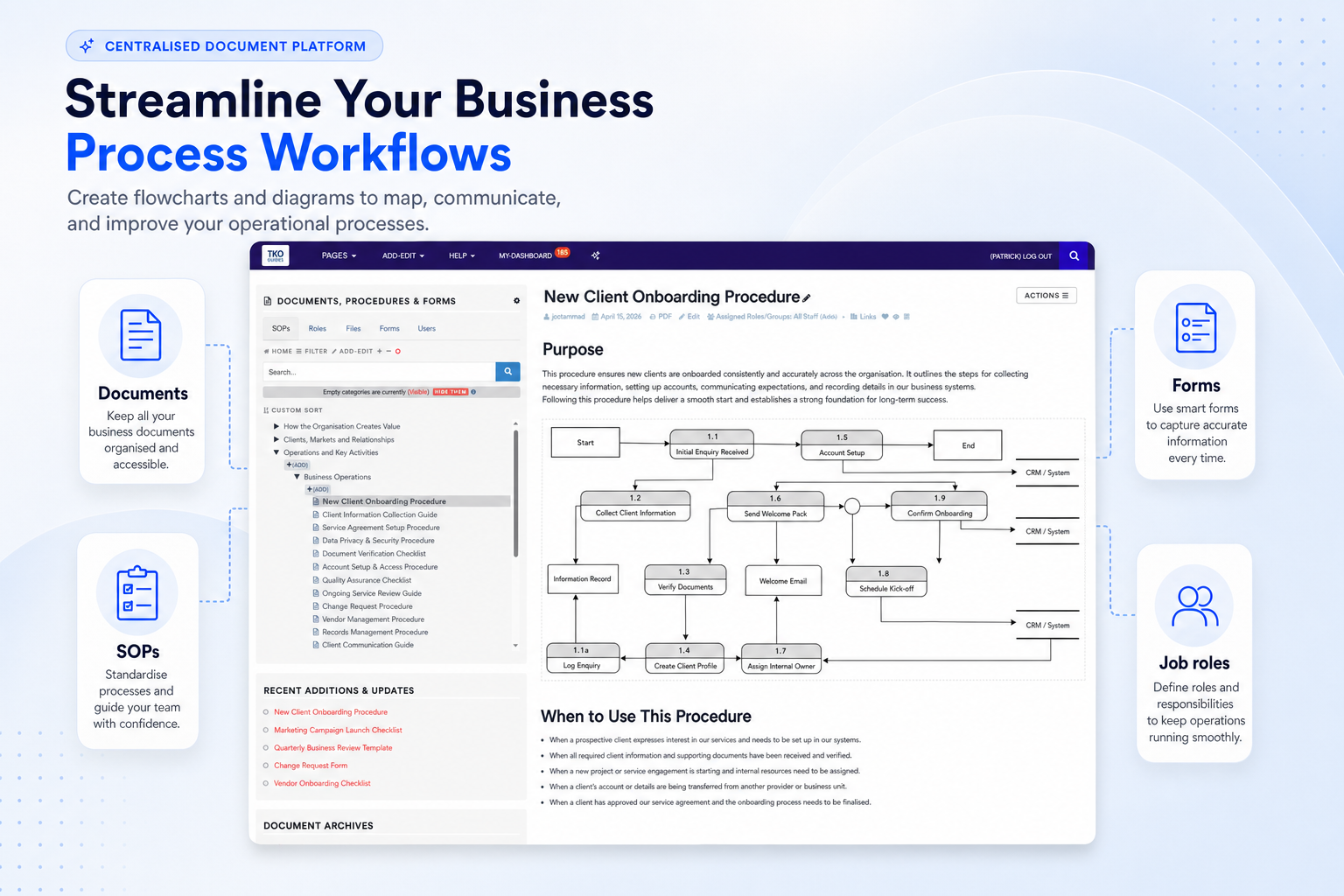
TKO Guides flowchart screenshot for registration workflow

Visualise Complex Workflows

Map a job from booking to proof of delivery so everyone understands the process.
Simplified workflowBetter experience
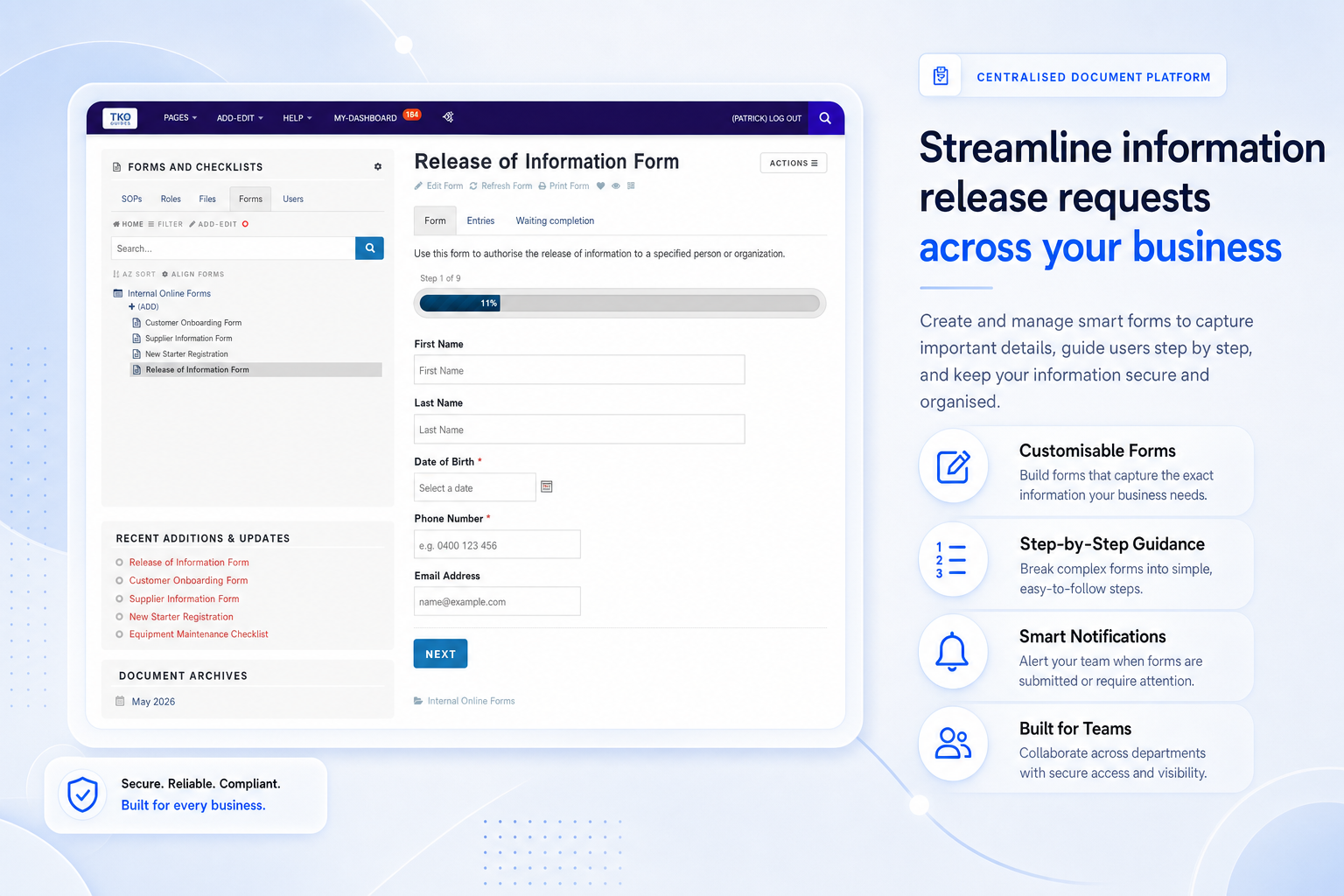
TKO Guides forms input screenshot for record release management

Capture Job Information with Forms

Create digital forms for pre-start checks, load checks and delivery sign-offs, filled in on any device.
Custom formsStep-by-step fields
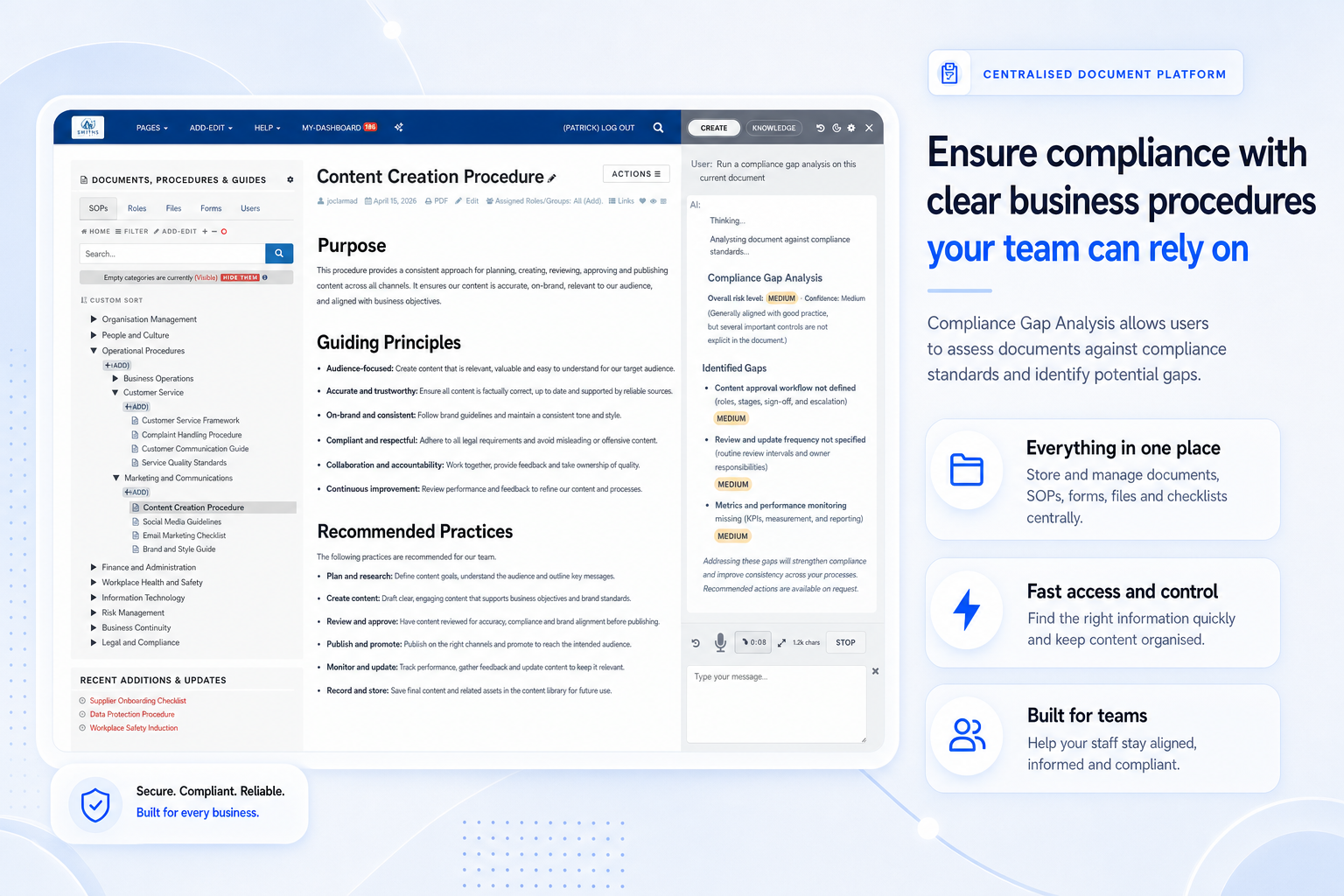
TKO Guides gap analysis screenshot for compliance documents

Identify and Address Compliance Gaps

Assess documents against requirements and turn findings into practical improvement actions.
Risk assessmentAction insights
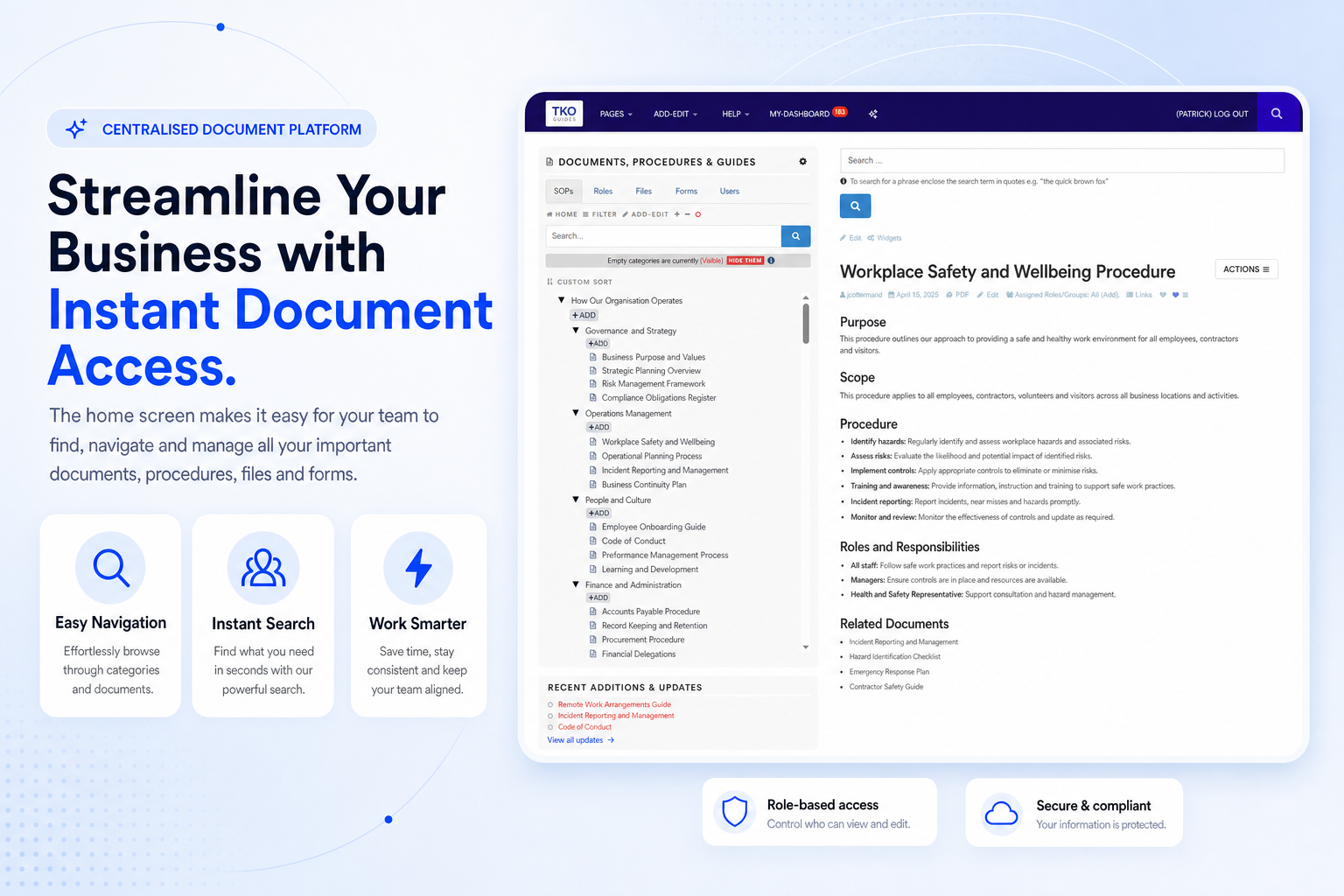
TKO Guides home screen screenshot for document management

Simple Access to Crucial Documents

Navigate documents, procedures, forms and files from a clear home screen built for daily use.
Easy navigationInstant search
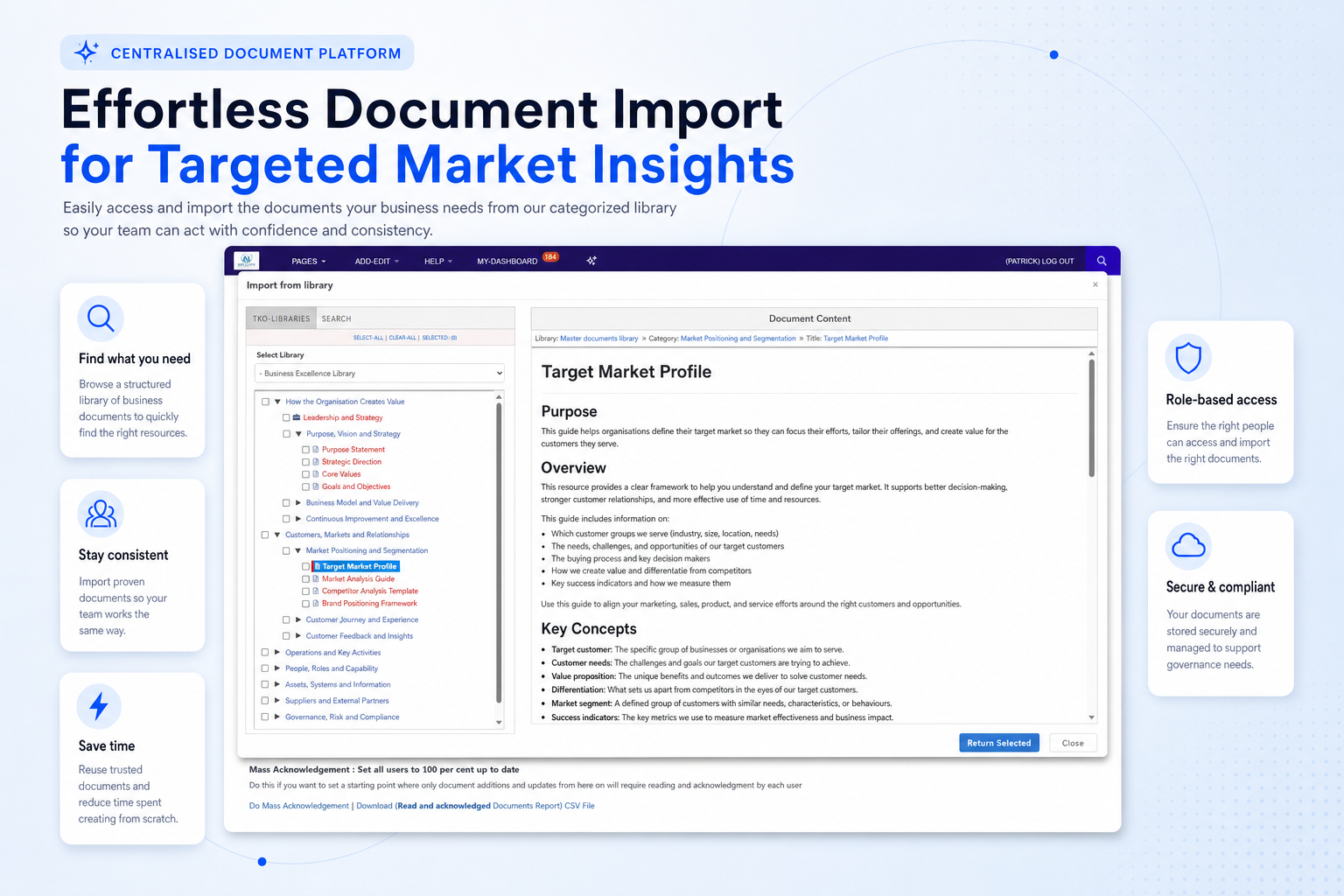
TKO Guides import from library screenshot for document resources

Access Resources Efficiently

Import selected resources from a categorised library and adapt them to your organisation.
Categorised accessEfficient selection
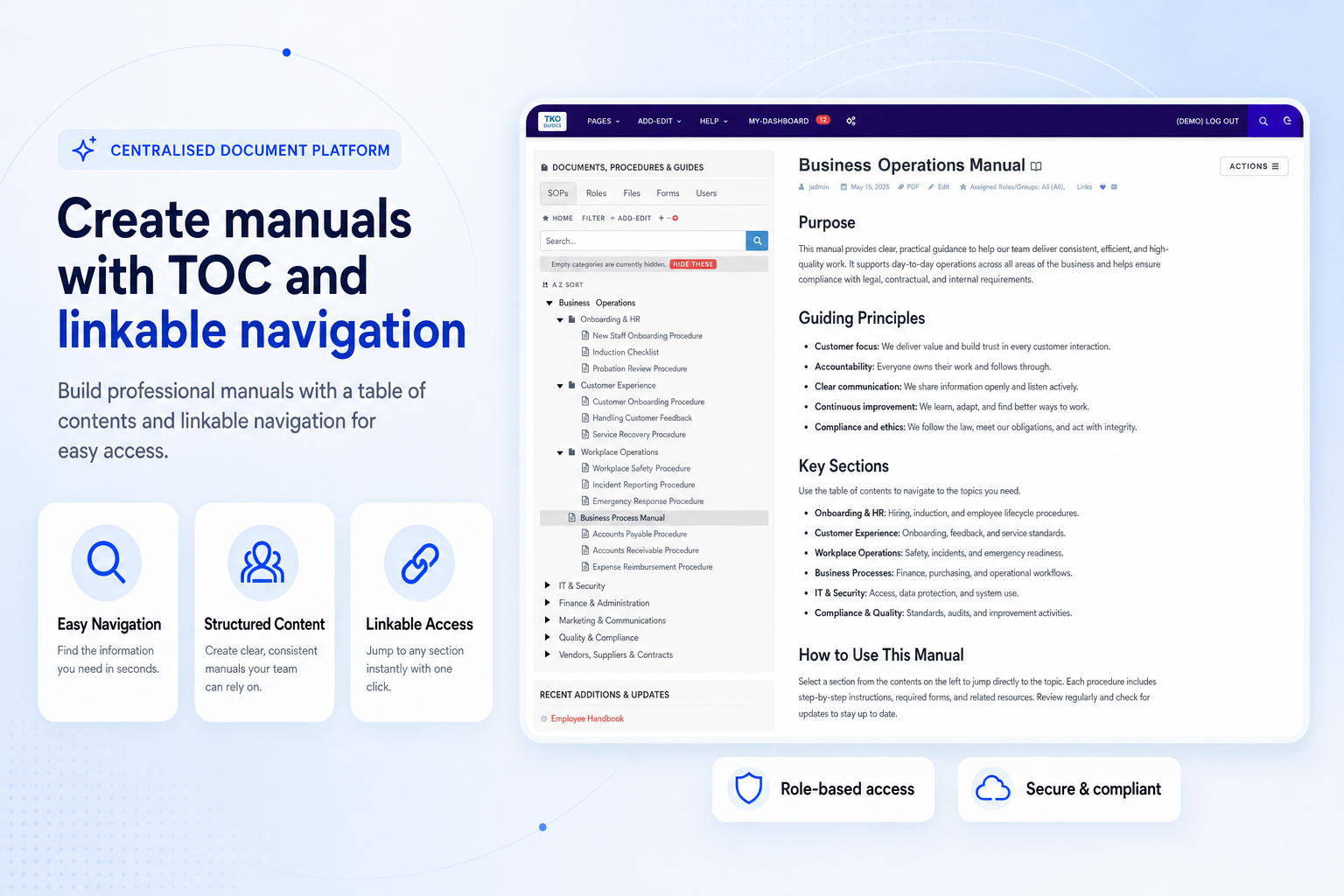
TKO Guides manuals PDF screenshot for client journey guides

Manuals Your Drivers Can Navigate

Generate manuals with table of contents and linkable navigation for easy reading.
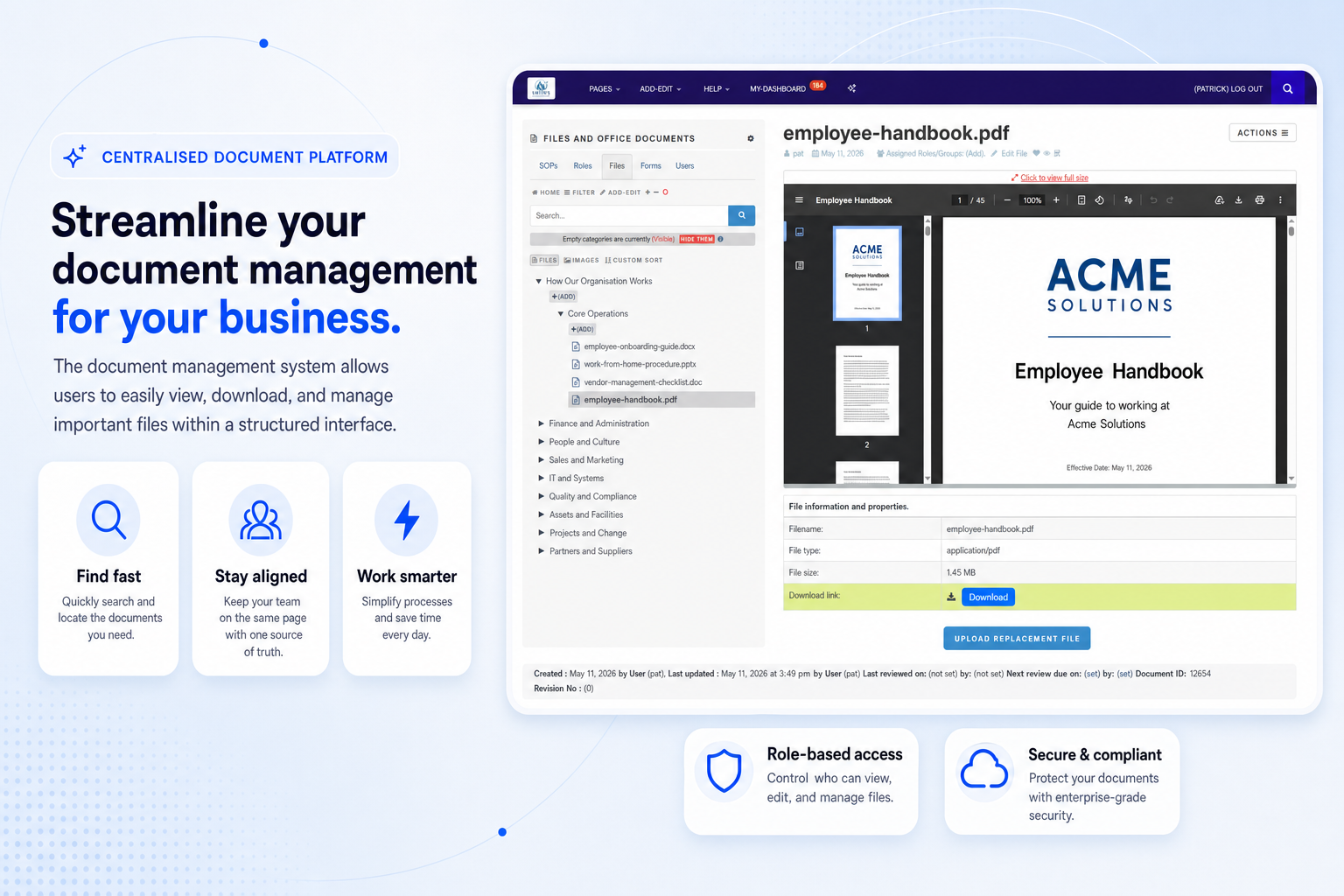
Easy navigationComplete support
TKO Guides office files screenshot for important file management

Manage Important Files

Store, view and download files within a structured interface connected to your document system.
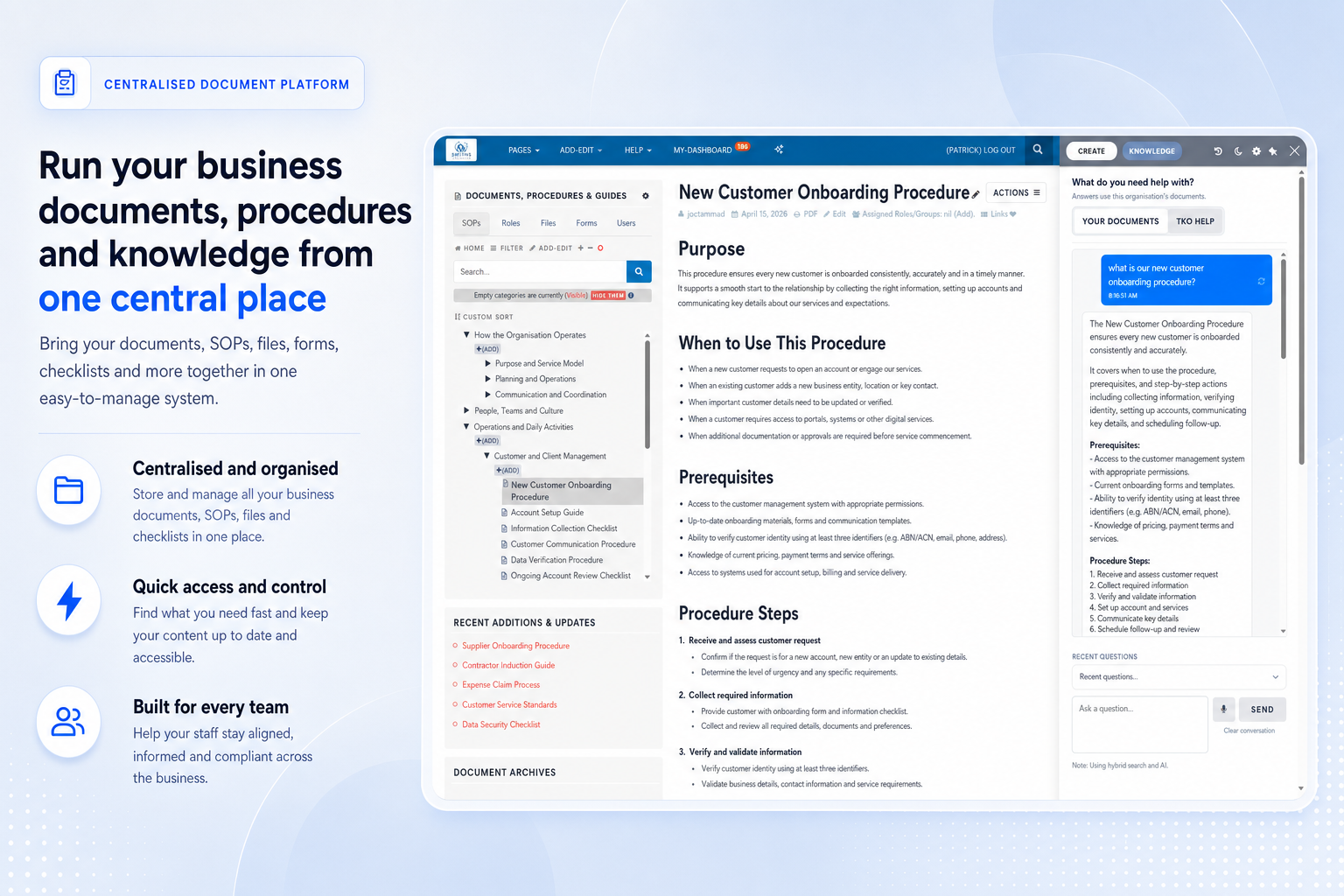
Easy viewingStructured storage
TKO Guides question and answer AI assistance screenshot

Get Guidance from Your Own System

Ask questions against your organisation’s content and help staff find the right procedure quickly.
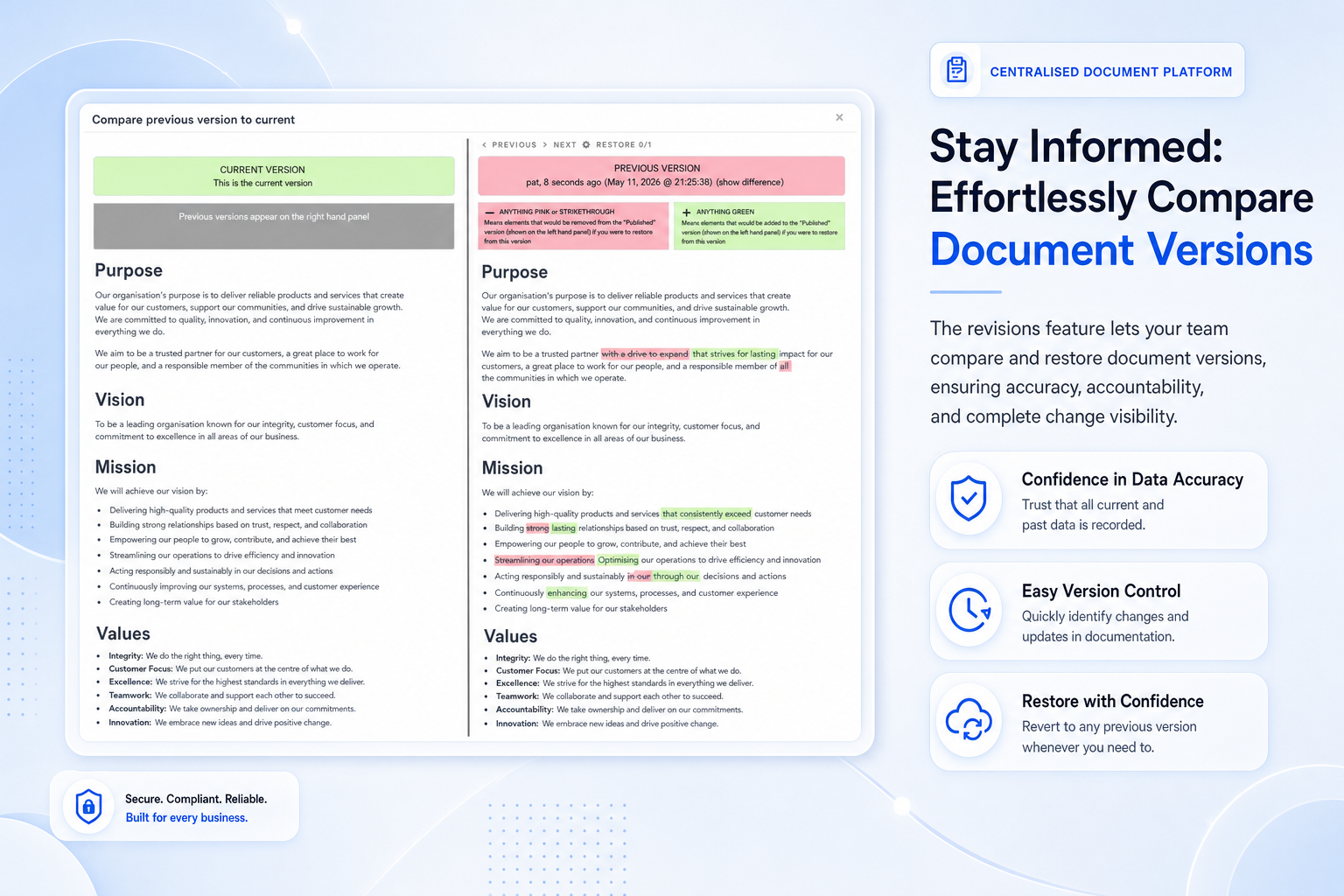
AI-powered supportEfficient procedures
TKO Guides revisions stored screenshot for version comparison

Compare Document Versions

Track changes, restore prior versions and maintain confidence in document accuracy over time.
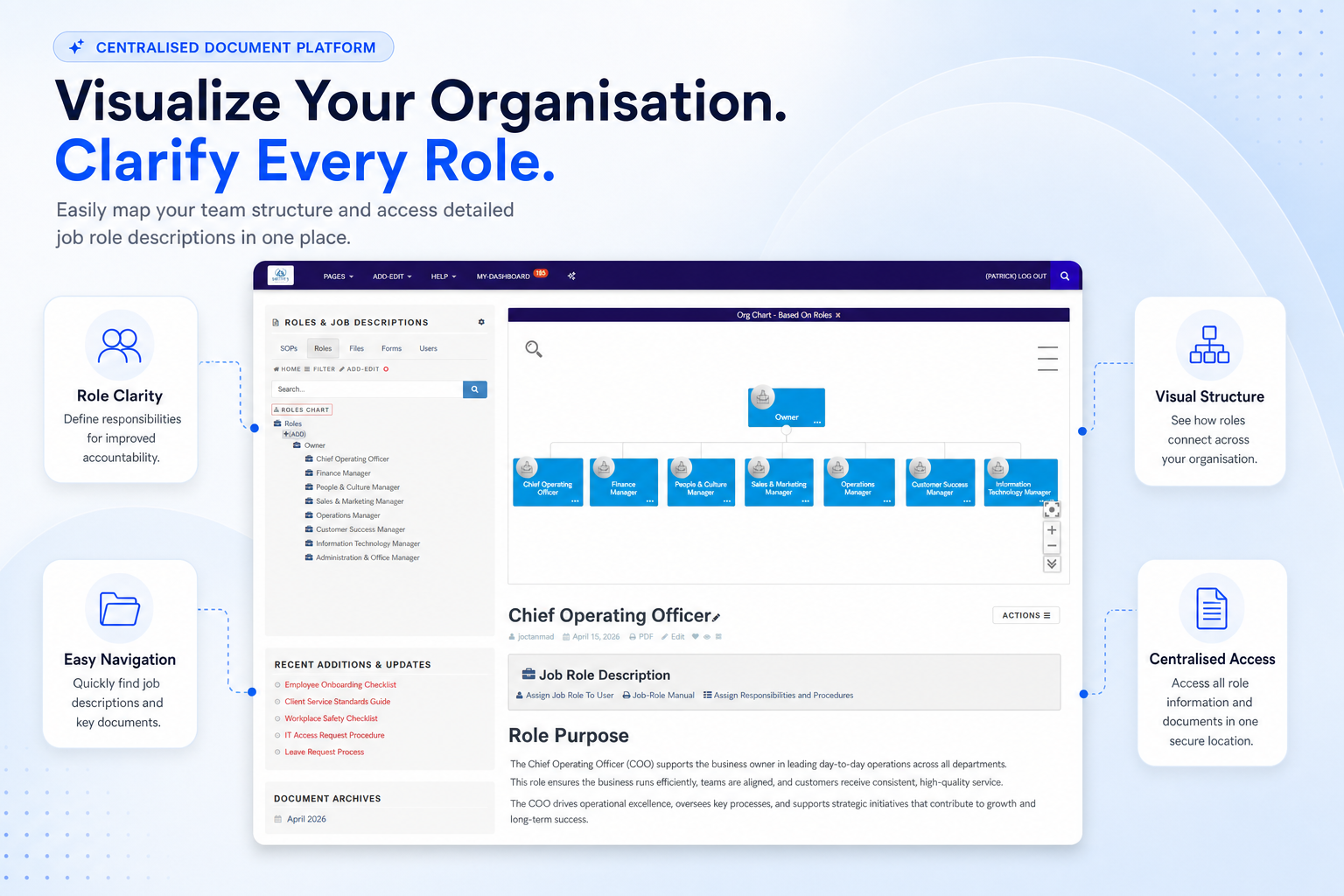
Change historyVersion control
TKO Guides organisational chart screenshot for roles and job descriptions

Visualise Your Team Structure

Connect roles, responsibilities and related documents so accountability is easy to understand.
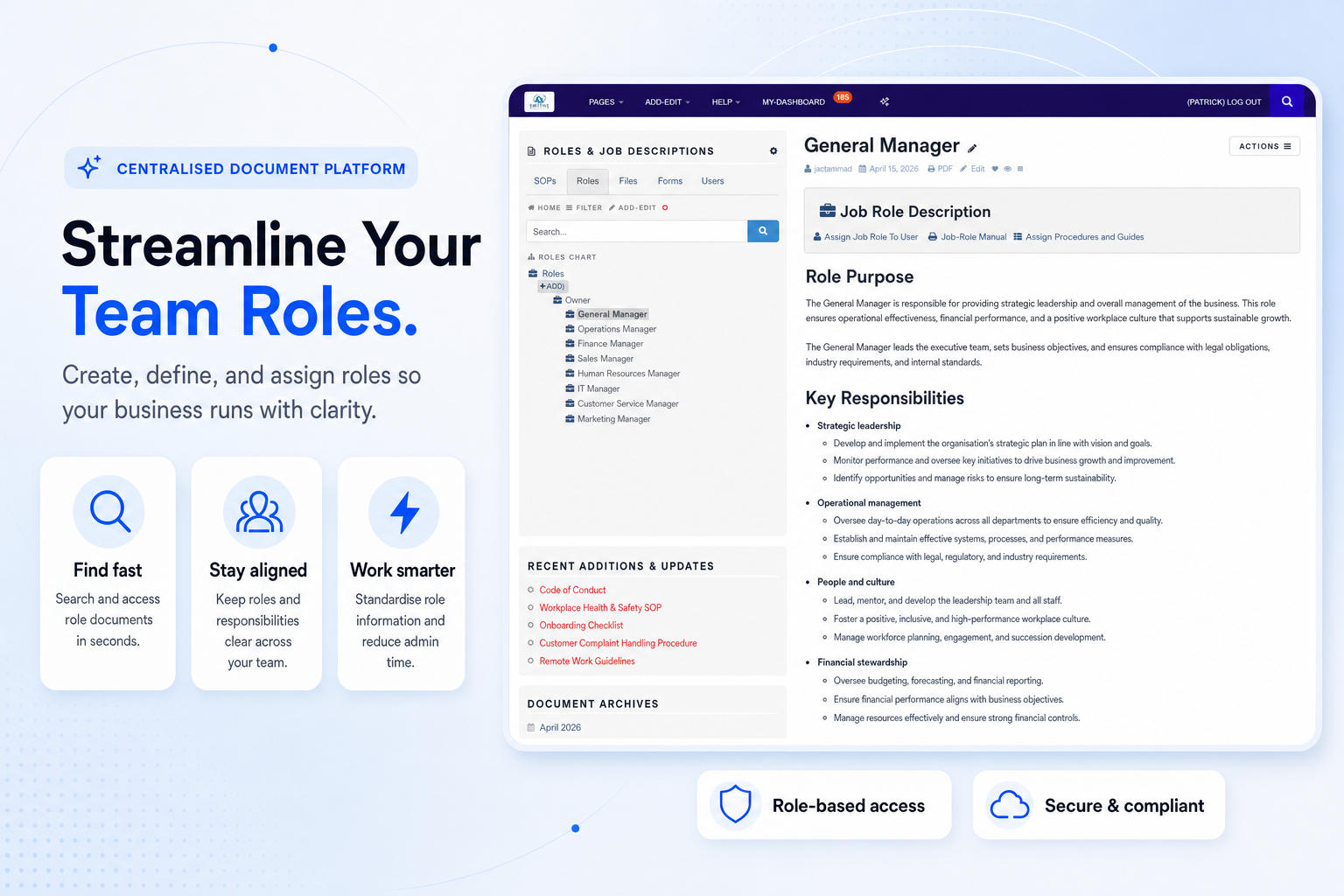
Role clarityEasy navigation
TKO Guides roles and job descriptions management screenshot

Streamline Role Management

Create roles, assign responsibilities and help staff understand the documents relevant to their work.
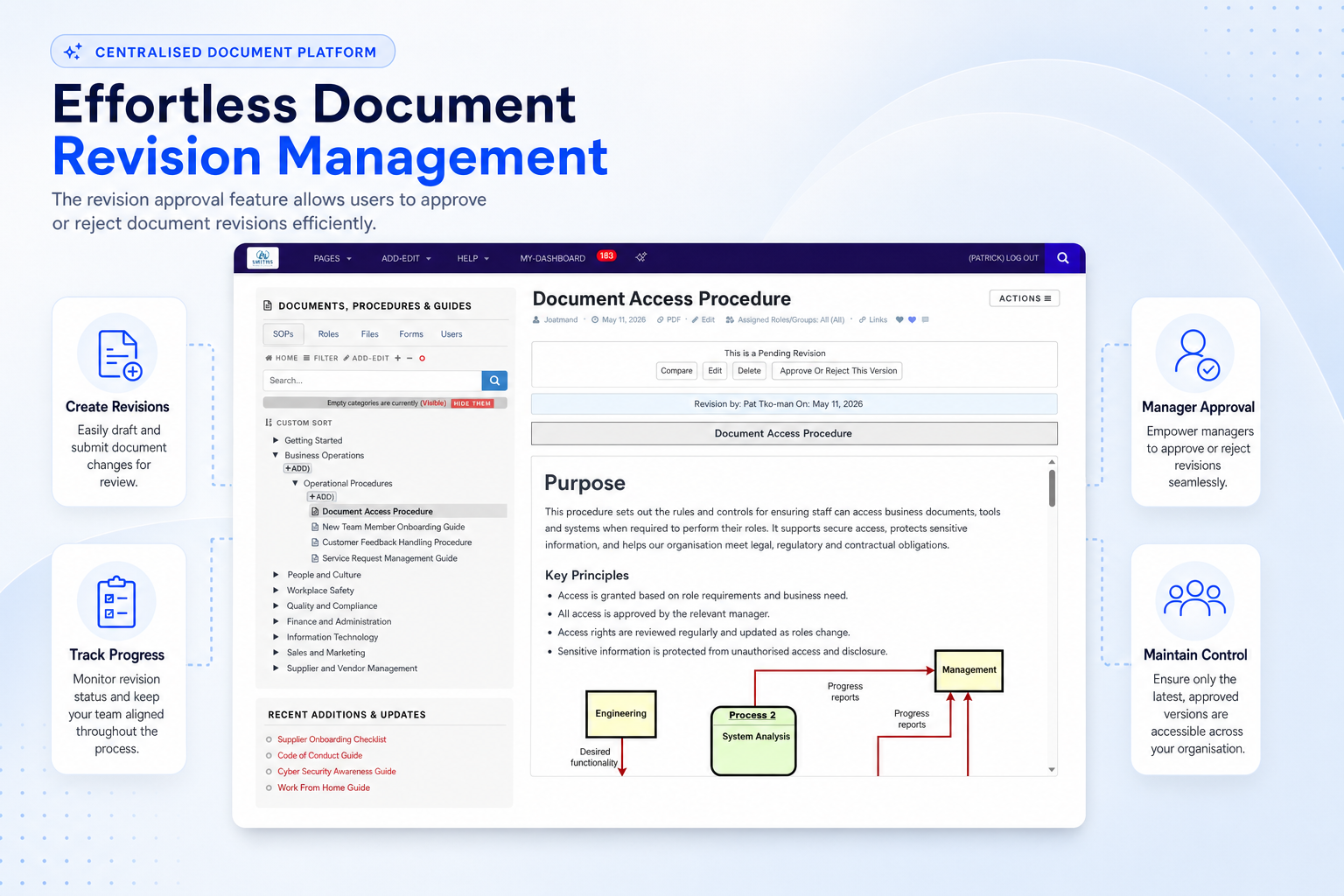
Role assignmentClear responsibilities
TKO Guides revision approval screenshot for documents and procedures

Approve Revisions with Confidence

Submit changes for review, approve or reject revisions and keep document governance clear.
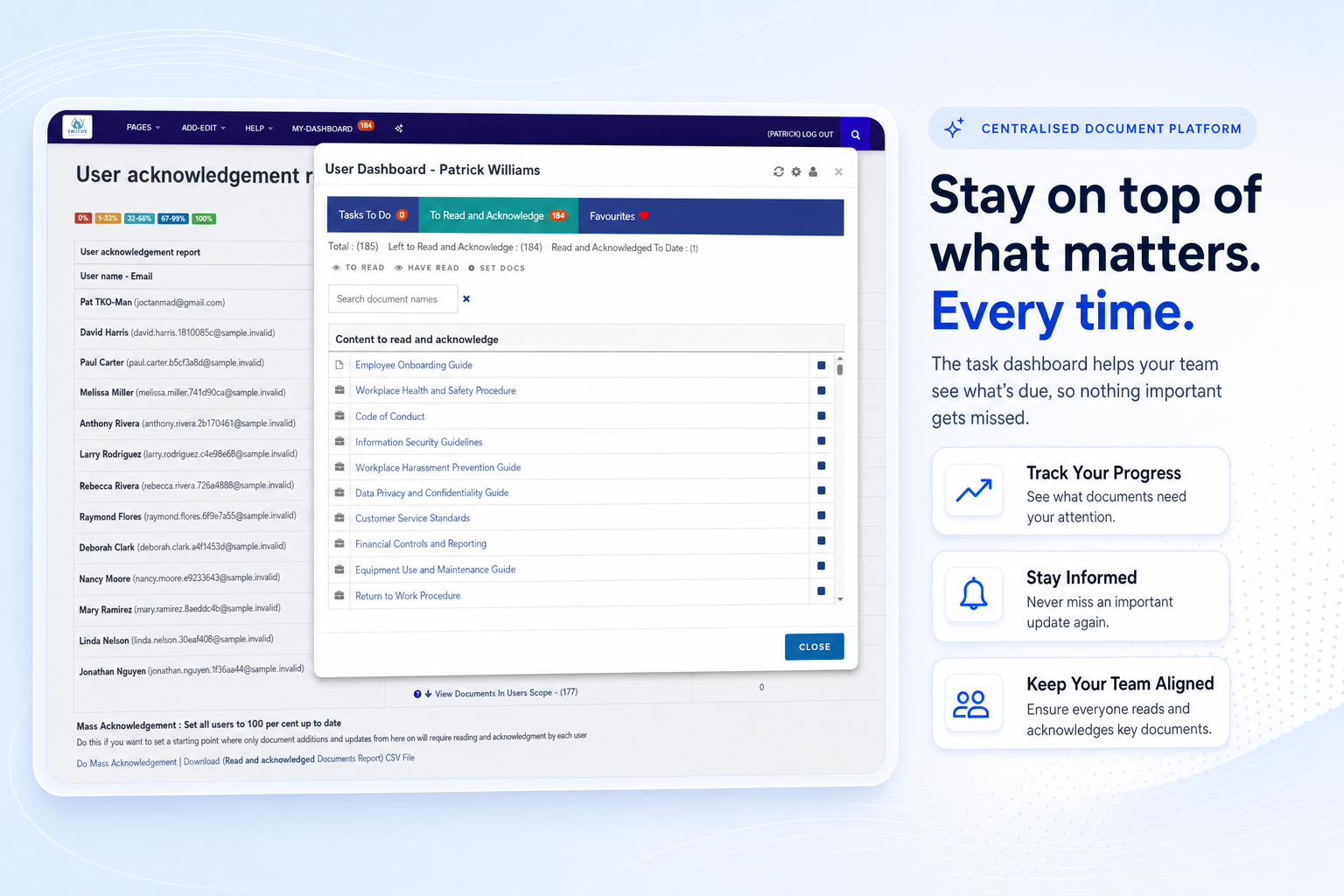
Draft revisionsManager approval
TKO Guides user task dashboard screenshot for document tracking

Track Document Tasks Easily

Give users a simple dashboard for pending reading, acknowledgements and review tasks.
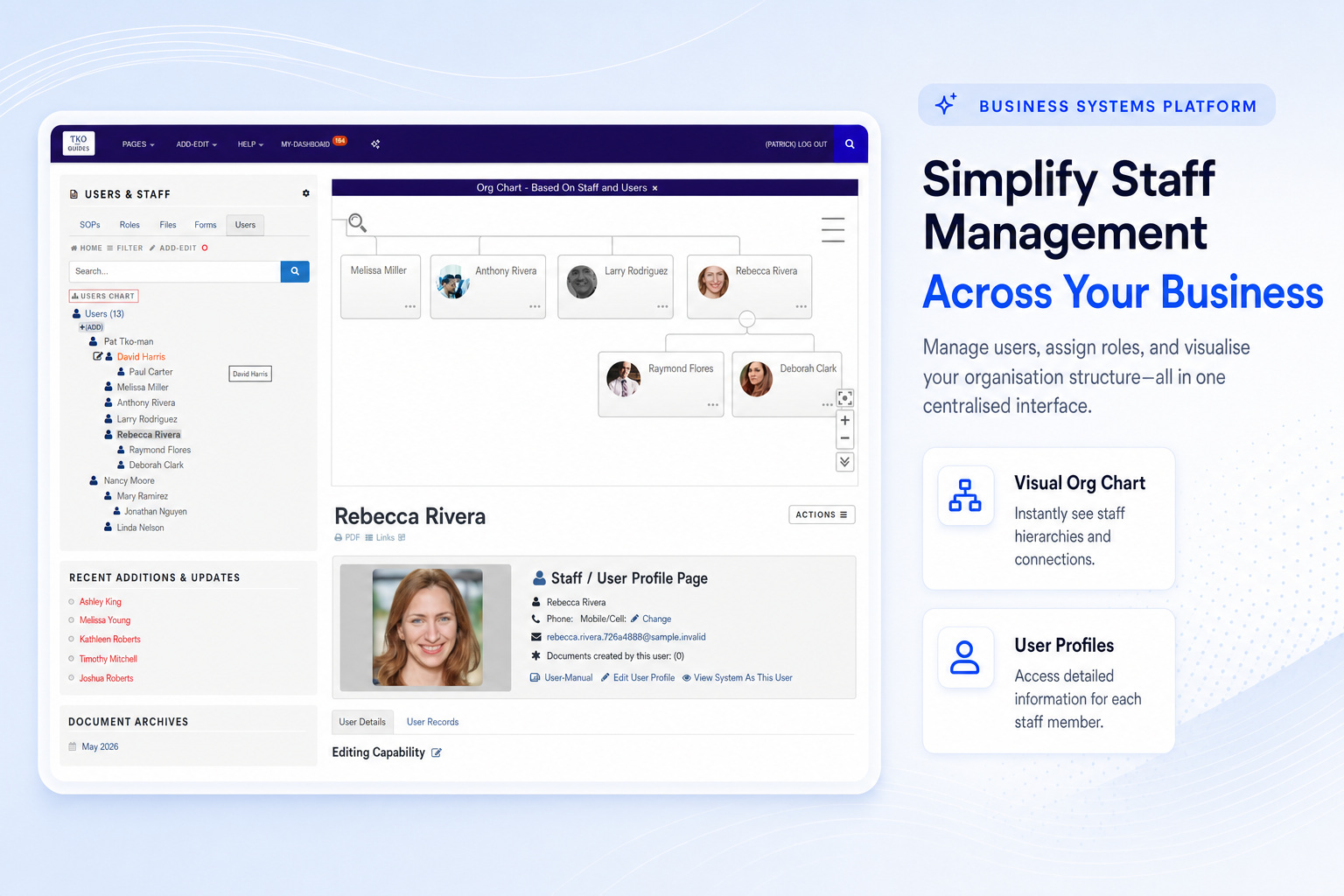
Progress trackingNever miss updates
TKO Guides user management screenshot with organisational chart

Effortlessly Manage Staff Access

Manage users, roles and structure so the right people can access the right documents.

Visual org chartUser profiles
Why transport businesses choose TKO Guides

Fewer calls to the depot. The same standard on every run.

For transport and logistics businesses that want their way of working written down, without more paperwork.

1

Built for drivers

Procedures and forms open on a phone, in the yard or at the dock.

2

Fewer calls to the depot

The answers are written down, so drivers look there first.

3

Faster driver onboarding

Role-based manuals and assigned reading before the first run.

4

Records when you need them

Versions, sign-offs and who read what, ready when a customer or auditor asks.

Proof

What teams are saying

Operational leaders use TKO Guides to bring clarity, consistency and control to business-critical documents.

“Having documents, review dates and evidence in one system makes quality management far easier to maintain. It gives our team a practical way to stay aligned.”

Quality Manager, Quality Management, Australia

“The structure helps remove guesswork. Our procedures are easier to find, easier to update and much easier to explain during internal reviews.”

Document Manager, Real Estate, USA

“For operations teams under compliance pressure, a controlled document system is invaluable. It helps keep standards visible and responsibilities clear.”

CEO, Aged Care, Australia
FAQ

Questions before your demo?

The questions transport and logistics businesses ask before moving off binders, PDFs and group chats.

Will it work for drivers and subcontractors?

Yes. Assign documents by role, so drivers, yard staff and subcontractors each see what applies to them, and you can see who has read it.

Can we import our existing documents?

Yes. You can bring existing files into the platform, organise them into a structured library and improve them over time using review tools and AI-assisted workflows.

How does it help with staff turnover?

Role-based manuals, assigned documents and read tracking help a new driver learn your way faster, and reduce reliance on one person’s memory.

Can drivers open documents in the yard or at a drop?

Yes. TKO Guides works on phones and tablets, and a QR code can open a form directly, so drivers find the current version when they are parked, without digging through folders.

What happens when requirements change?

Update the procedure, notify the drivers and keep a record of who has read the new version, so a change in the rules or in your own process reaches everyone.

See your way of working in one place.

Book a demo to see how TKO Guides can hold your procedures, inductions and driver forms, and show who has read them.

Book a Demo
Contact

Prefer to talk first?

Reach out to TKO Guides or book a demo at a time that suits you.

Book a guided walkthrough

See how the platform can support your document library, reviews, assignments and audit evidence.

Book a Demo