Record a Process Once, Train Everyone
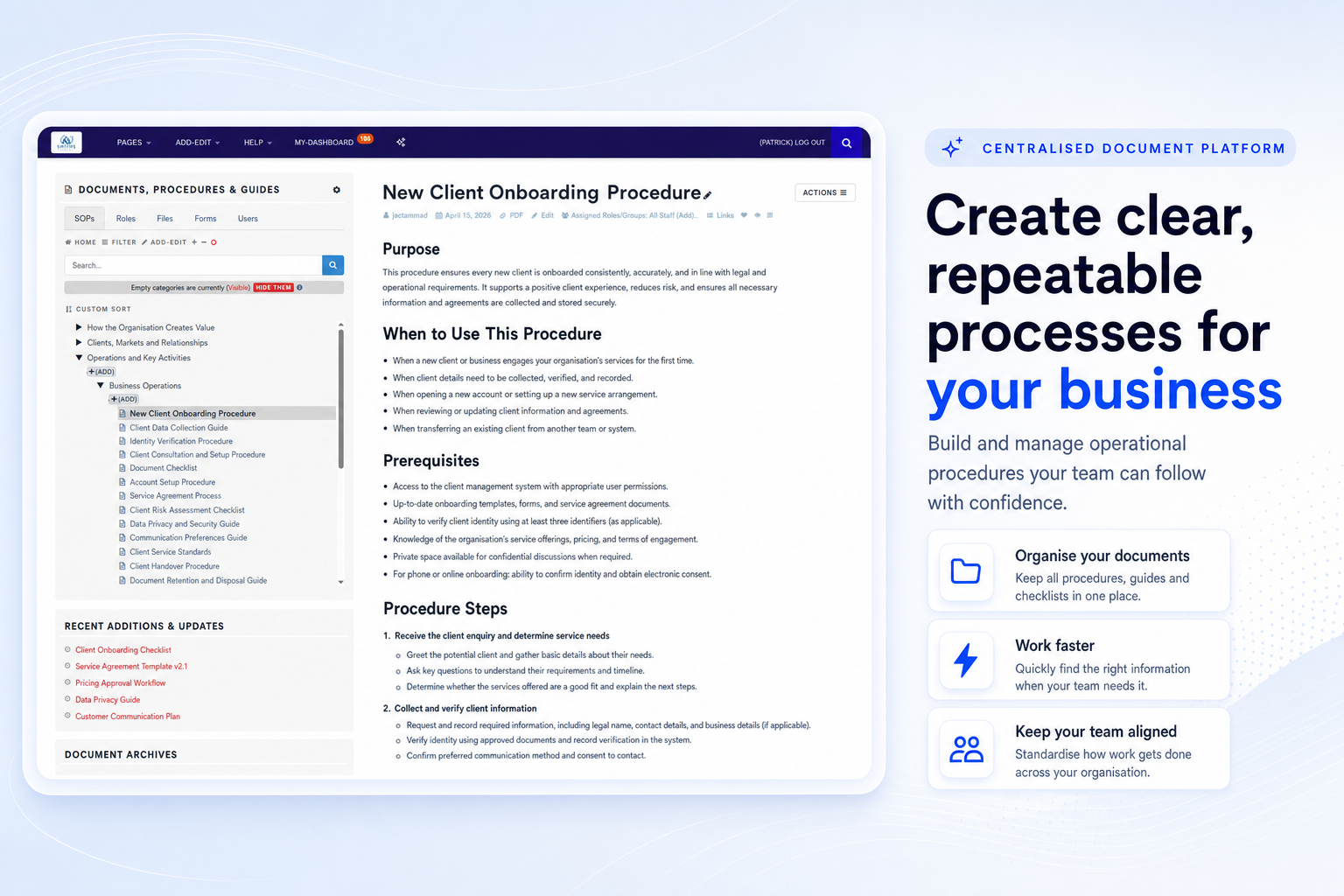
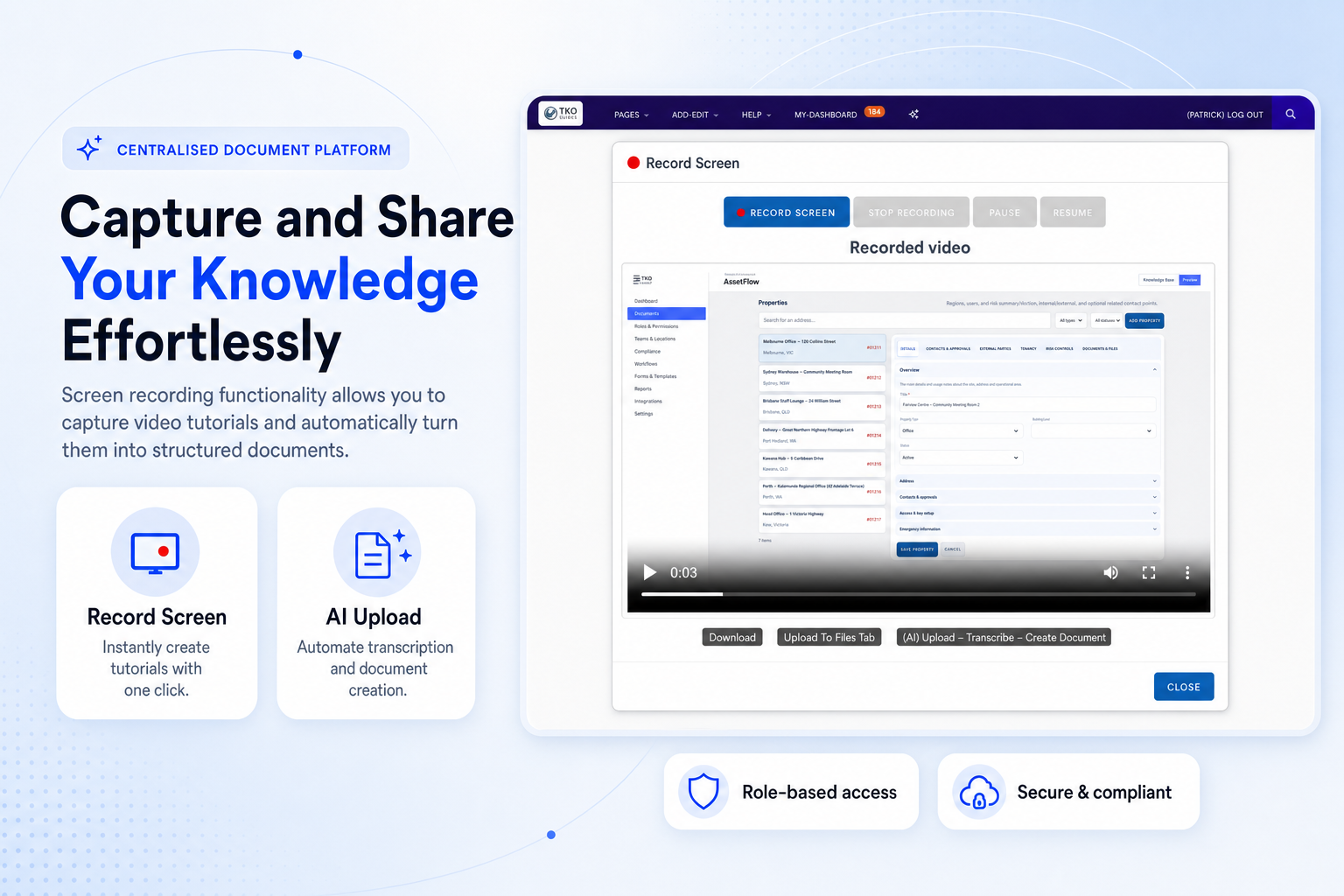
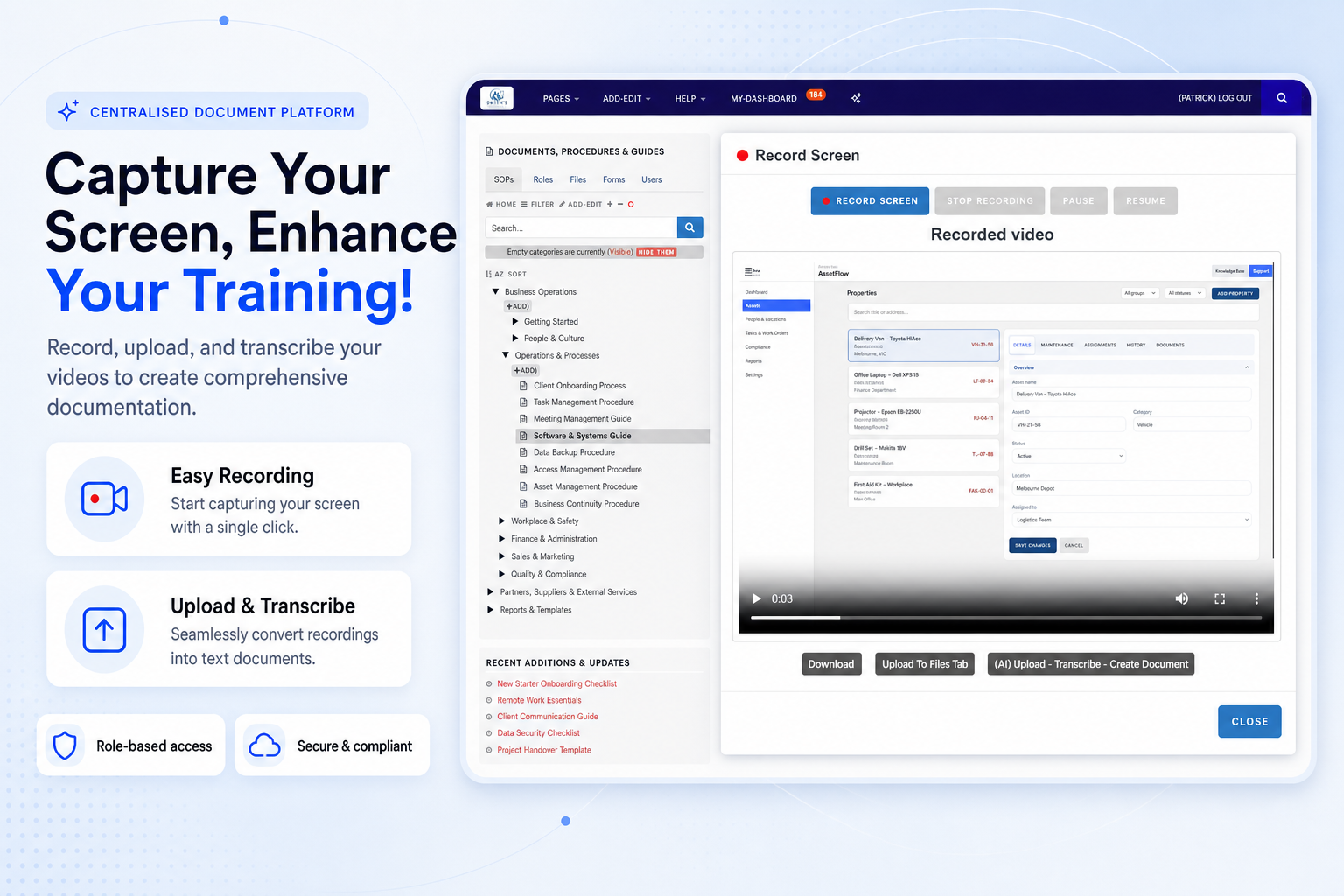
Record how you receipt a donation, roster a volunteer or lodge a grant acquittal online, and turn the recording into a step-by-step guide.
Volunteers come and go, board members change and funders want to see where the money went. TKO Guides keeps your procedures, sign-offs and records in one place, so your group runs well and you can show it.
A question from a new volunteer gets answered from the way your group works, not from whoever is rostered on.
He starts his first Saturday shift at the food relief hall. How the day runs, how food is handled safely and what to do if someone is hurt are written down and assigned to him before he arrives.
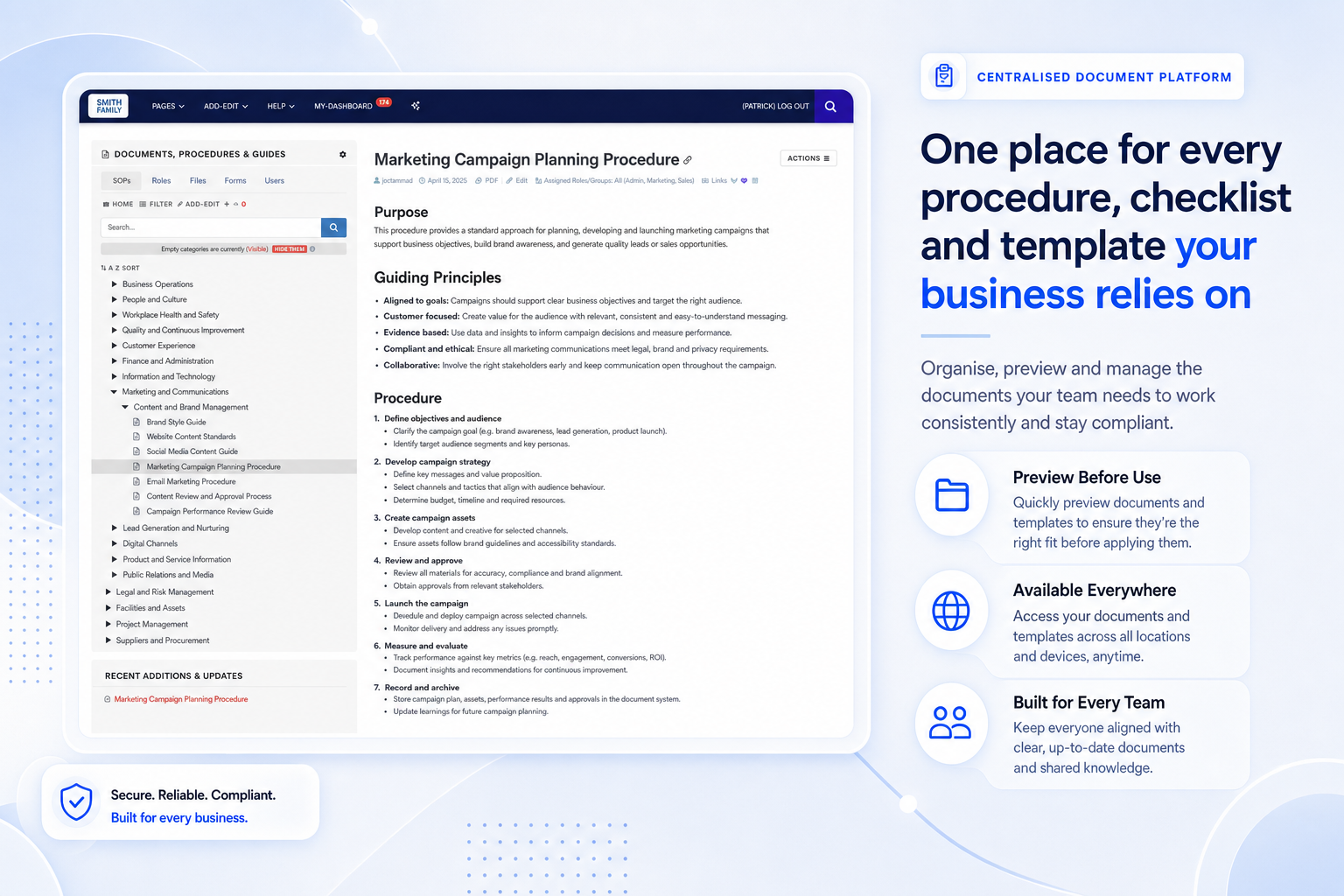
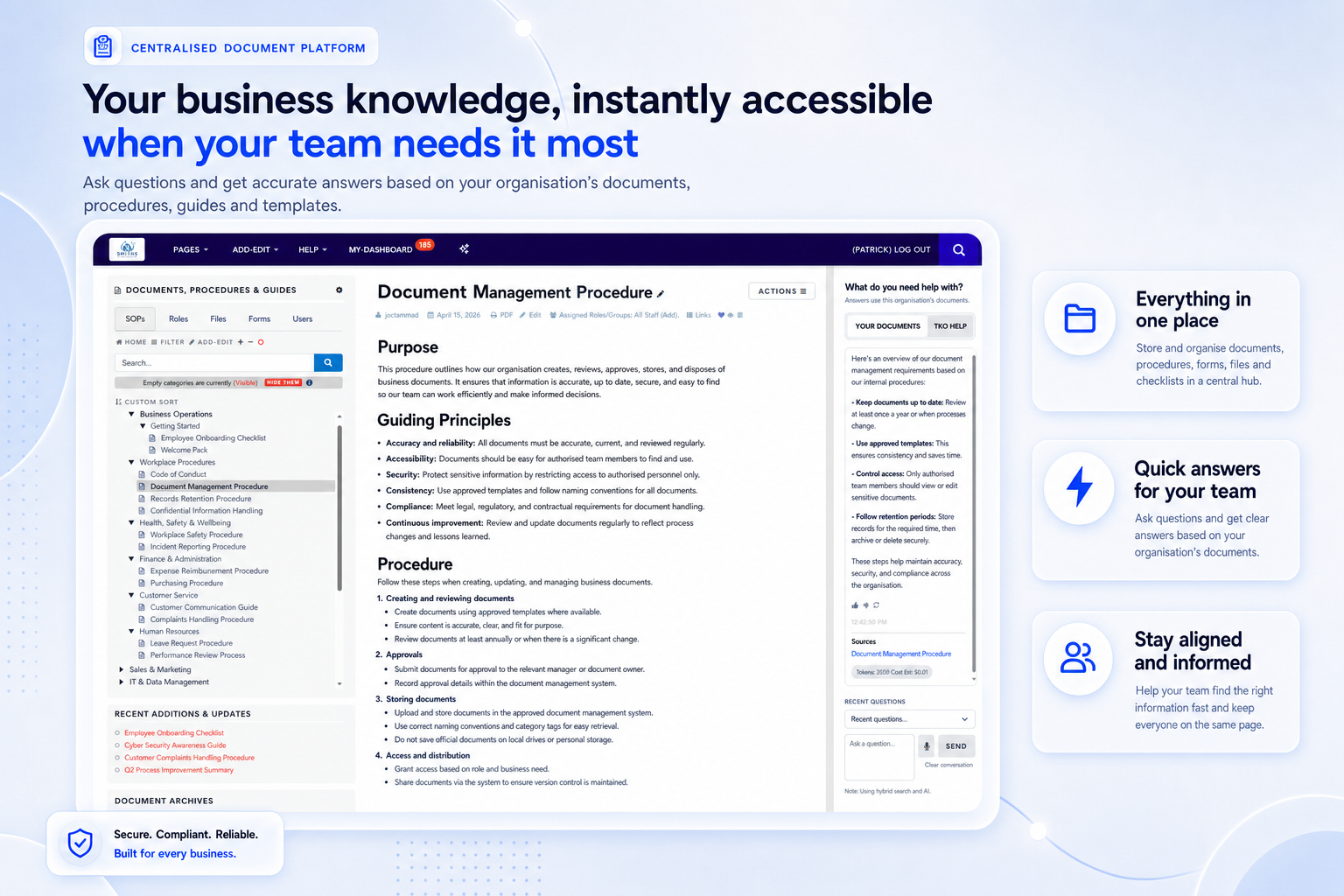
Many groups run on a shared drive, a folder in the office and the memory of a long-serving coordinator. TKO Guides gives you one place for procedures, volunteer guides, forms and the records your board and funders ask for.
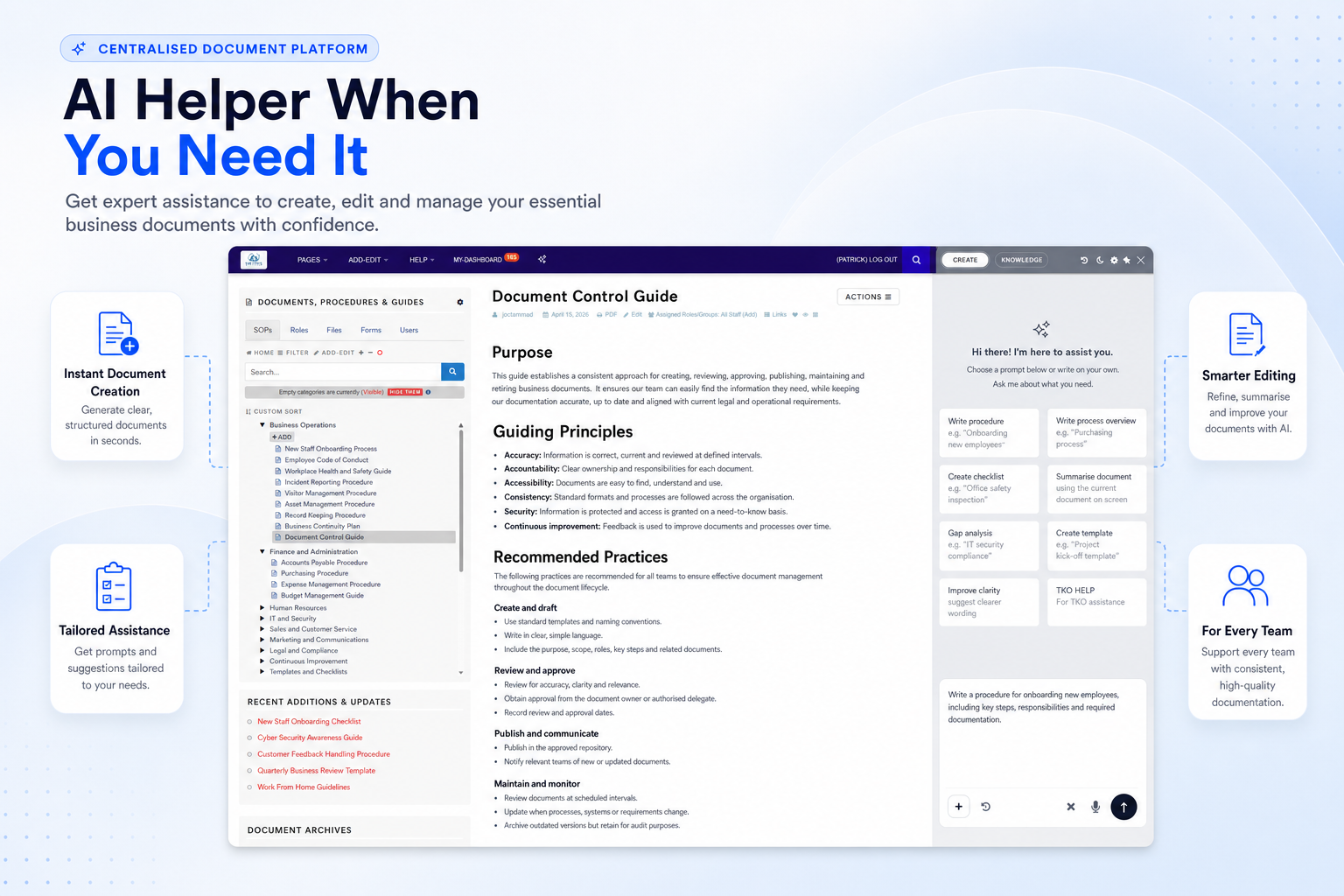
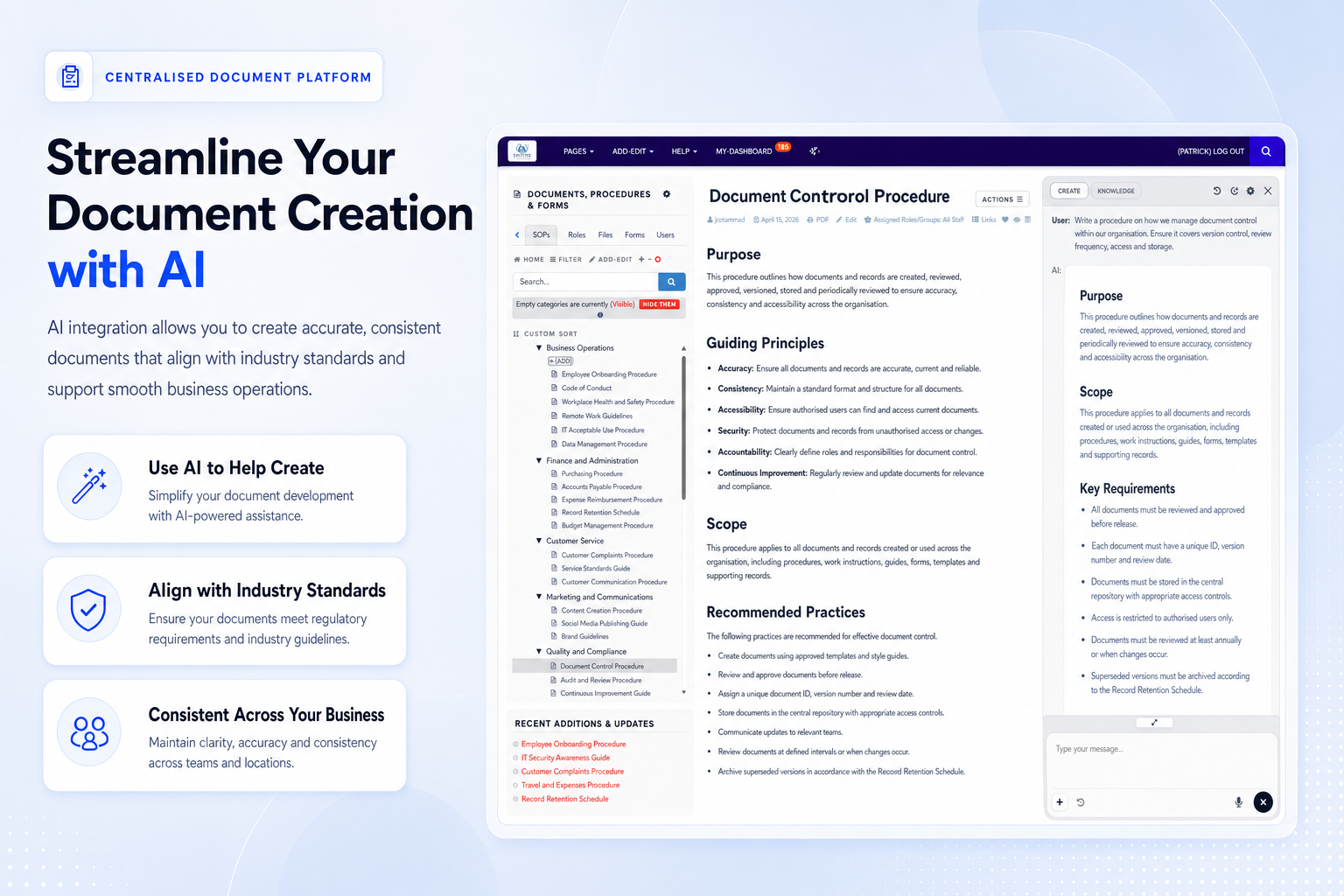
Use AI assistance to write procedures and training in plain English, without asking your coordinator to give up their weekends.
Record how you receipt a donation, roster a volunteer or lodge a grant acquittal online, and turn the recording into a step-by-step guide.
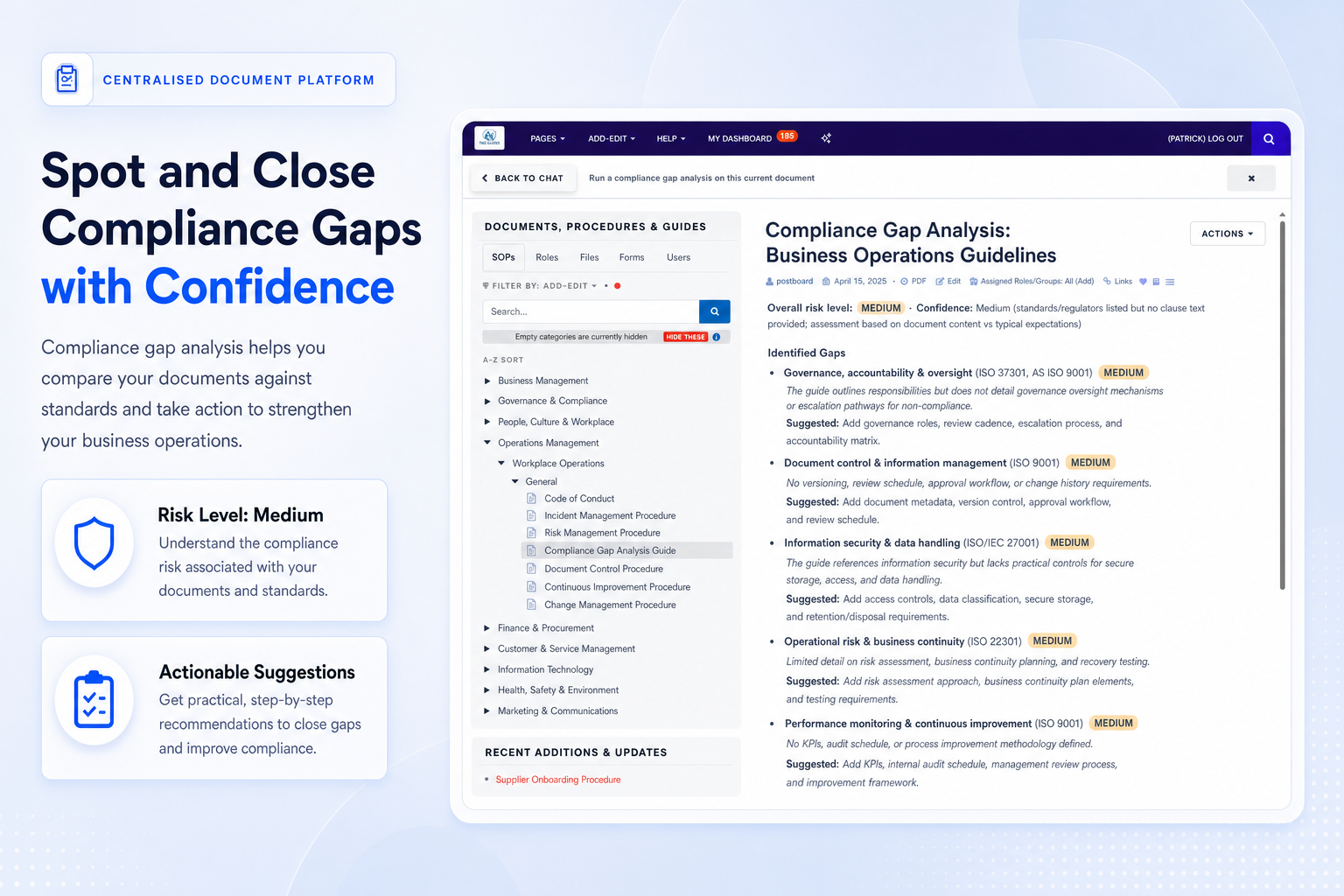
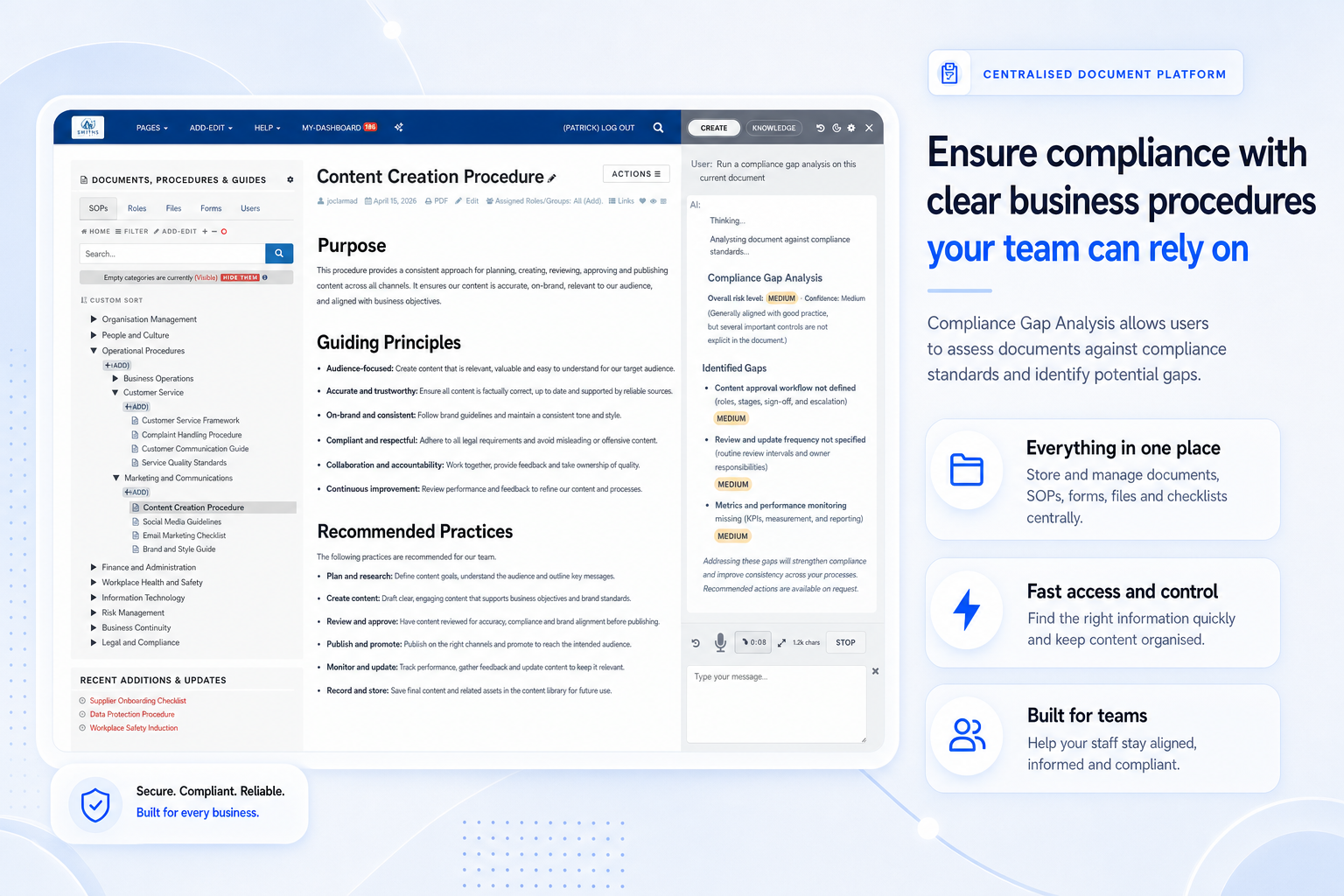
If you are a registered charity, check your procedures against the ACNC Governance Standards and get a practical list of what to fix.
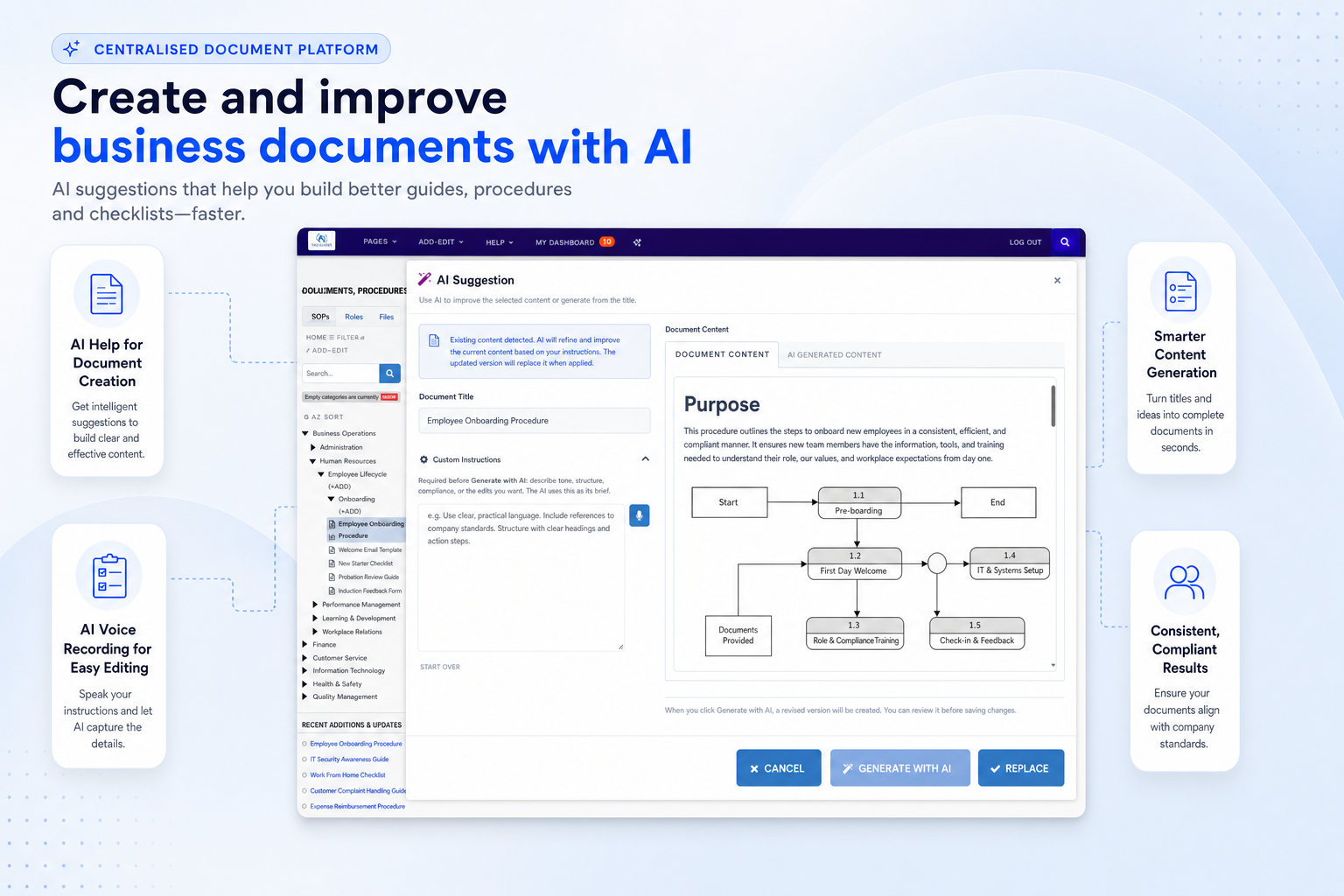
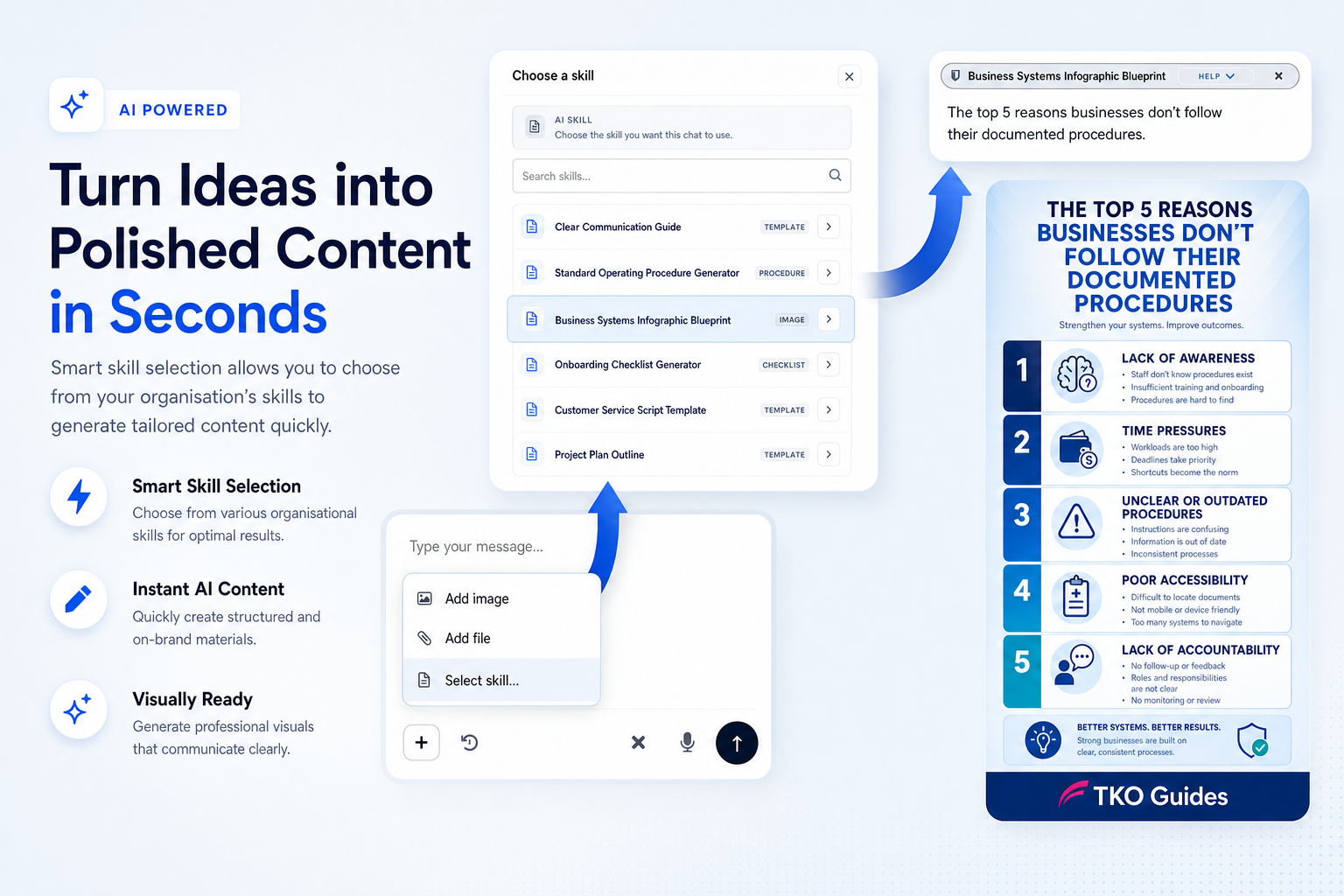
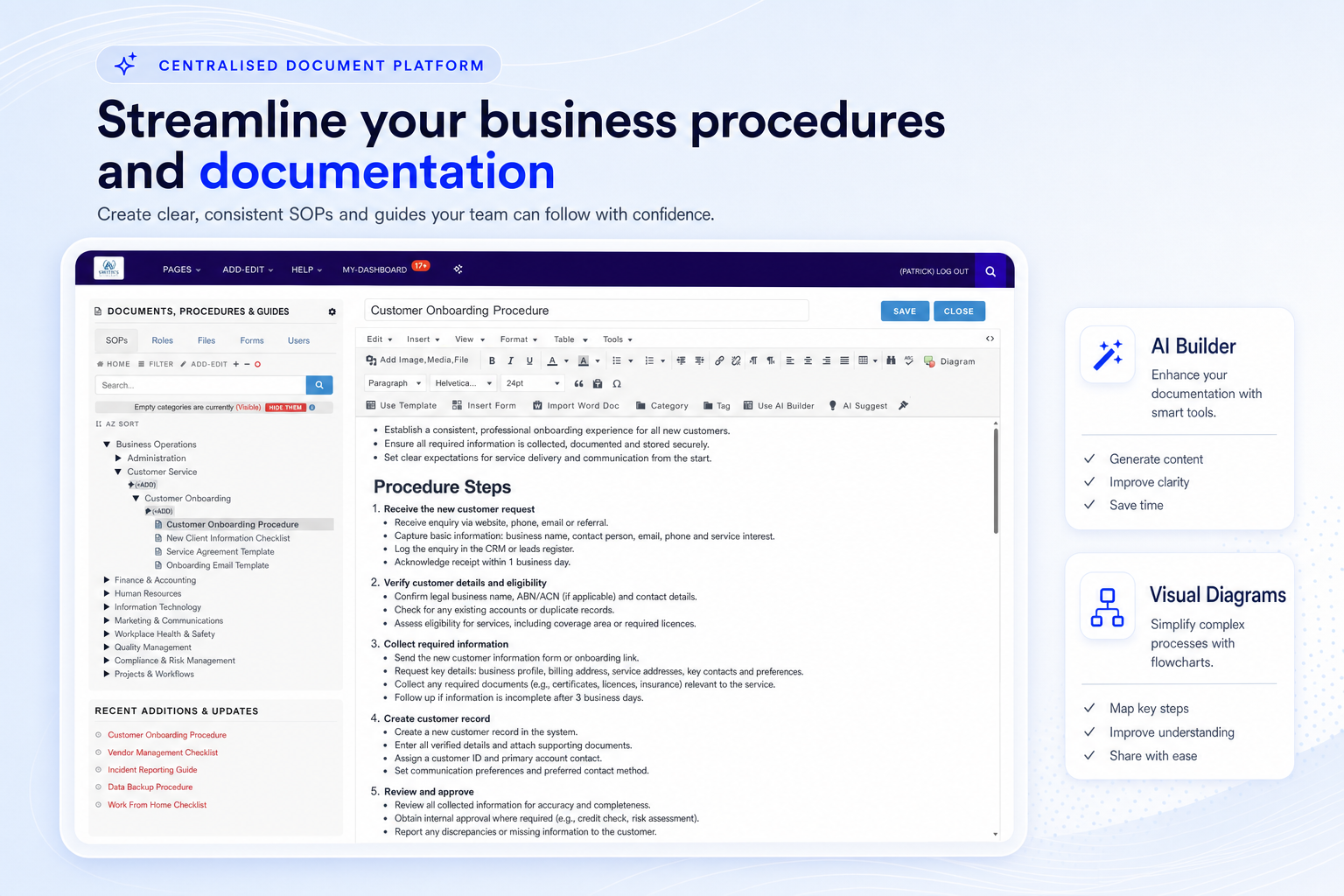
Describe the task and the AI helper drafts a procedure in your format, ready for you to check and approve.
See how TKO Guides keeps your procedures, sign-offs and records in one place, so your group keeps running well as people come and go.
Book a Demo
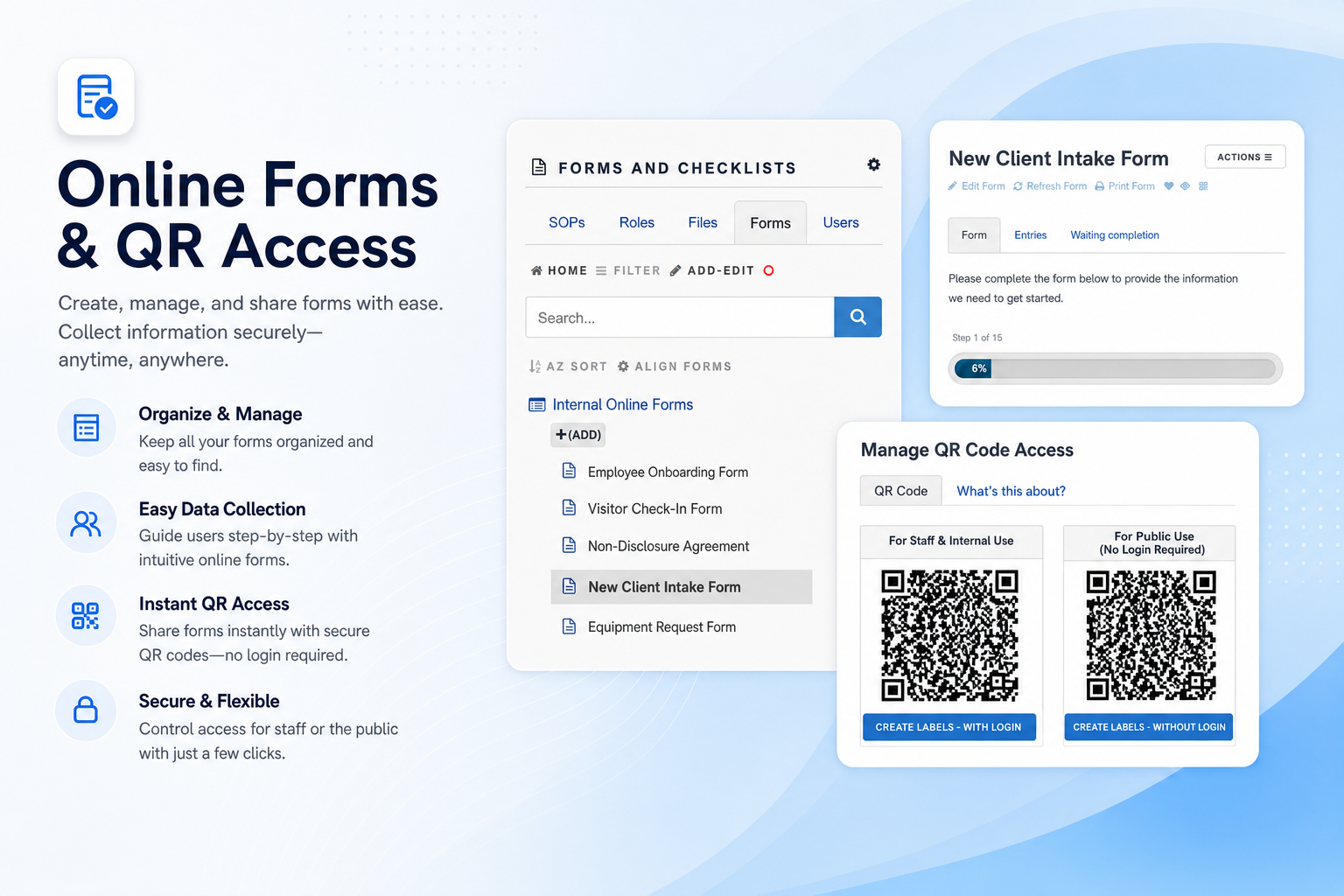
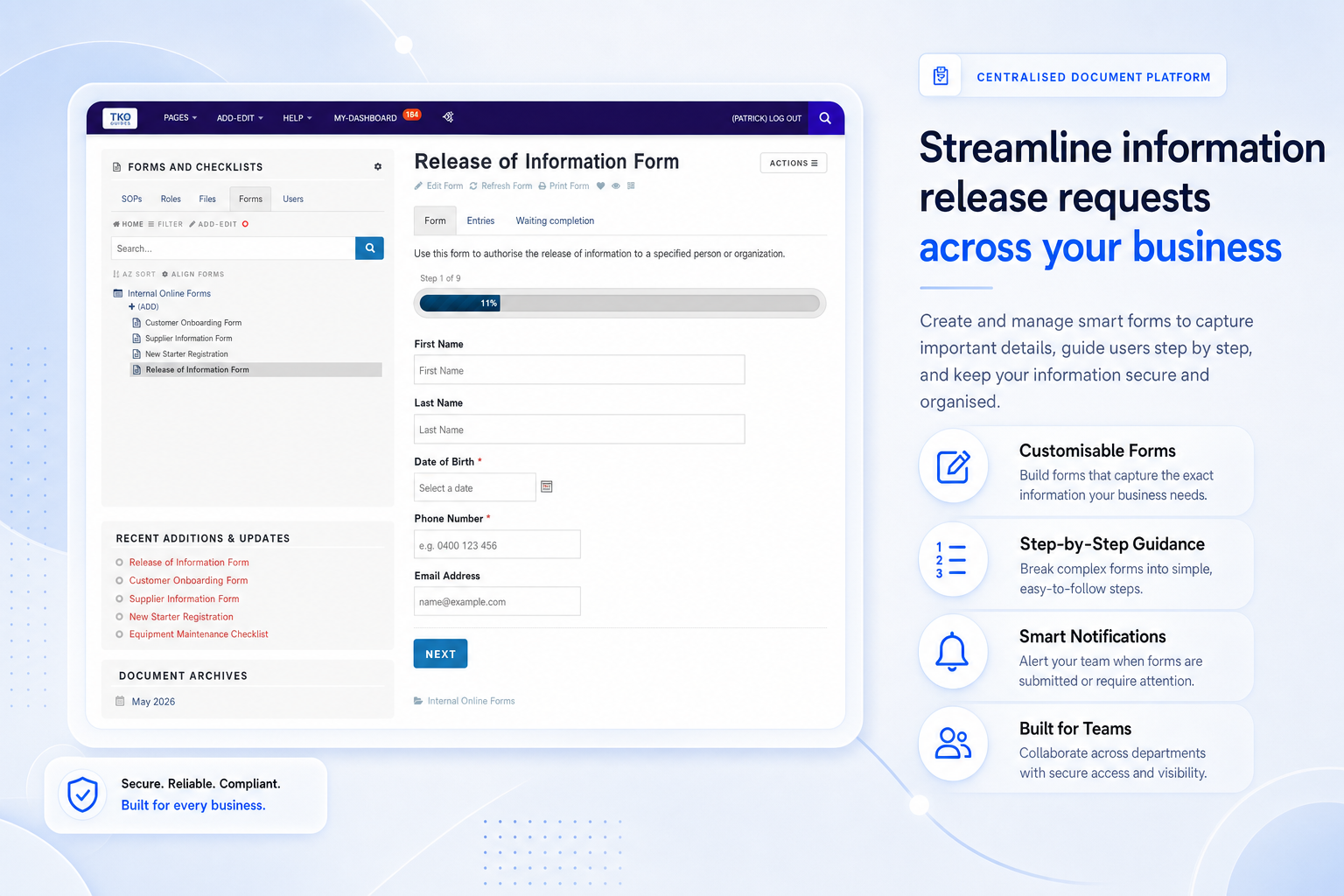
Volunteers and staff fill in forms on their phone, with photos and a signature. The record reaches the coordinator straight away, instead of sitting in a sign-in book until someone types it up.
Tap a form to see it on the phone.
Who filled it in, when, the photos and the signature. Print it, correct it or add a note.
Choose who is emailed when a form comes in, such as an incident report going straight to the volunteer coordinator.
Pick a date range and the fields you want, then save the report as a PDF to send on.
Set who can fill in each form and who can see its entries.
From a volunteer’s first shift to the next board meeting, TKO Guides holds the documents your people rely on and the record that they have read them.
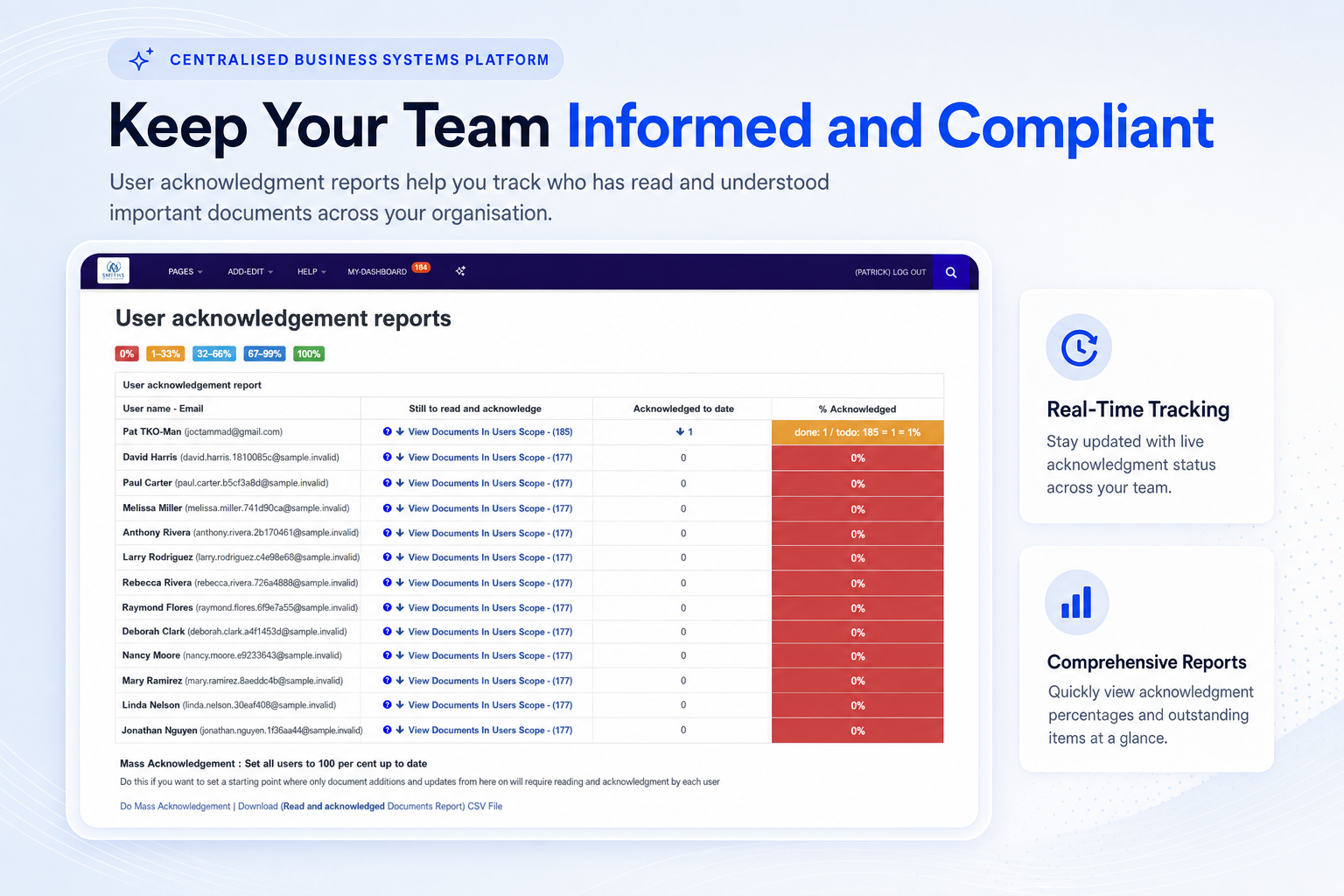
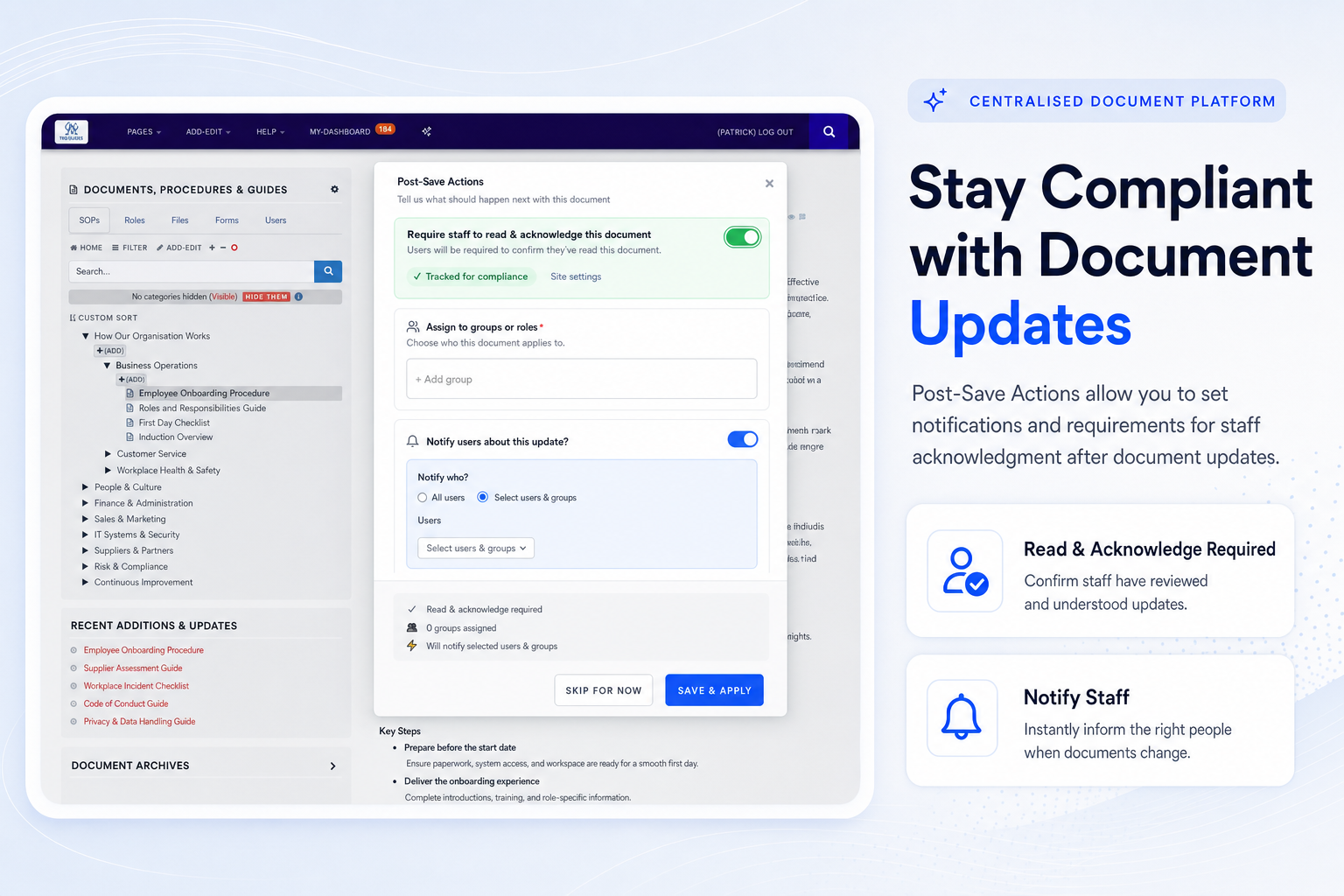
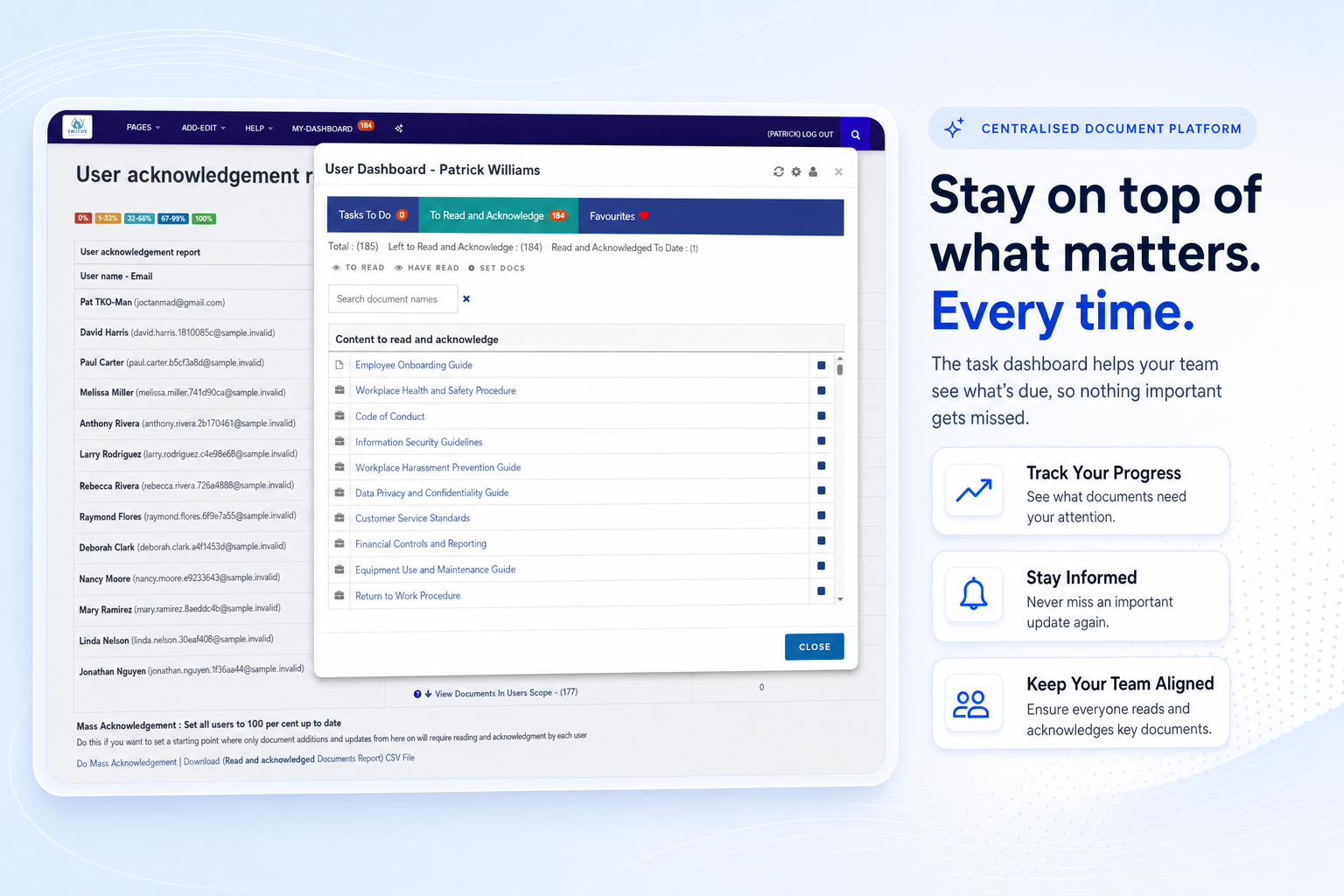
Monitor acknowledgement status and provide evidence that staff have reviewed critical documents.
Standardise processes with clear operating documents that support safe, consistent work.
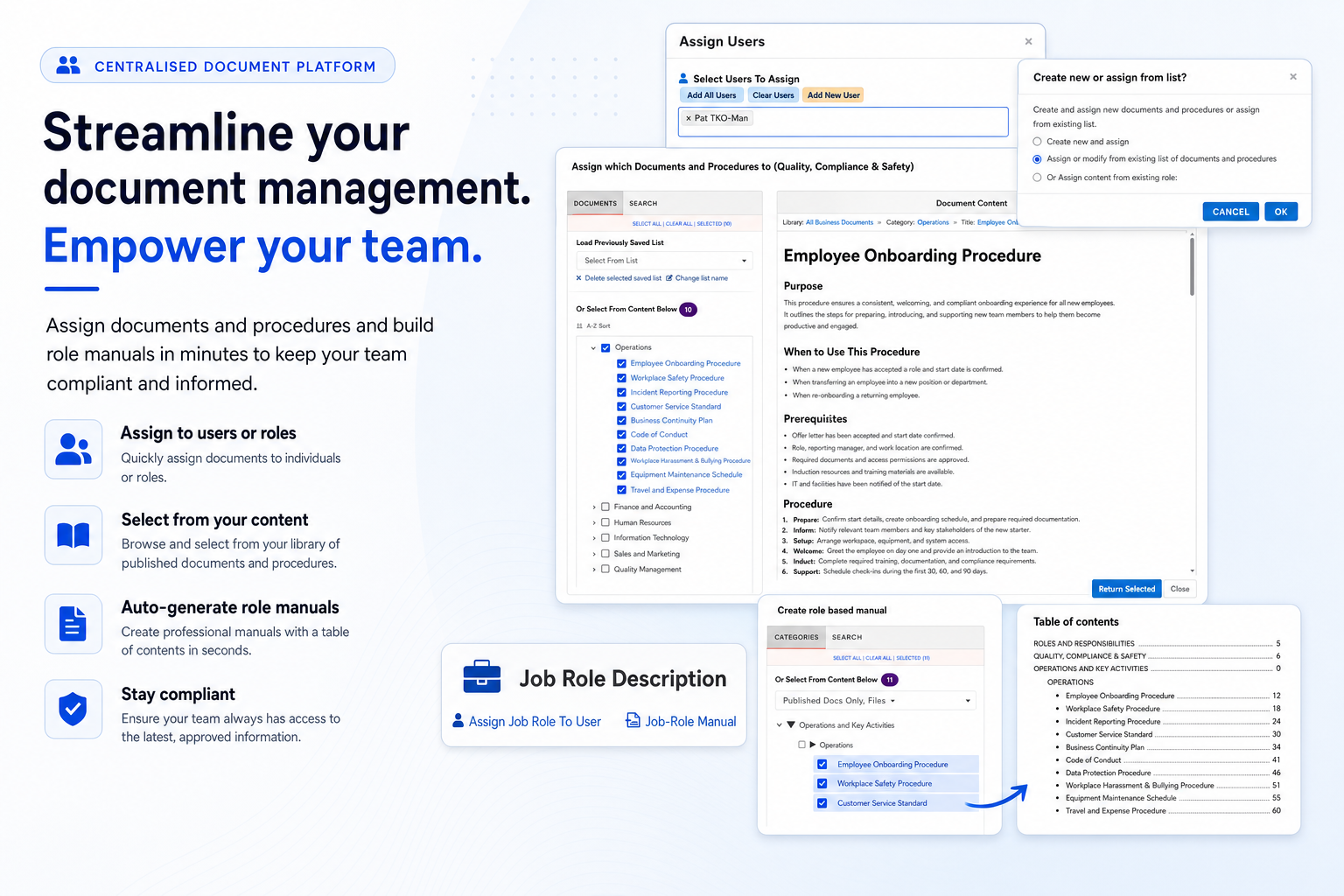
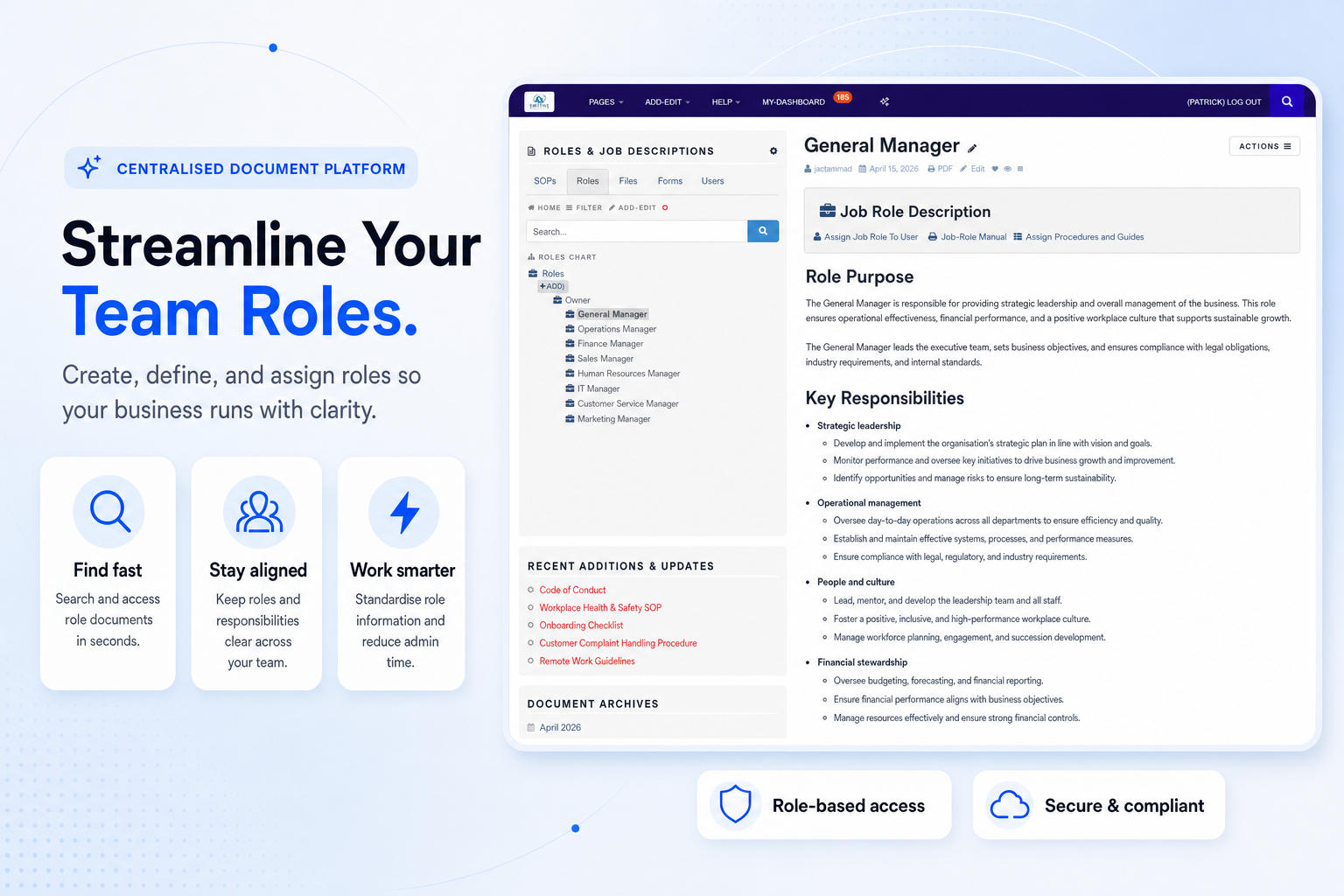
Assign documents by user or role and generate role-specific manuals for faster onboarding.
Put a QR code at the sign-in table or in the van so volunteers open the right form or procedure on their phone.
Notify staff, request acknowledgement and reduce confusion when important documents change.
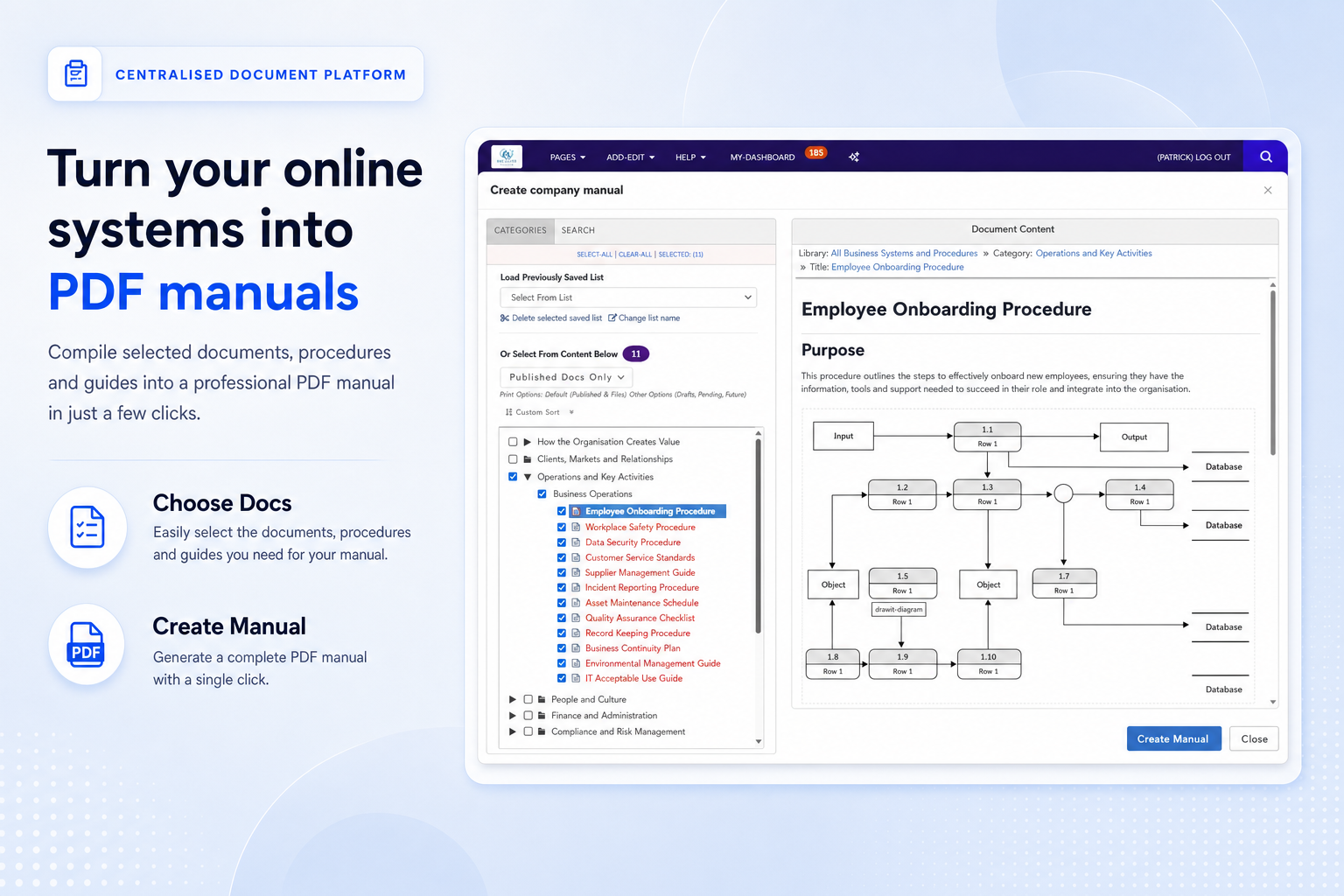
Compile selected documents into professional manuals for volunteers, staff, board members or funders.
Refine existing content, capture instructions by voice and improve documents with intelligent suggestions.
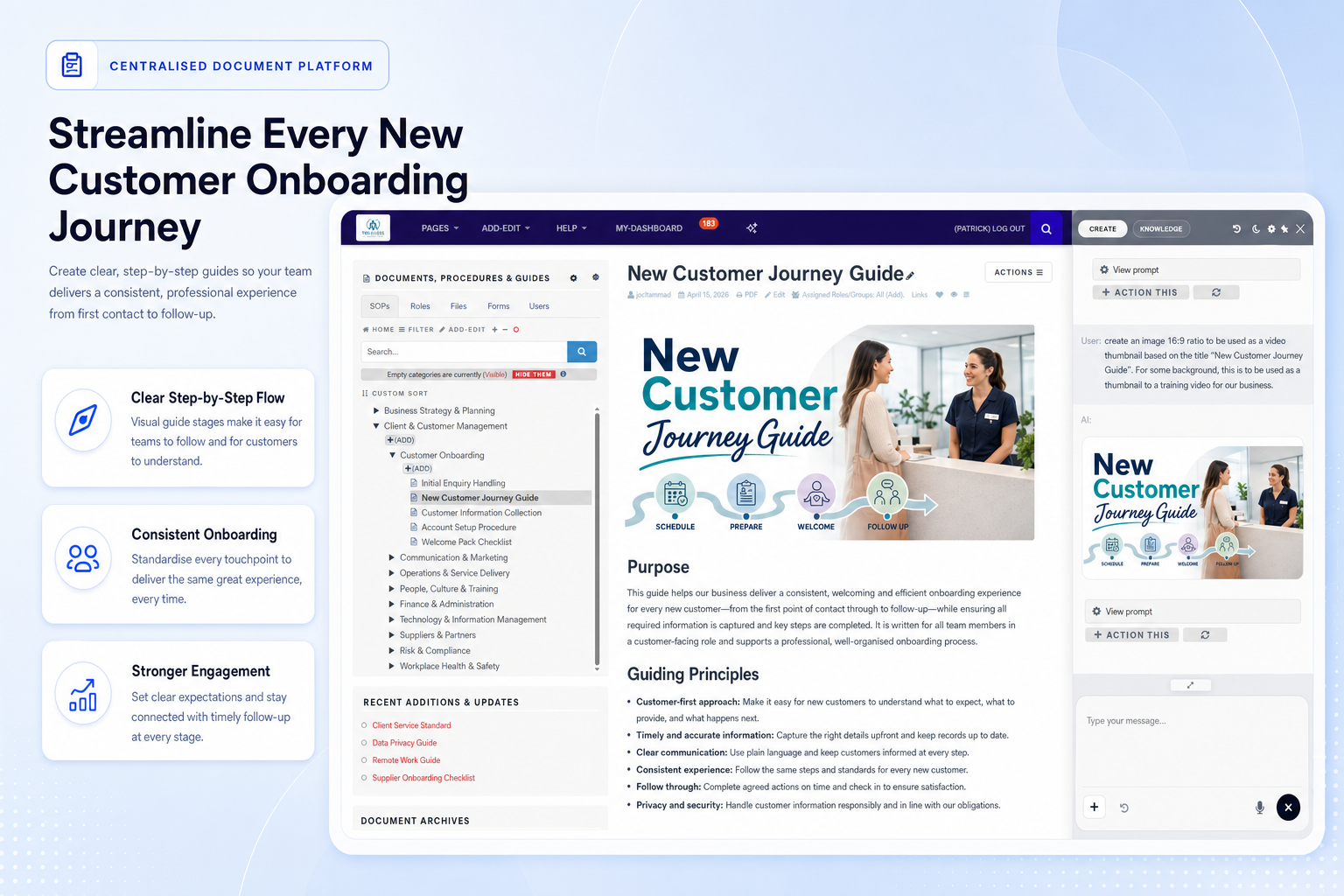
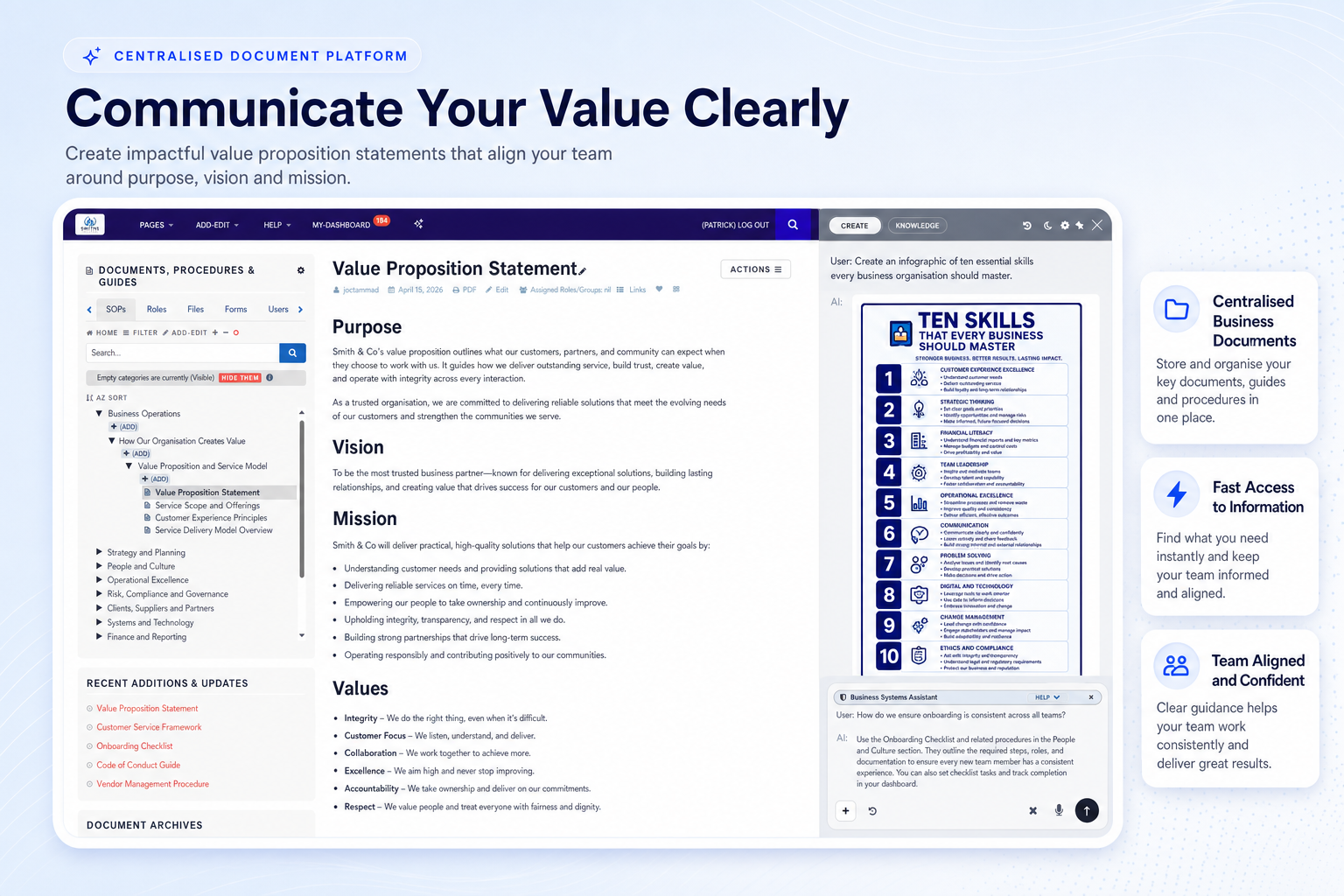
Add visuals to your guides so new starters can see each step, not only read it.
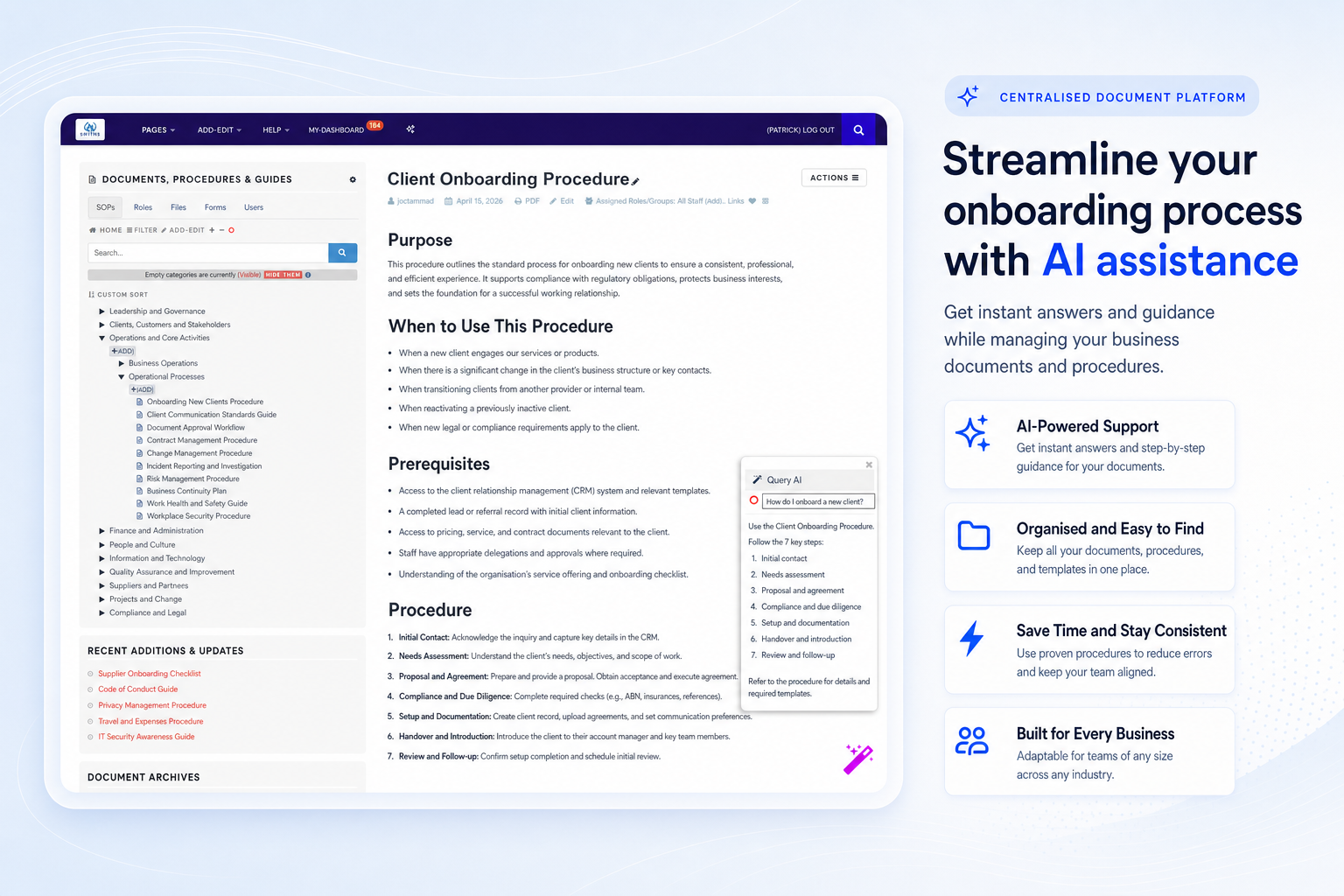
Ask questions in context and retrieve guidance quickly without leaving the document workspace.
Turn everyday screen demonstrations into structured training content and reusable workplace guides.
Access reusable skills and structured resources that help teams produce consistent content faster.
Select the right skill and generate structured, on-brand documents for your organisation.
Document how your programs and services are run, so every staff member and volunteer does it the same way.
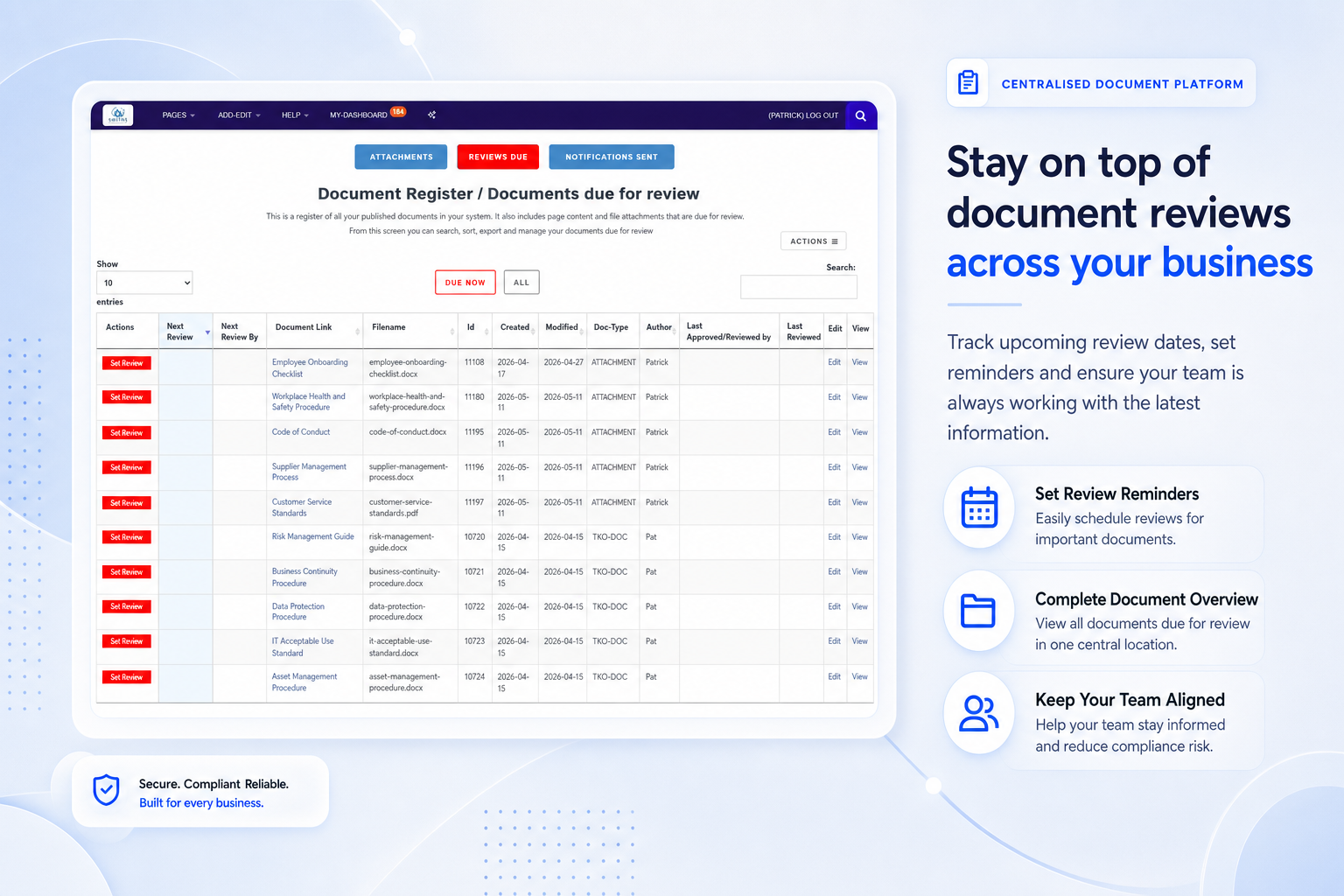
Know what is due, what has changed and where attention is needed before content goes stale.
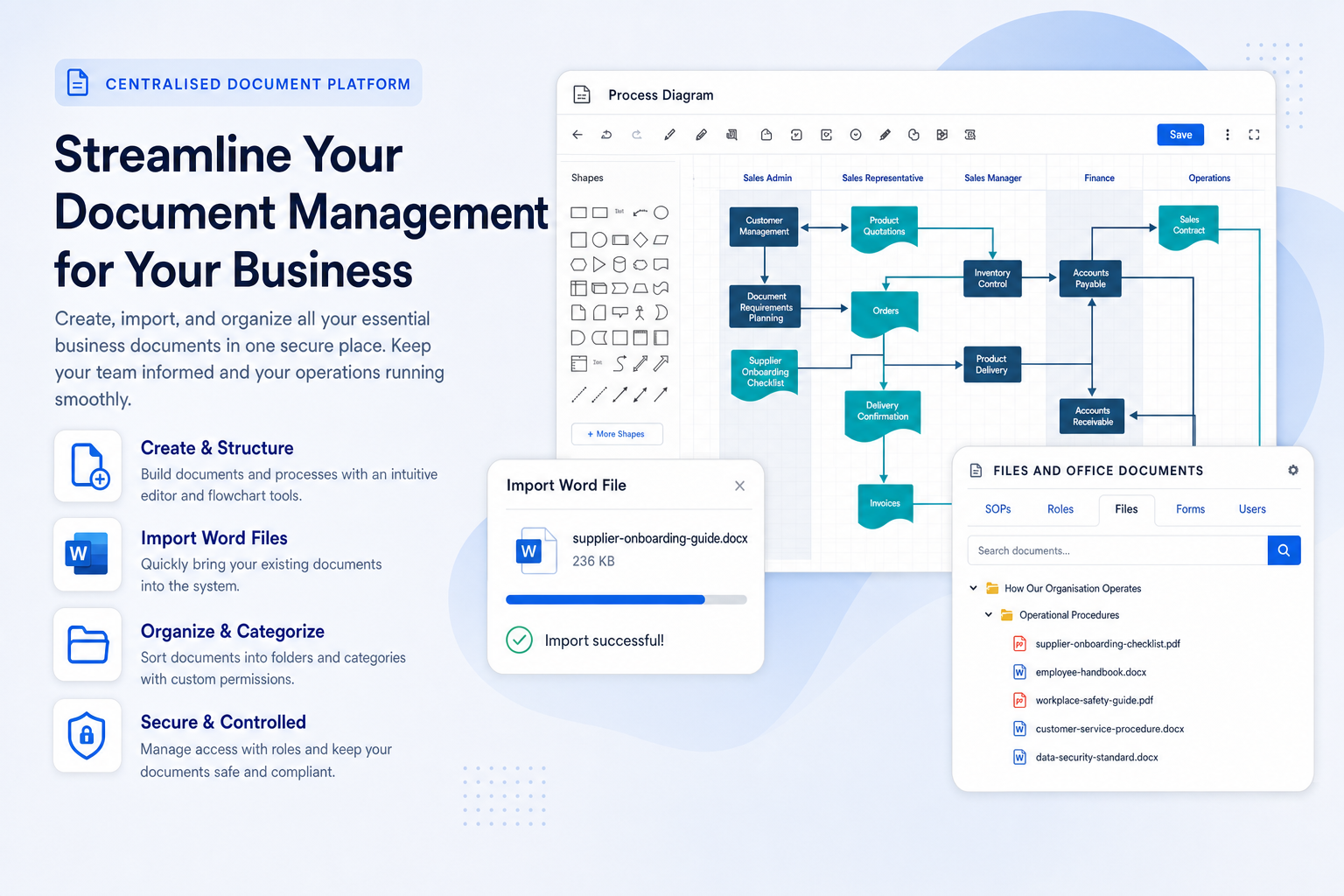
Bring Word files, diagrams, forms and other business documents into one searchable workspace.
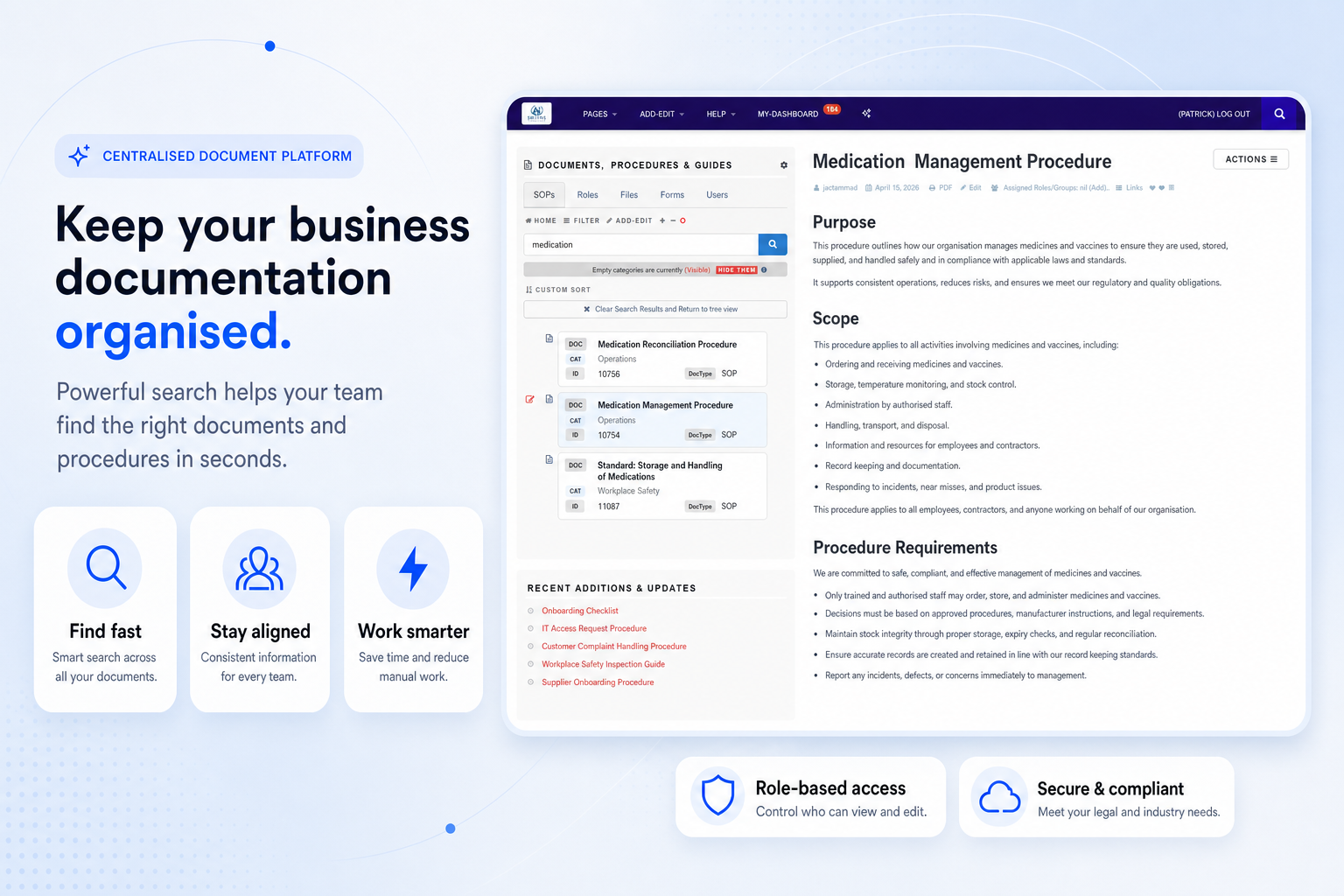
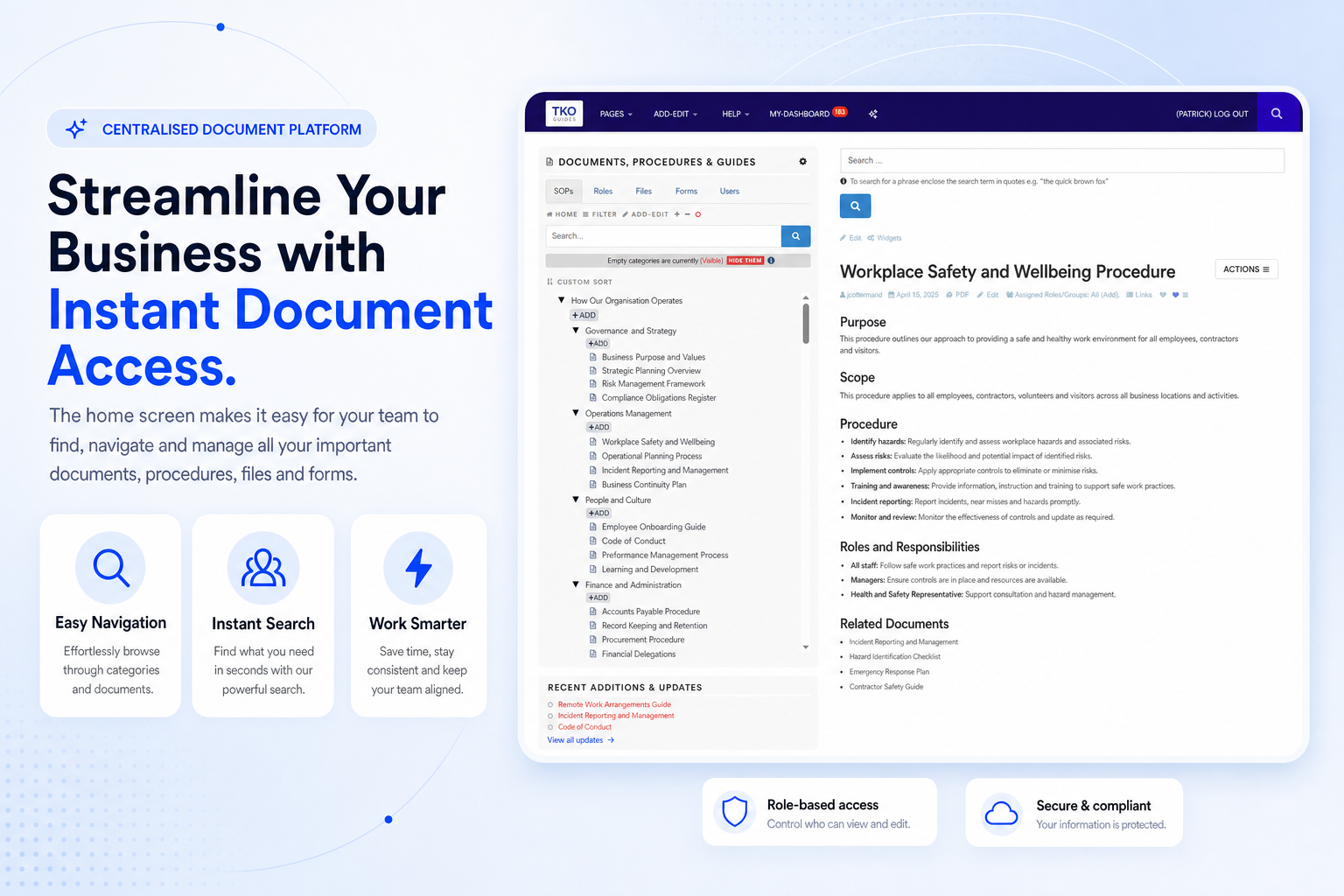
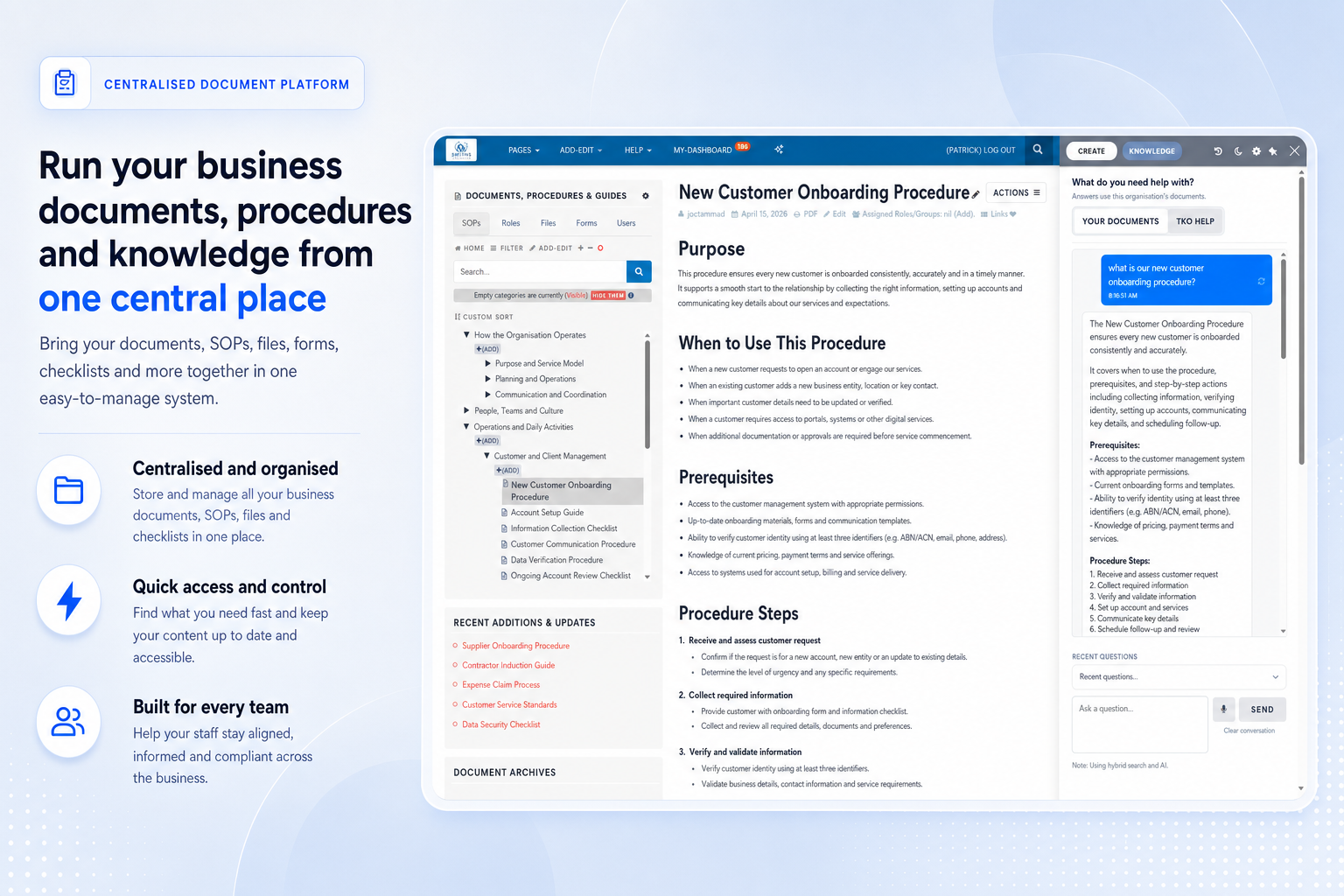
Search across documents and procedures so teams can locate the right guidance in seconds.
Create and format documents with diagrams, structured content and AI-assisted editing tools.
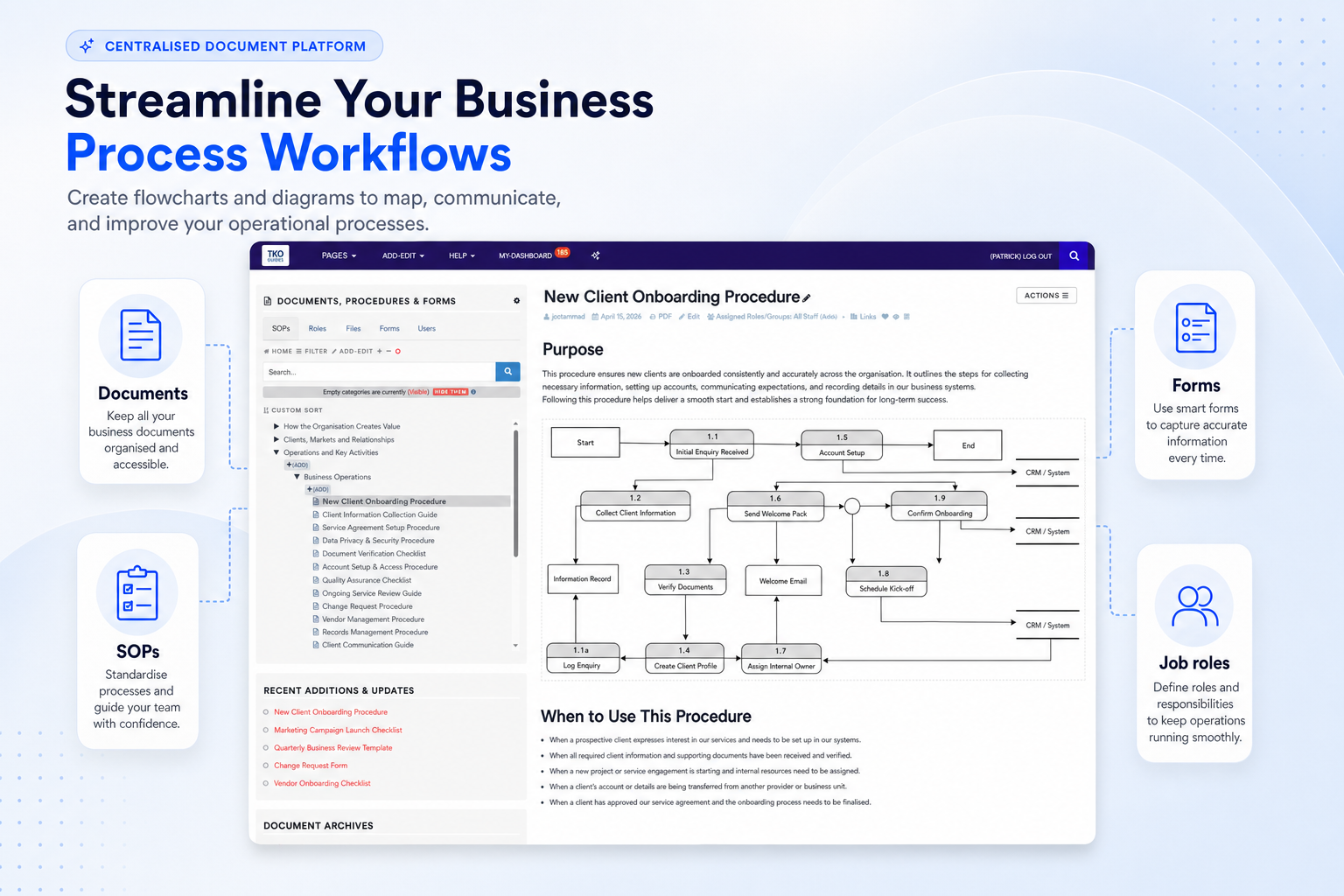
Map the steps from volunteer enquiry to first shift, or from grant approval to acquittal, so everyone understands the process.
Create digital forms for volunteer sign-ins, incidents, declarations and grant spending, filled in on any device.
Assess documents against requirements and turn findings into practical improvement actions.
Navigate documents, procedures, forms and files from a clear home screen built for daily use.
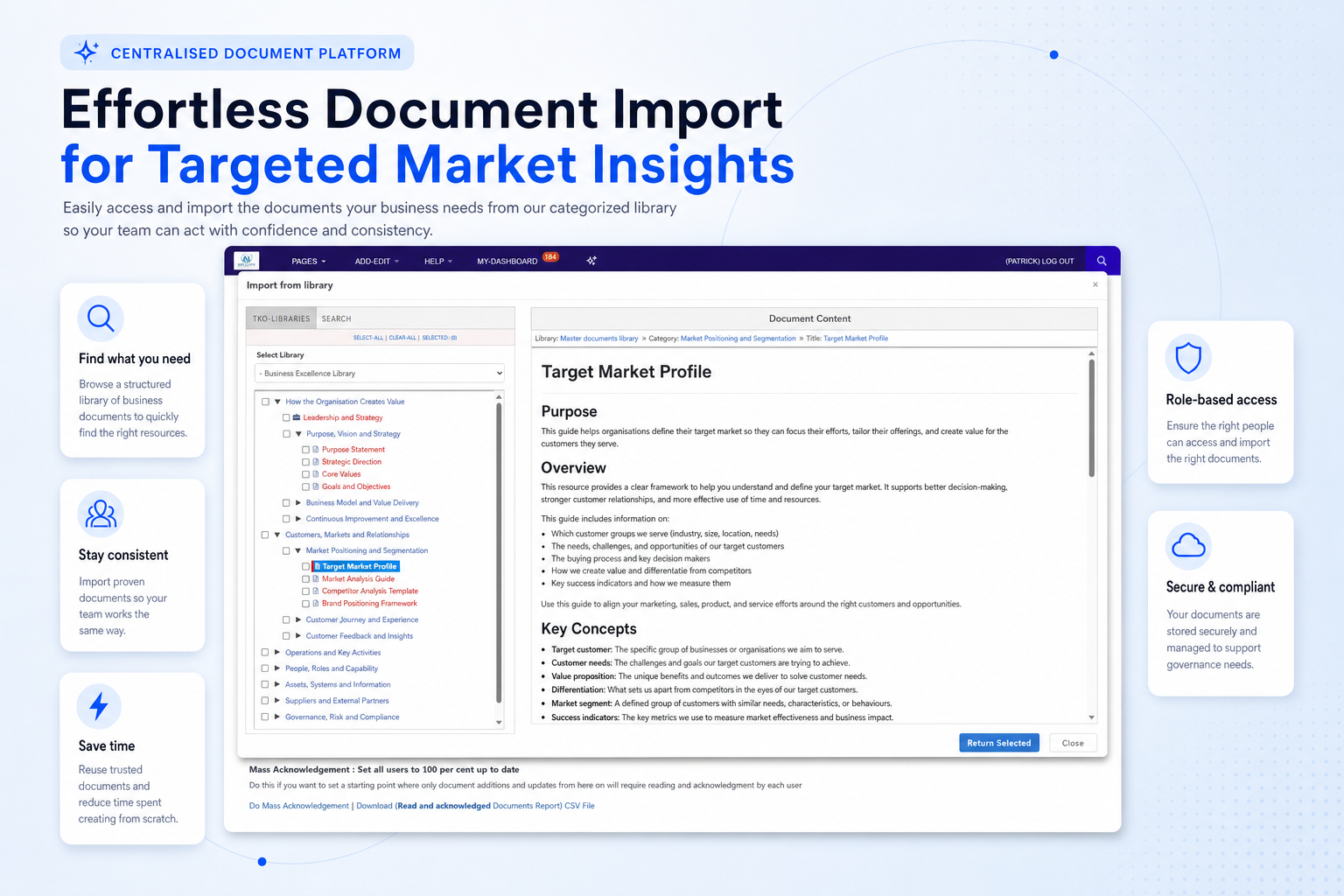
Import selected resources from a categorised library and adapt them to your organisation.
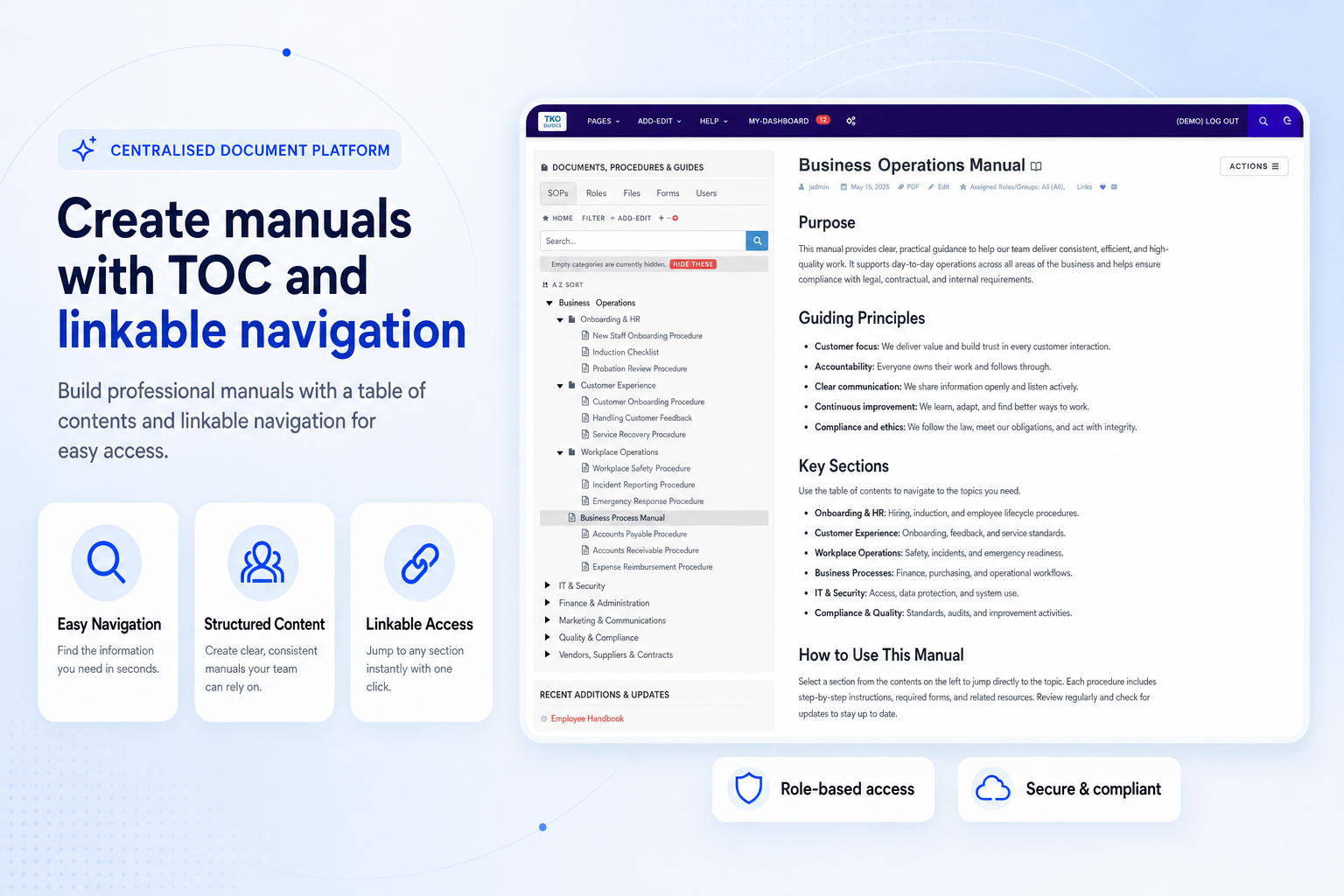
Generate manuals with table of contents and linkable navigation for easy reading.
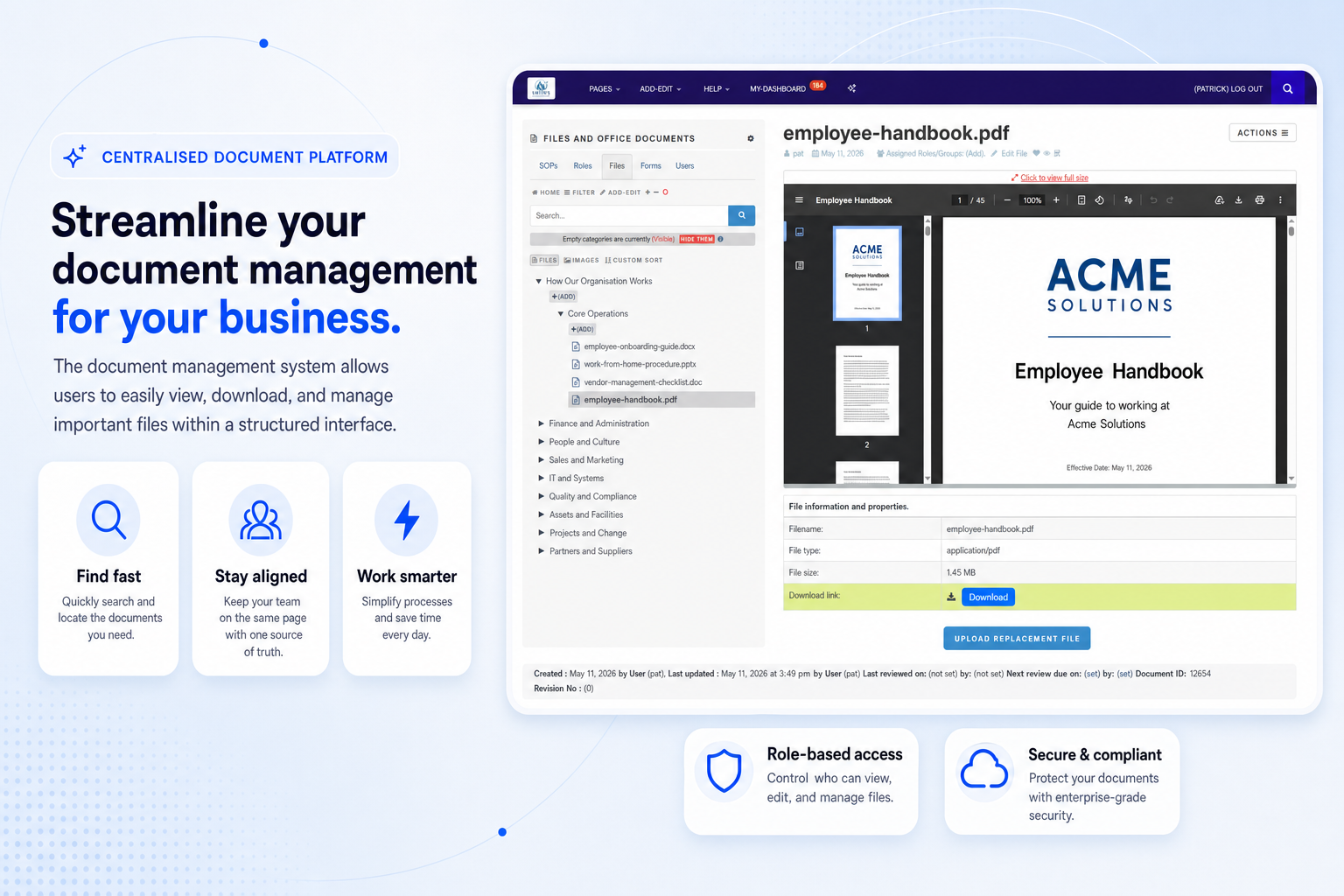
Store, view and download files within a structured interface connected to your document system.
Ask questions against your organisation’s content and help staff find the right procedure quickly.
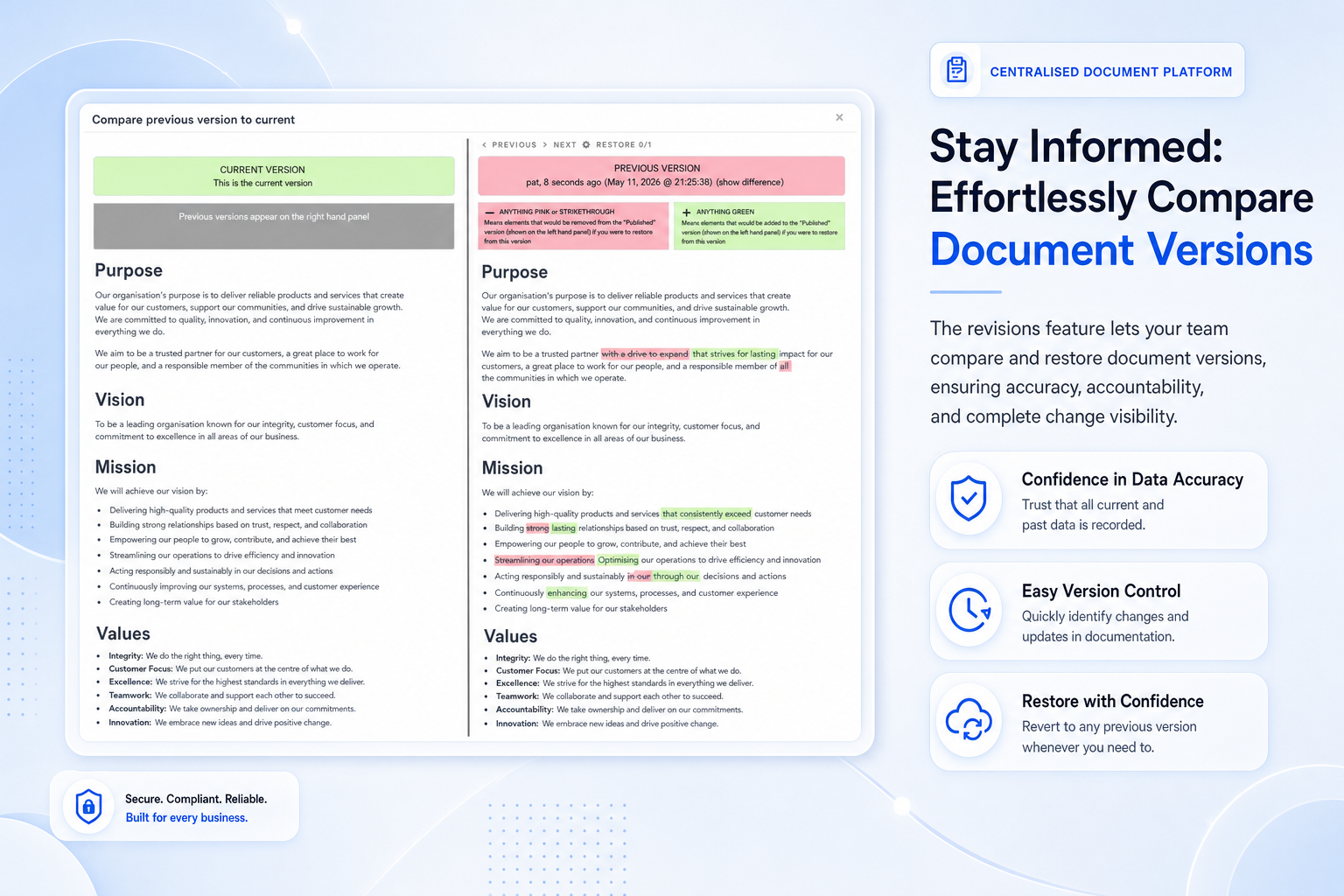
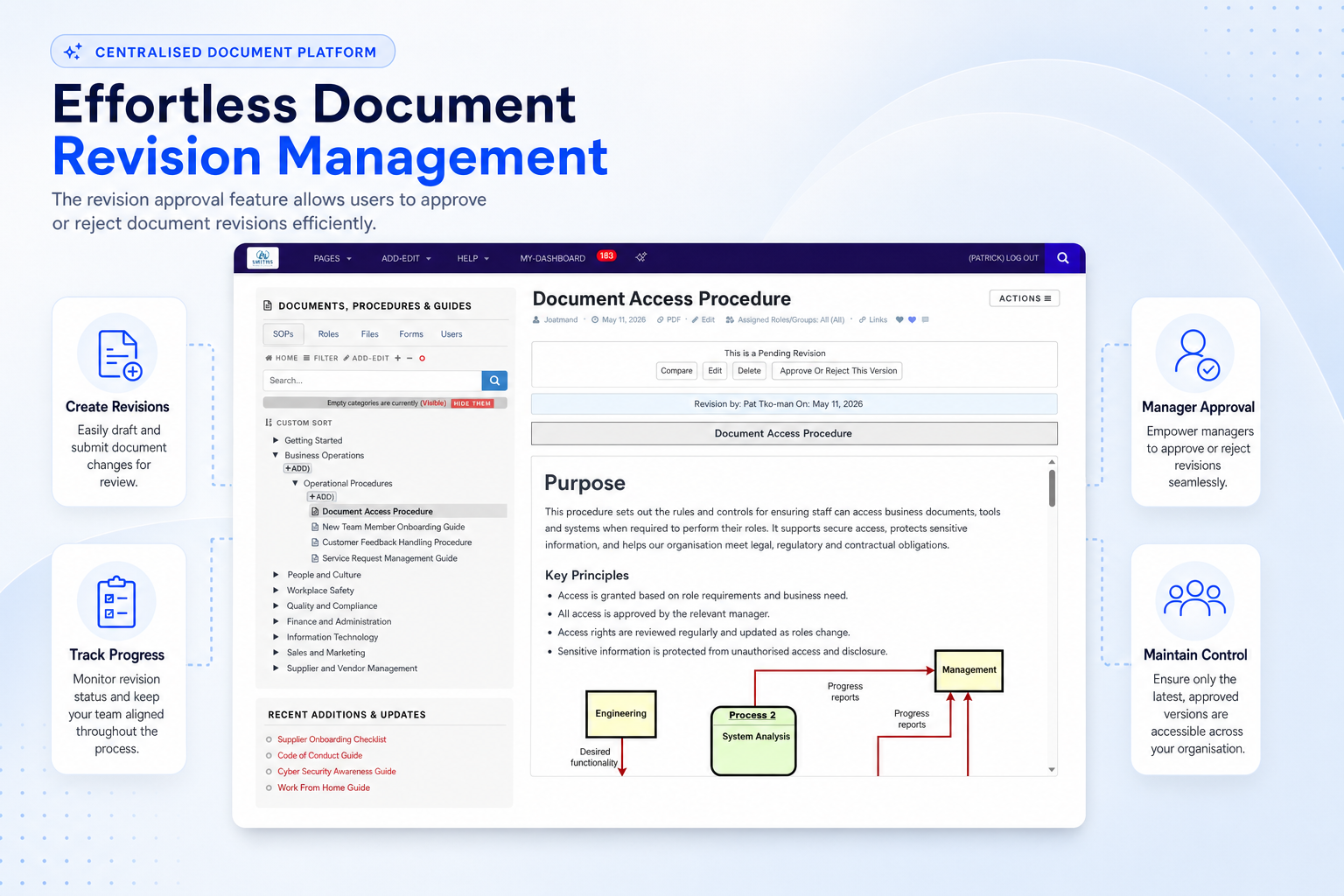
Track changes, restore prior versions and maintain confidence in document accuracy over time.
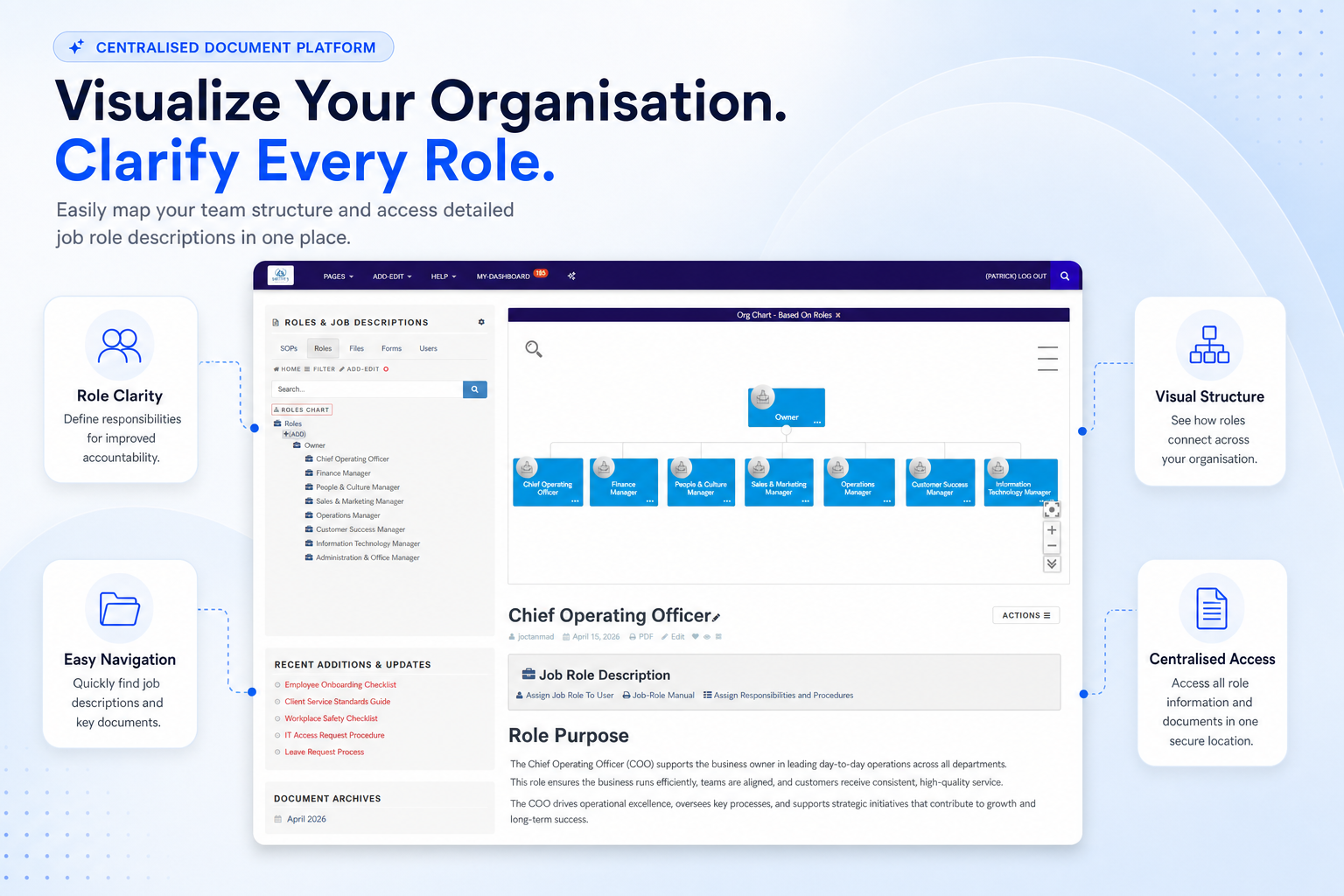
Connect roles, responsibilities and related documents so accountability is easy to understand.
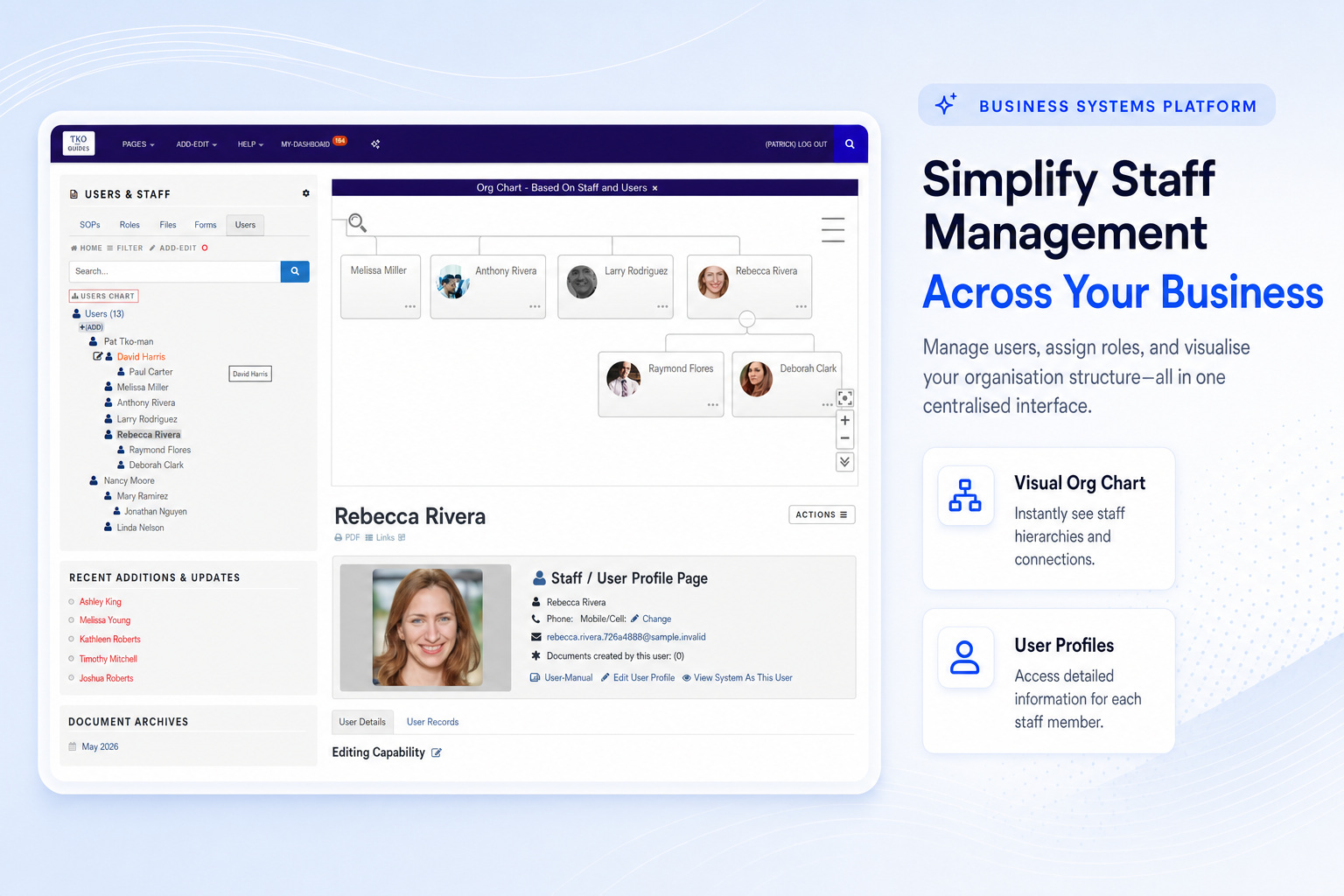
Create roles, assign responsibilities and help staff understand the documents relevant to their work.
Submit changes for review, approve or reject revisions and keep document governance clear.
Give users a simple dashboard for pending reading, acknowledgements and review tasks.
Manage users, roles and structure so the right people can access the right documents.
For charities and community groups that need reliable procedures and records, without adding to the paperwork.
Procedures and forms open on their own phone.
The answers are written down, so people look there first.
Role-based manuals and assigned reading before the first shift.
Declarations, incidents and grant spending, ready when asked.
Operational leaders use TKO Guides to bring clarity, consistency and control to business-critical documents.
“Having documents, review dates and evidence in one system makes quality management far easier to maintain. It gives our team a practical way to stay aligned.”
“The structure helps remove guesswork. Our procedures are easier to find, easier to update and much easier to explain during internal reviews.”
“For operations teams under compliance pressure, a controlled document system is invaluable. It helps keep standards visible and responsibilities clear.”
The questions CEOs, coordinators and board members ask before moving off folders and shared drives.
If you are a registered charity, it helps you show how you meet them. TKO Guides holds your procedures, shows who has read them and keeps records such as conflict of interest declarations. It does not replace your reporting to the ACNC, your accounting system or advice on your obligations.
Yes. You can bring existing files into the platform, organise them into a structured library and improve them over time using review tools and AI-assisted workflows.
Role-based manuals, assigned documents and read tracking help a new volunteer or staff member learn how your group works faster, and reduce reliance on one person’s memory.
Yes. TKO Guides works on phones and tablets, and a QR code at the sign-in table or in a vehicle can open a form or procedure directly, so volunteers find the current version without asking around.
Update the procedure, notify your people and keep a record of who has read the new version, so a change in the rules or in your own practice reaches every volunteer.
Book a demo to see how TKO Guides can hold your procedures, staff sign-offs and forms, and show who has read them.
Book a DemoReach out to TKO Guides or book a demo at a time that suits you.
See how the platform can support your document library, reviews, assignments and audit evidence.
Phone: 1300 498 180 or (int) +61 419337287
Email: pat@tkodocs.com