Document Management Capabilities
Streamline Your Document Management Today!
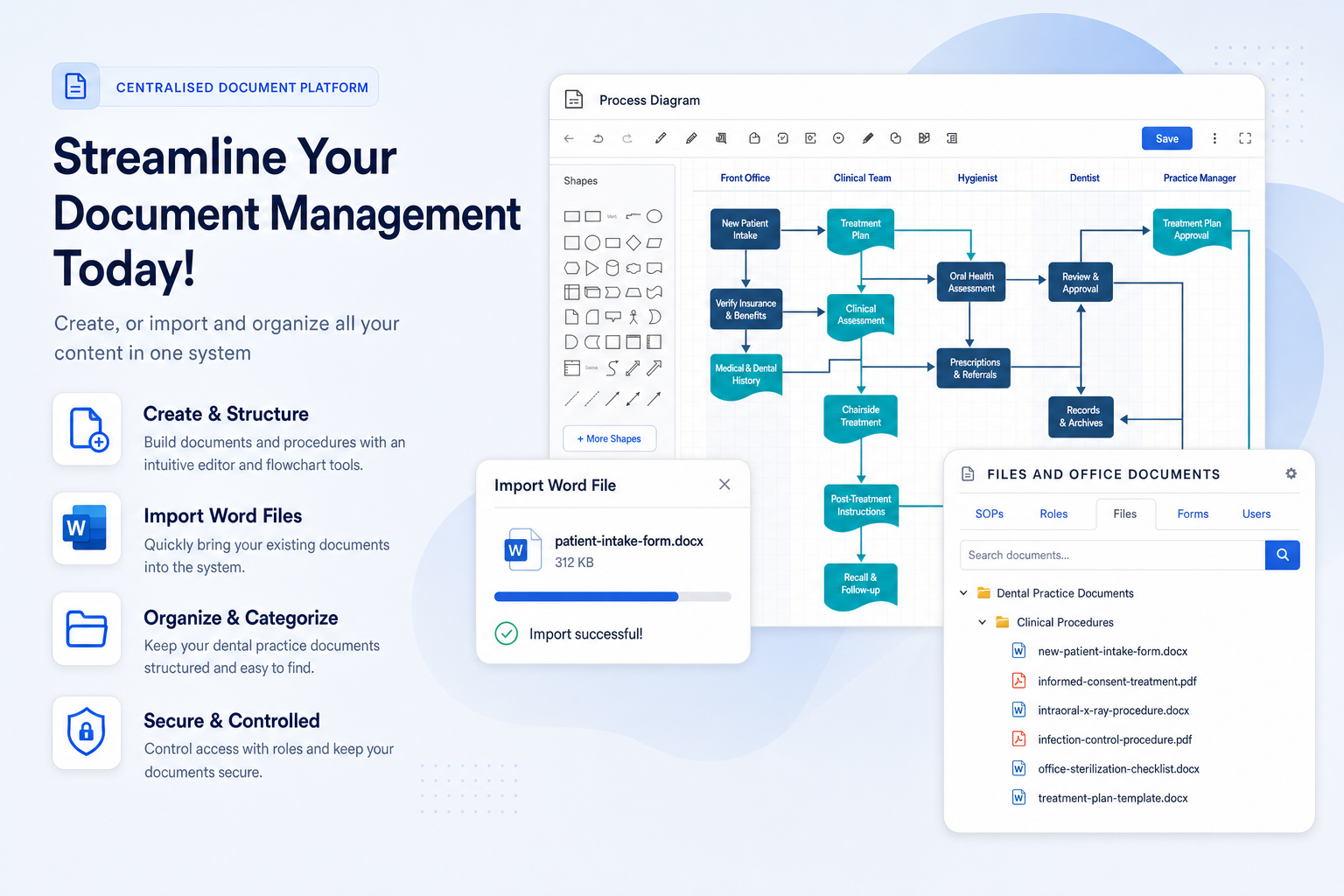
Create, import and organise all your dental practice content in one system, from SOPs and forms to diagrams and workplace guides.
Say goodbye to chaos. Simplify compliance, streamline audits, and enhance efficiency with TKO Guides. Secure your practice's future now.
Leverage TKO’s platform for seamless document management, ensuring compliance and boosting your practice’s efficiency across all devices.
When procedures live across folders, inboxes and printed binders, small updates become a practice-wide risk. TKO Guides helps your team create, import, organise and retrieve the documents they need without the usual admin drag.
Create, import and organise all your dental practice content in one system, from SOPs and forms to diagrams and workplace guides.
Build training resources, practical procedures and searchable guidance from the way your practice already works.
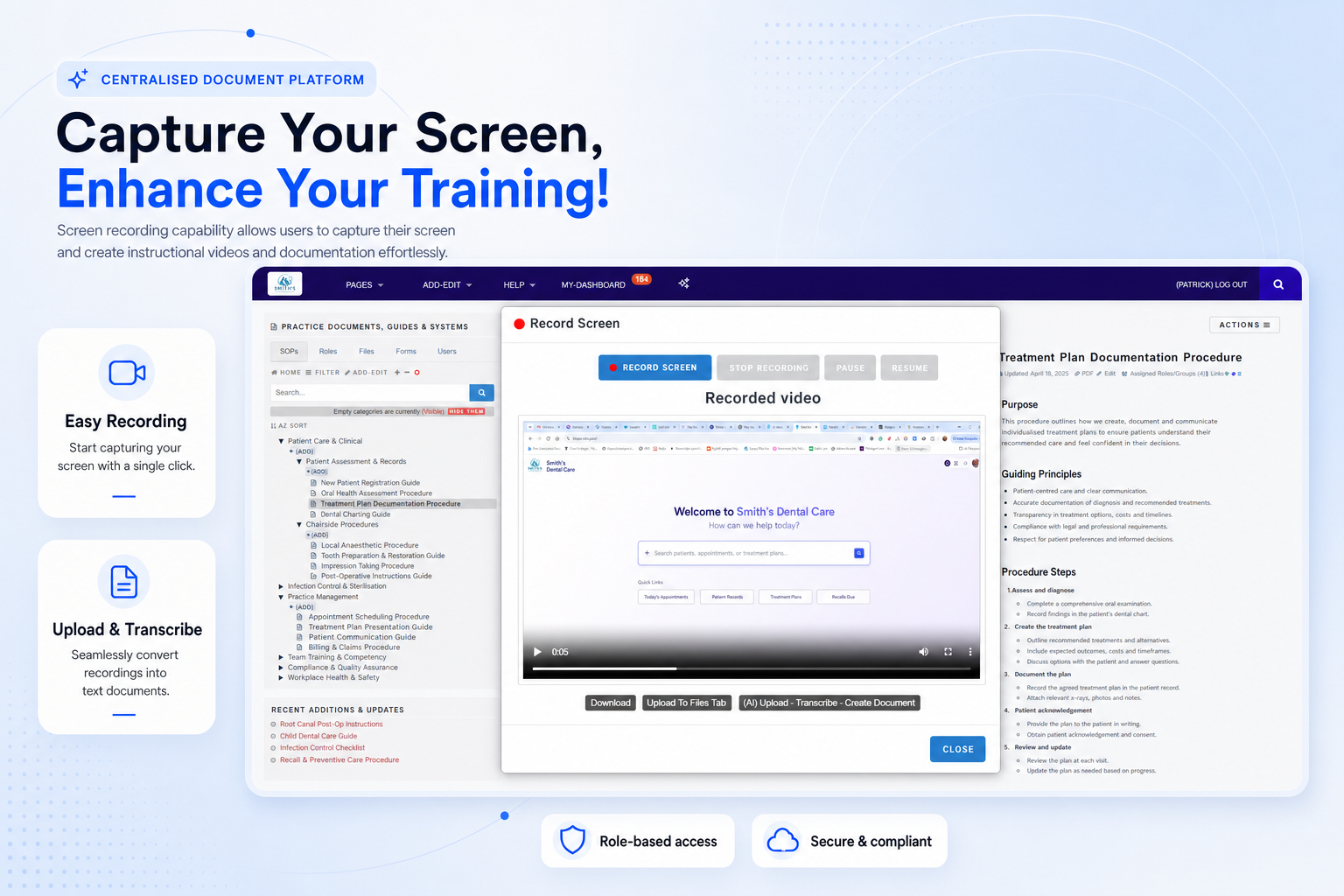
Record how tasks are done in your practice and turn the recording into training content for new and returning staff.
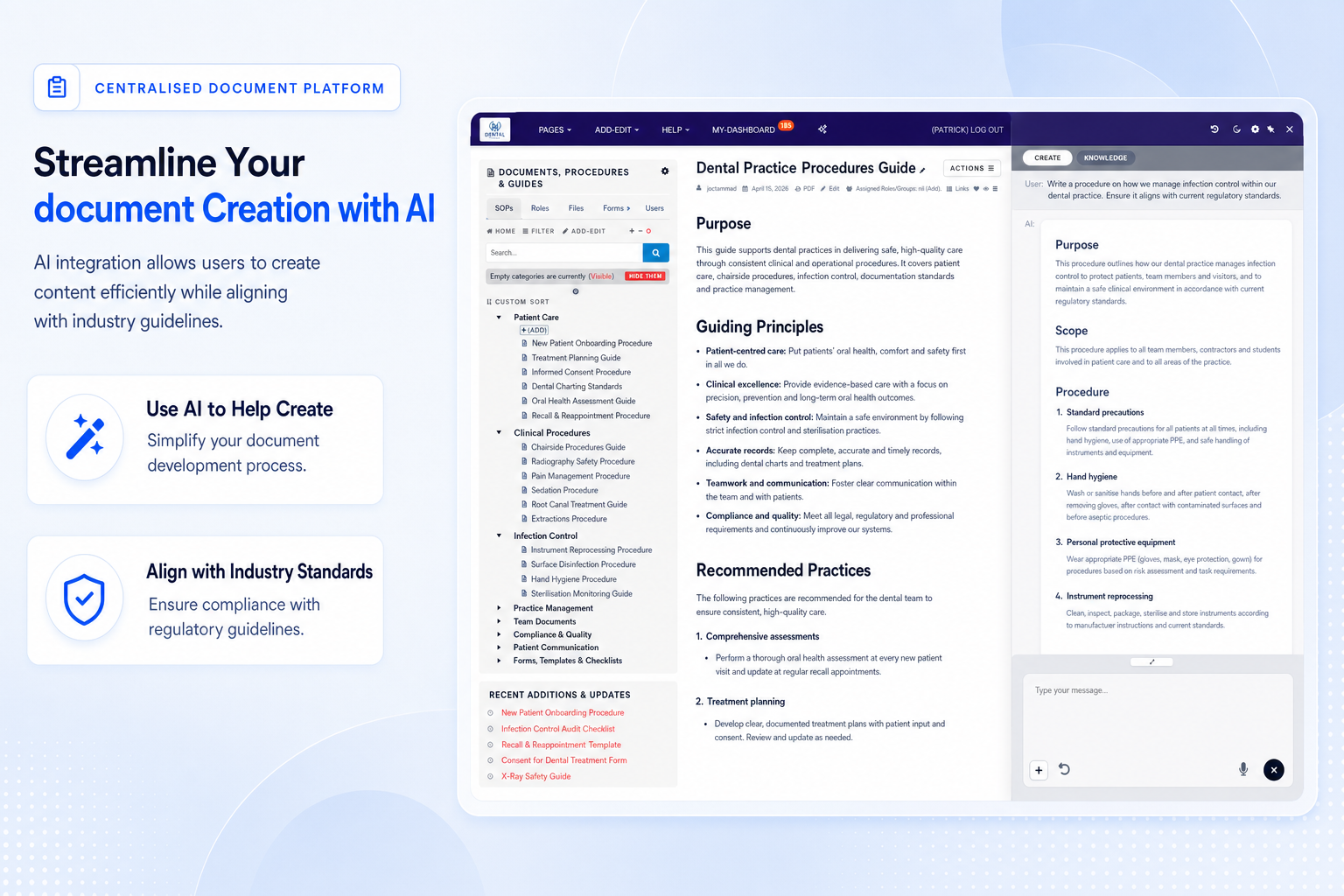
Use guided AI assistance to create structured dental guidelines, SOPs and staff guides faster while keeping your practice language consistent.
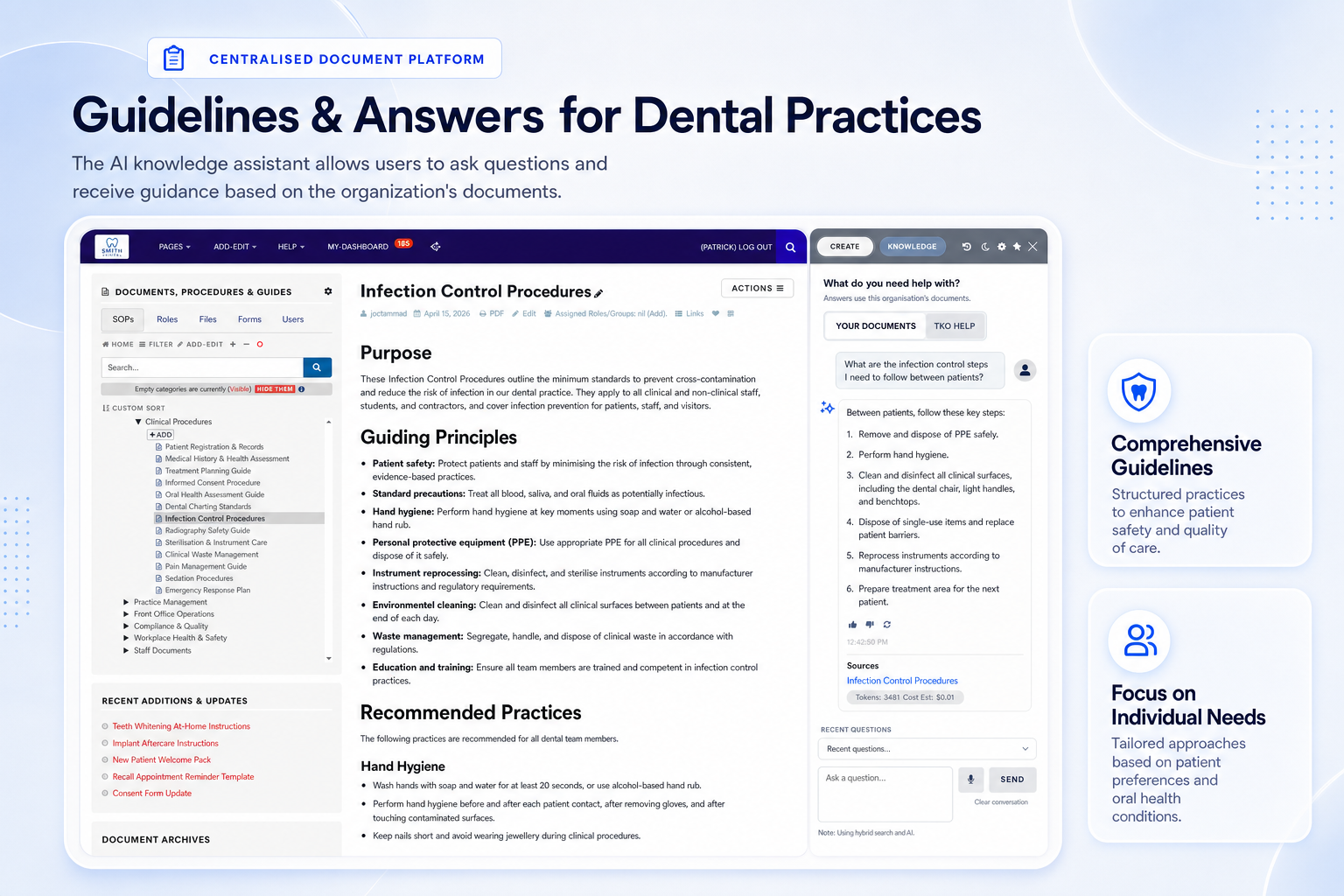
Help staff find answers from your own approved documents so everyday decisions stay aligned with your operating standards.
Book a practical walkthrough and discover how TKO Guides can centralise your documents, reduce admin pressure and keep your team aligned.
TKO Guides supports the day-to-day reality of running a dental practice: changing requirements, busy teams, staff turnover, inspections and the constant need for accurate records.
Track review dates, revisions and changes so outdated procedures are easier to identify before they create risk.
Give new staff role-based guides, assigned reading and practical resources that preserve knowledge when teams change.
Retrieve evidence, acknowledgements, revisions and document history quickly when audits or external reviews arise.
Digitise forms, manuals and workplace guides so information is easier to organise, search and share securely.
Make updates visible to the right people and request read-and-acknowledge confirmation where it matters.
Support consistent health, safety, patient intake, sterilisation, privacy and operational procedures across the practice.
Explore the tools that help practices create, control, review and share critical business documents.
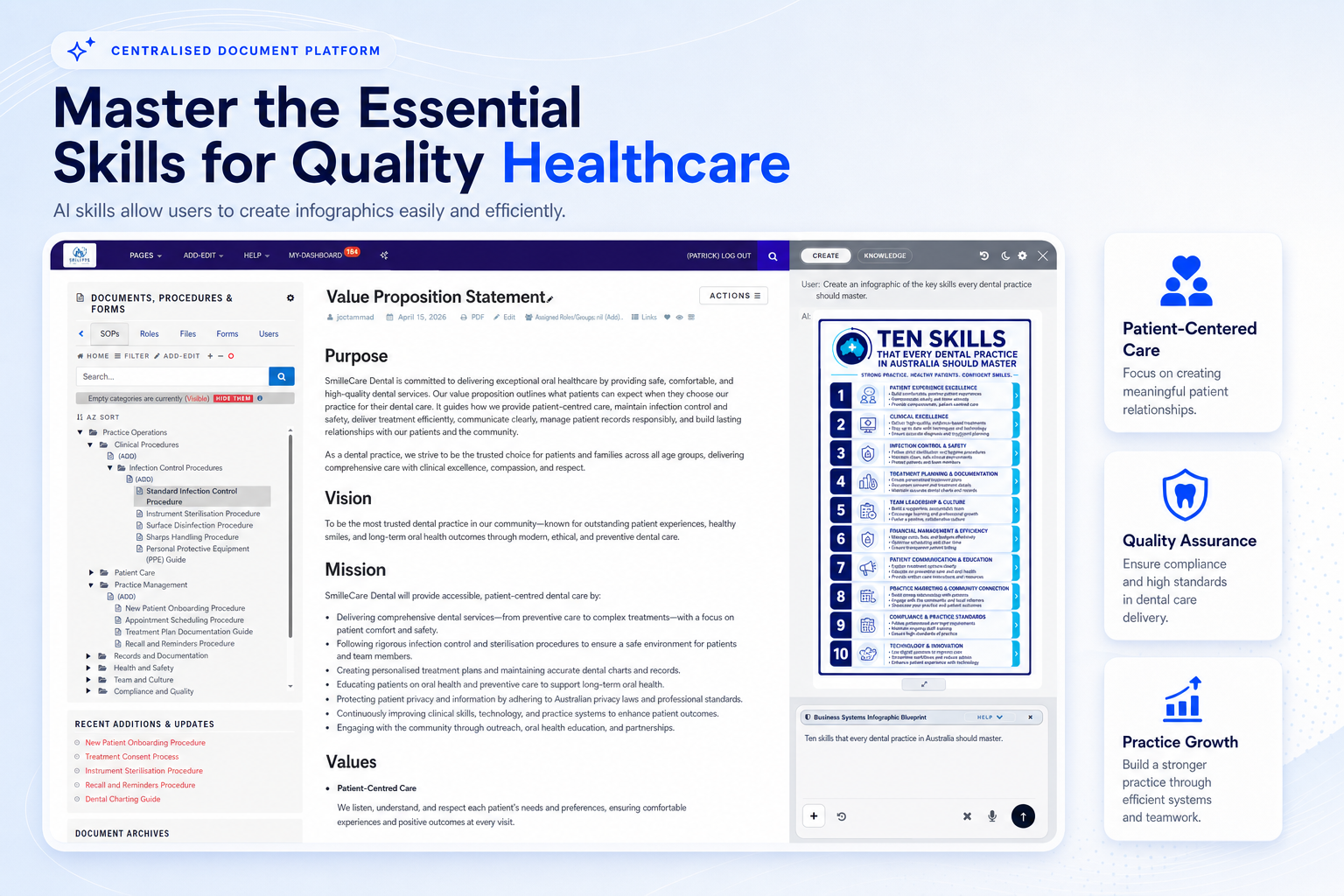
Create infographics and practical resources that help reinforce patient-centred care, quality assurance and staff understanding.
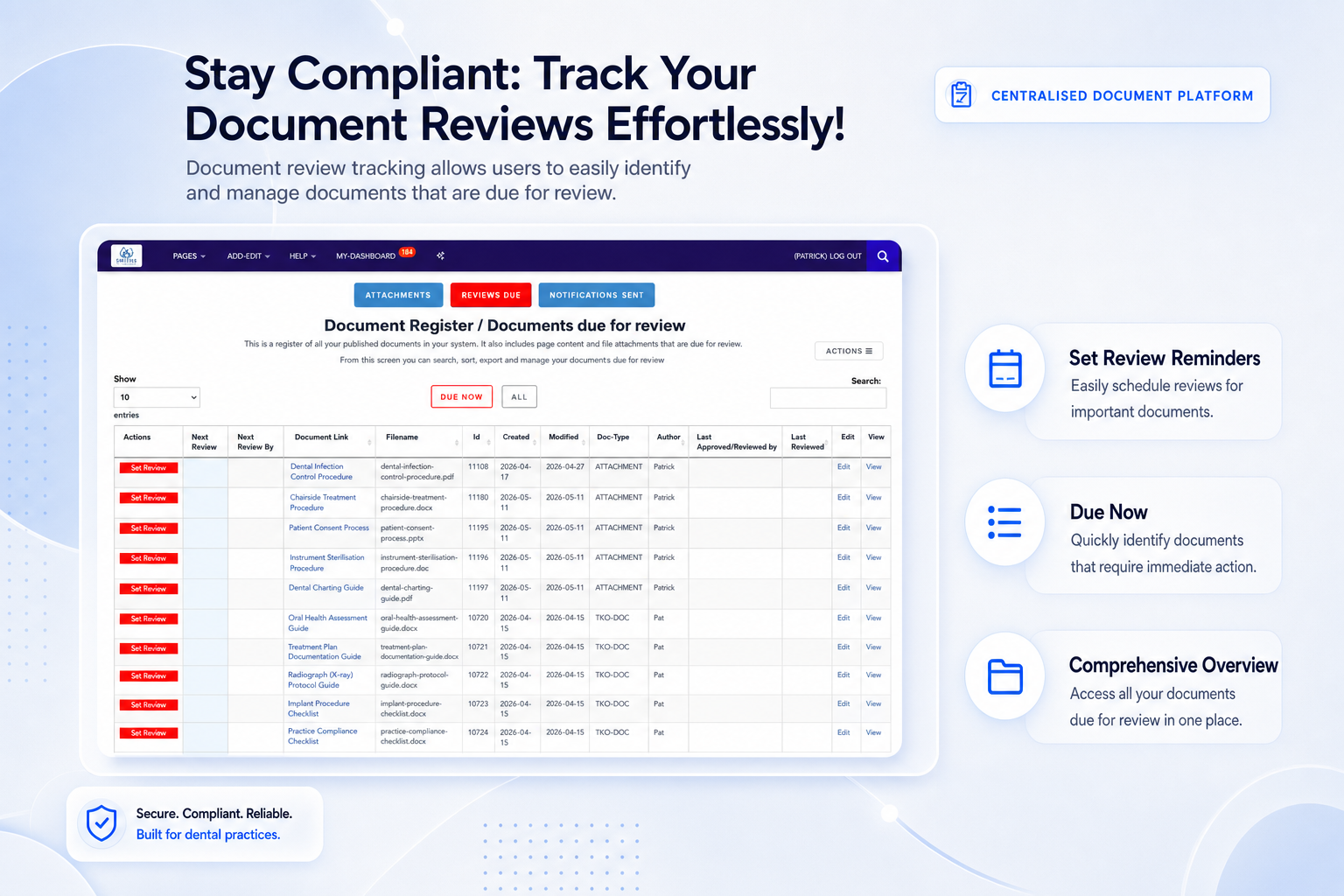
Identify documents due for review and keep important practice content from becoming stale or forgotten.
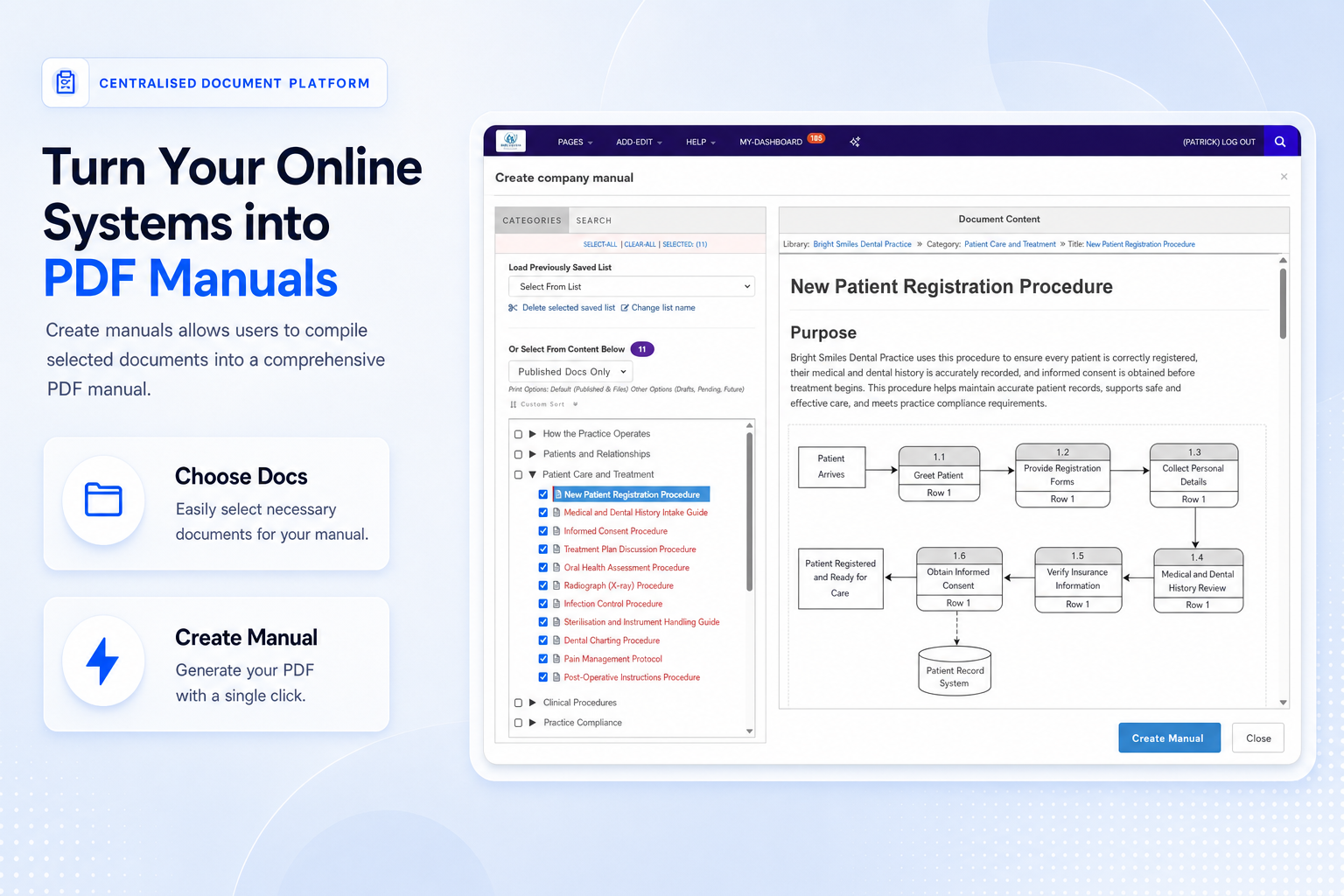
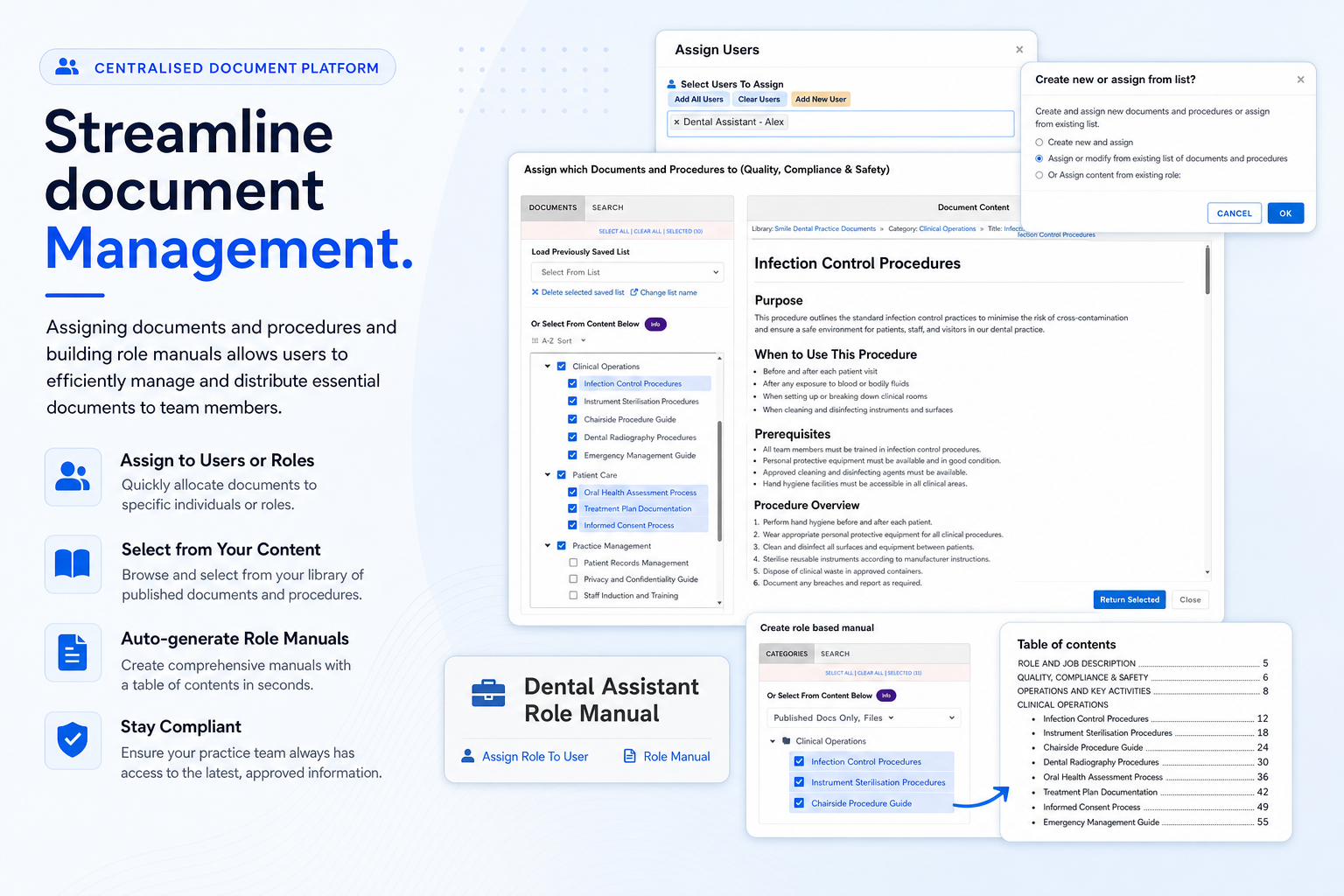
Select documents and generate structured PDF manuals for teams, contractors, onboarding or internal reviews.
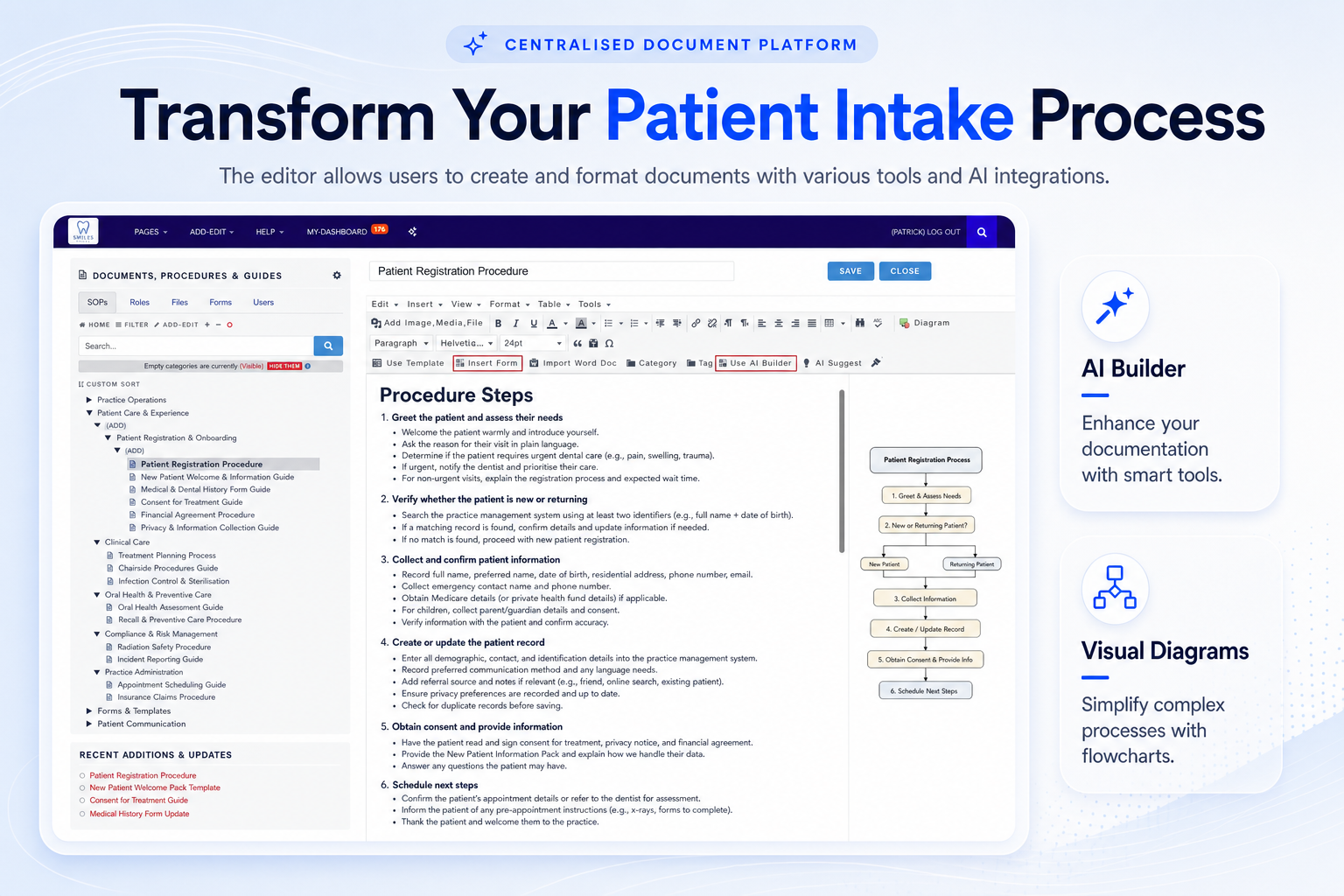
Create and format procedures with smart tools, diagrams and consistent structure your team can follow.
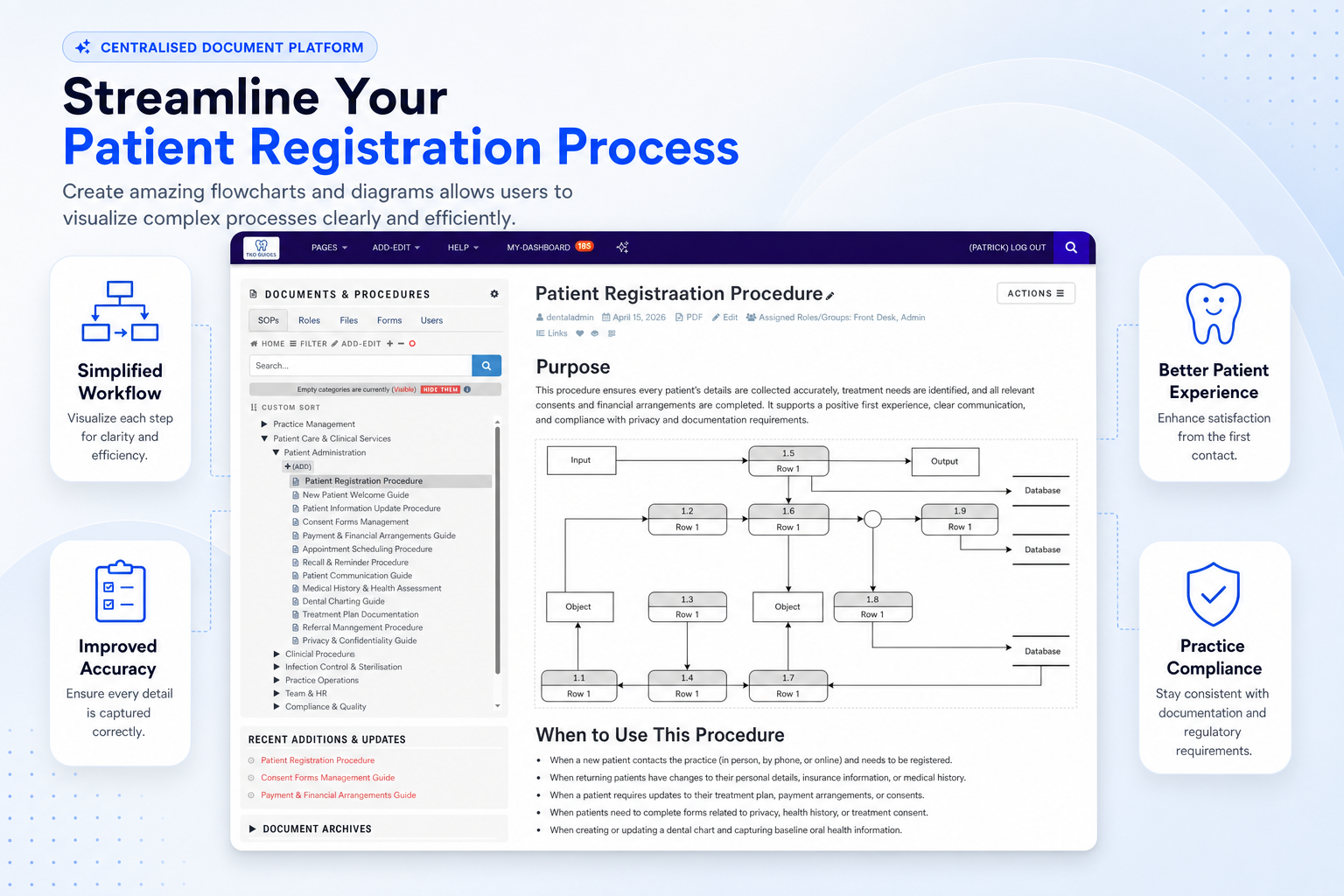
Visualise complex procedures so patient journeys, reception steps and internal handovers are easier to understand.
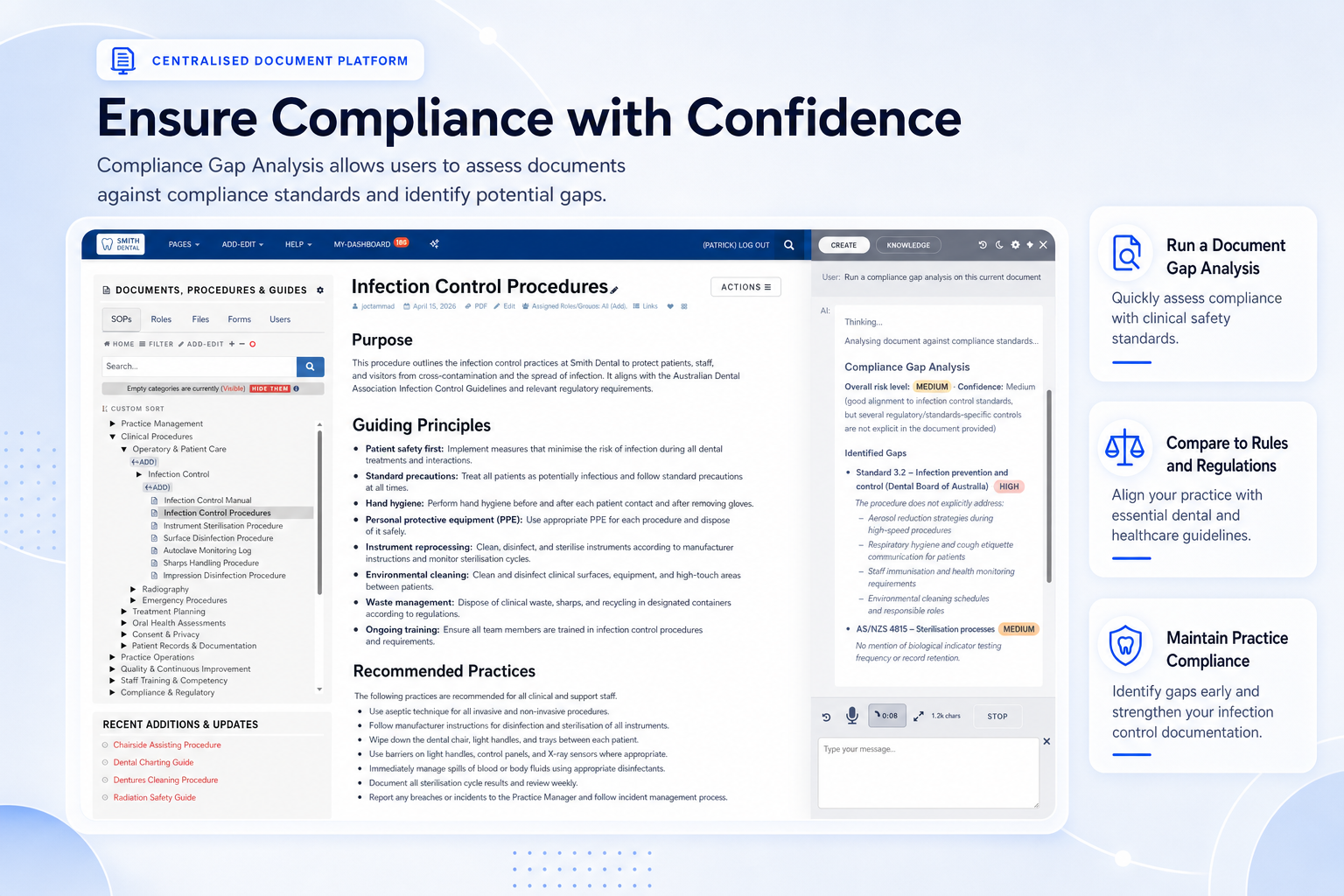
Assess documents against required standards and identify areas that may need stronger evidence or clearer guidance.
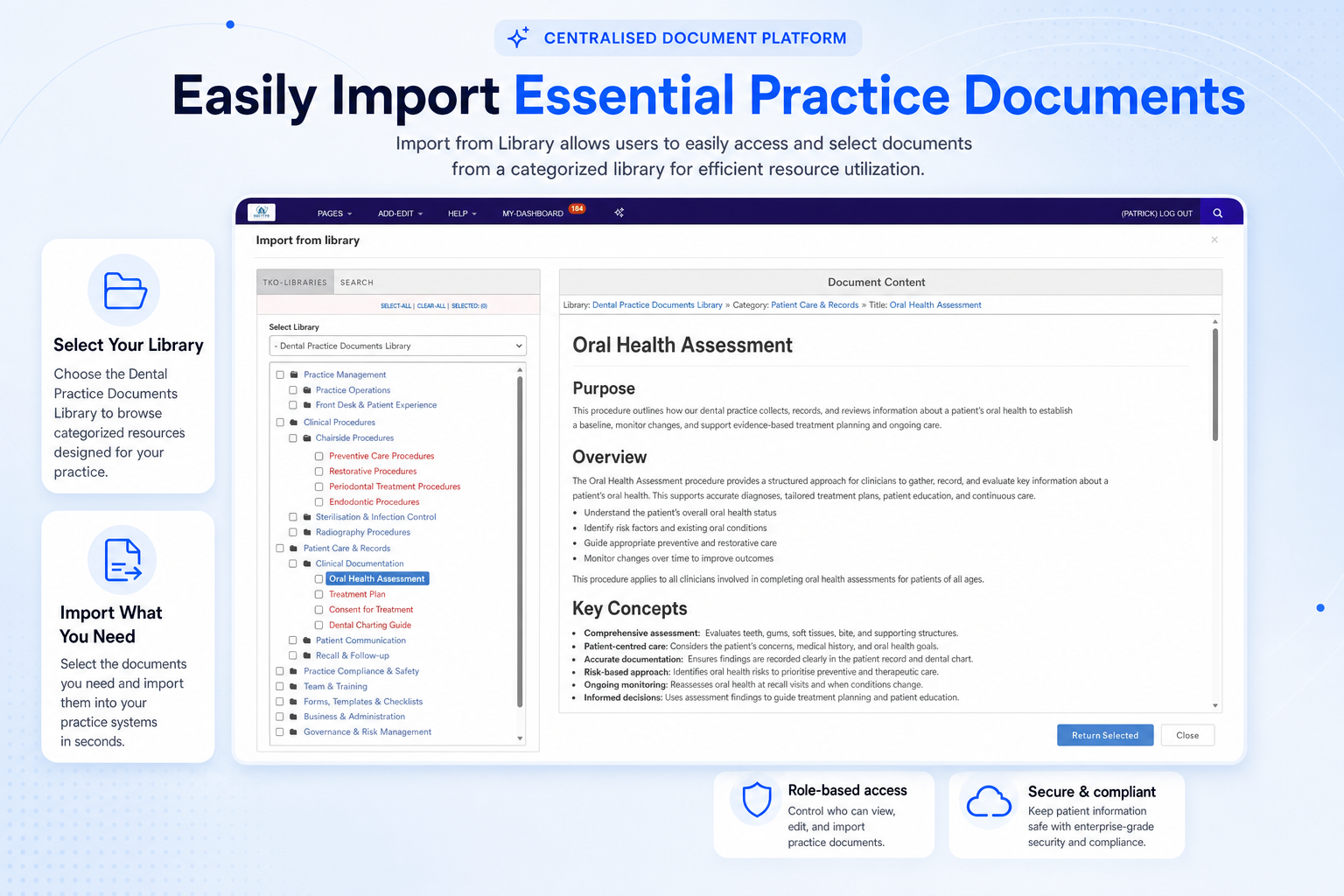
Select and import resources from a categorised library so teams can build procedures faster and more consistently.
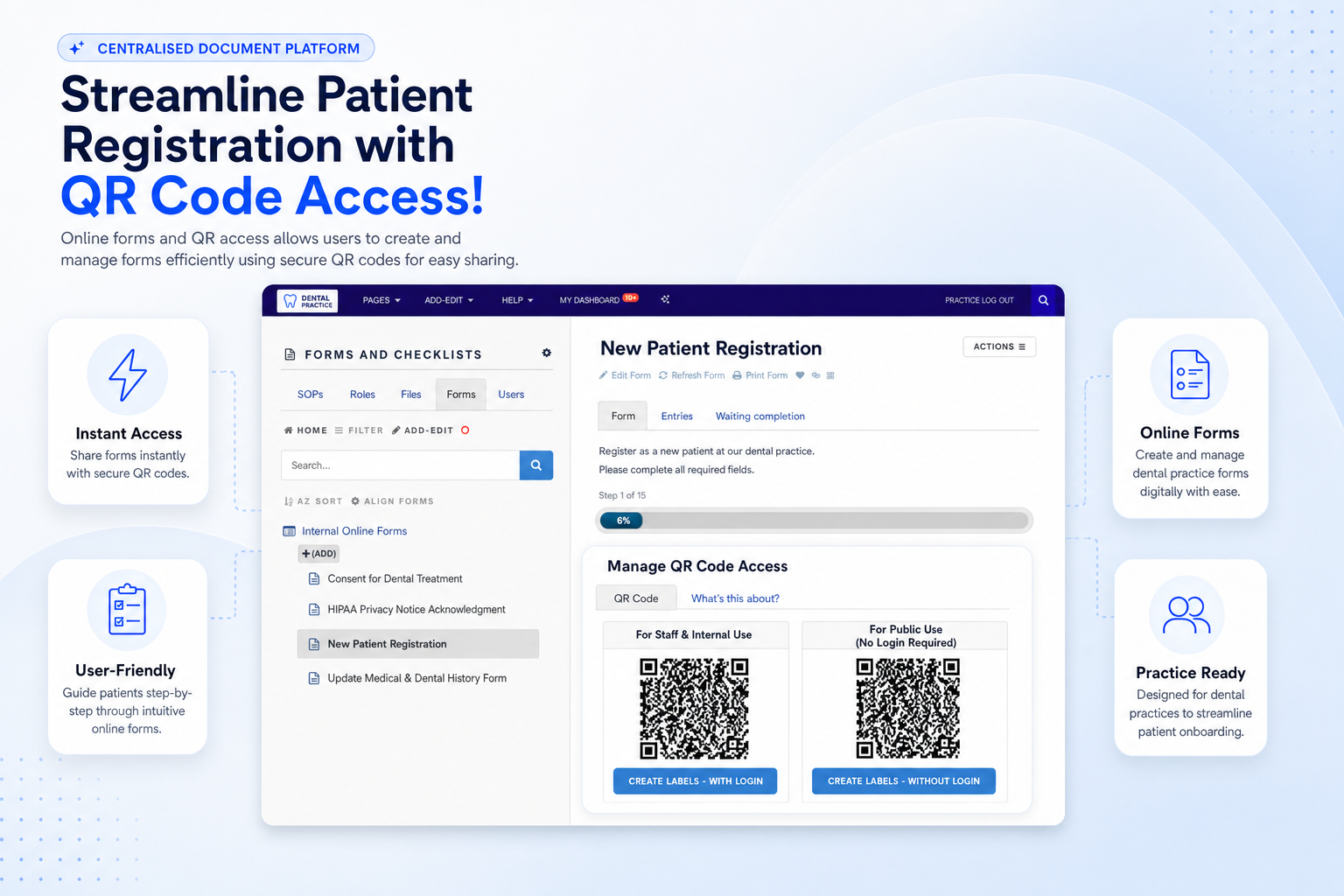
Create and share secure online forms with QR code access for easier collection of information and internal requests.
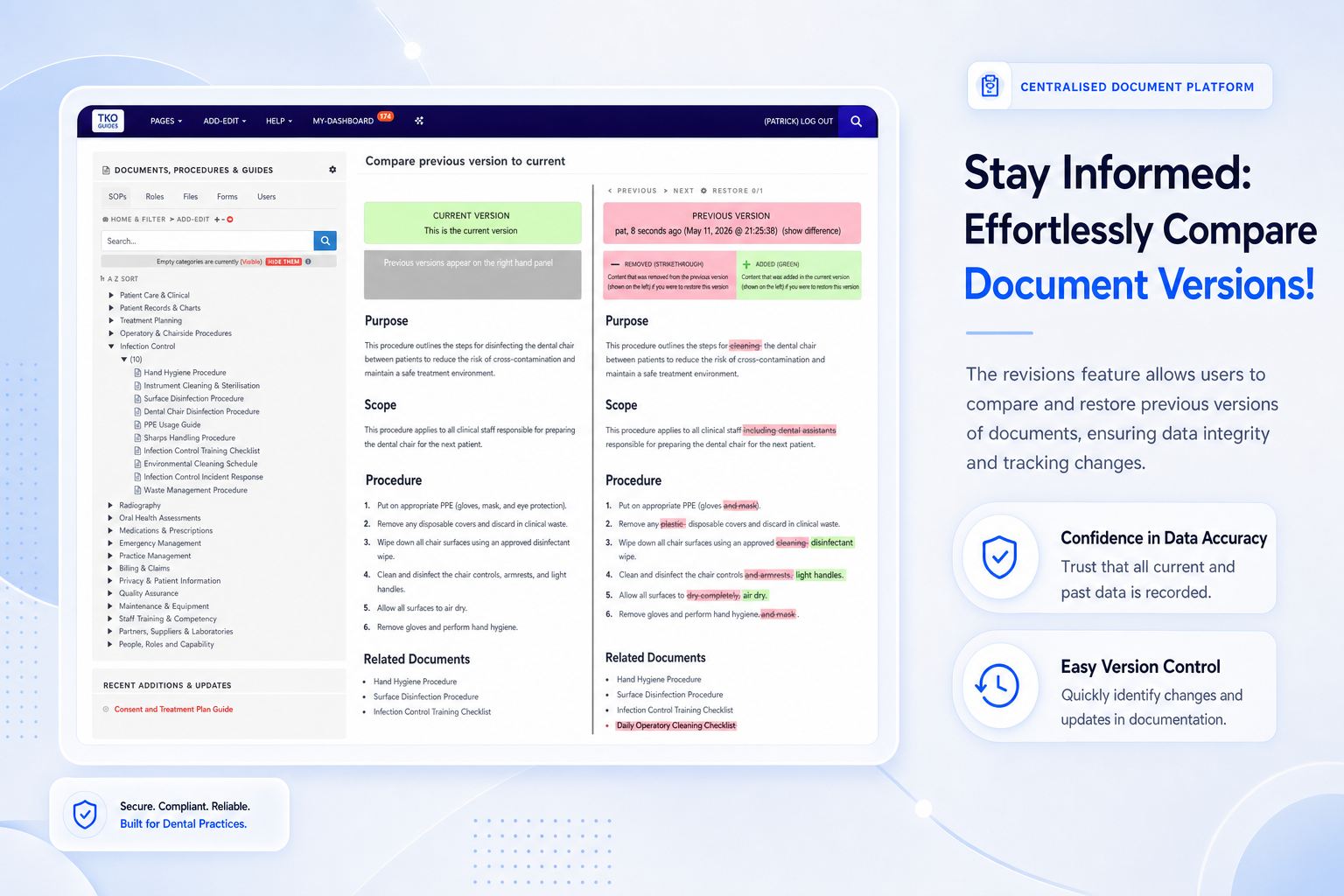
Compare and restore previous versions so changes are visible, traceable and easier to manage.
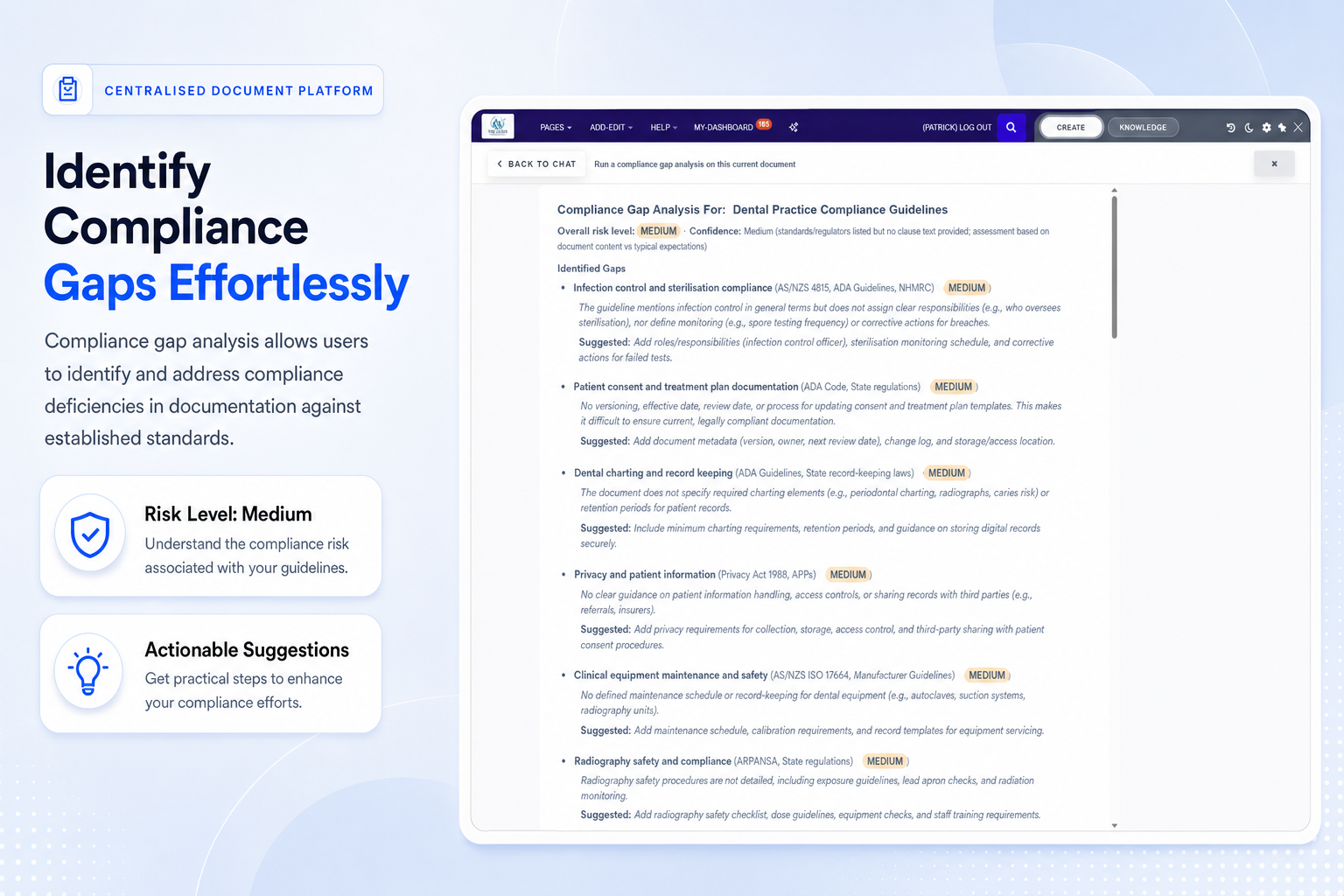
Use AI-supported analysis to identify document weaknesses and receive practical suggestions for improvement.
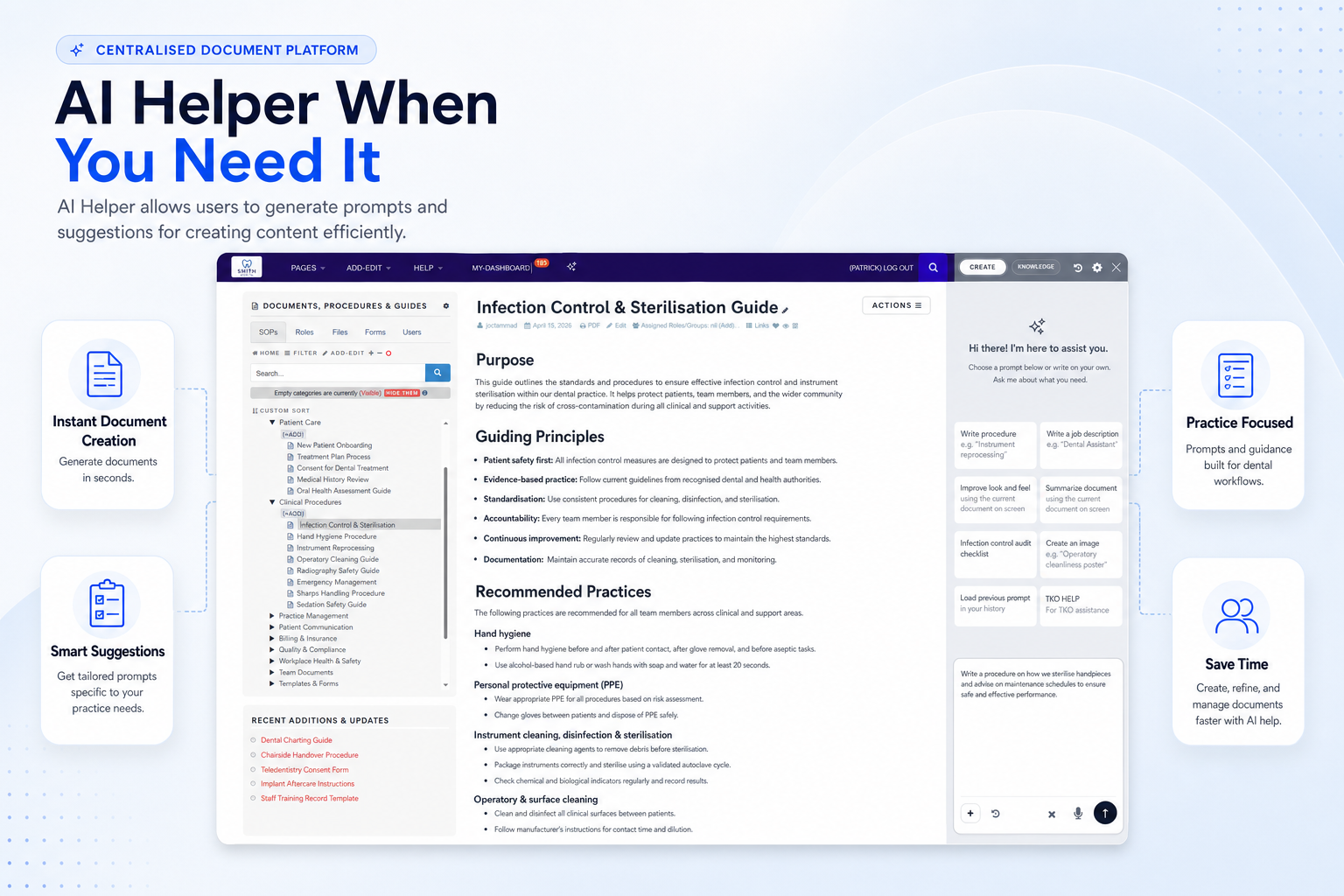
Generate prompts and suggestions that help turn practice knowledge into structured operating documents.
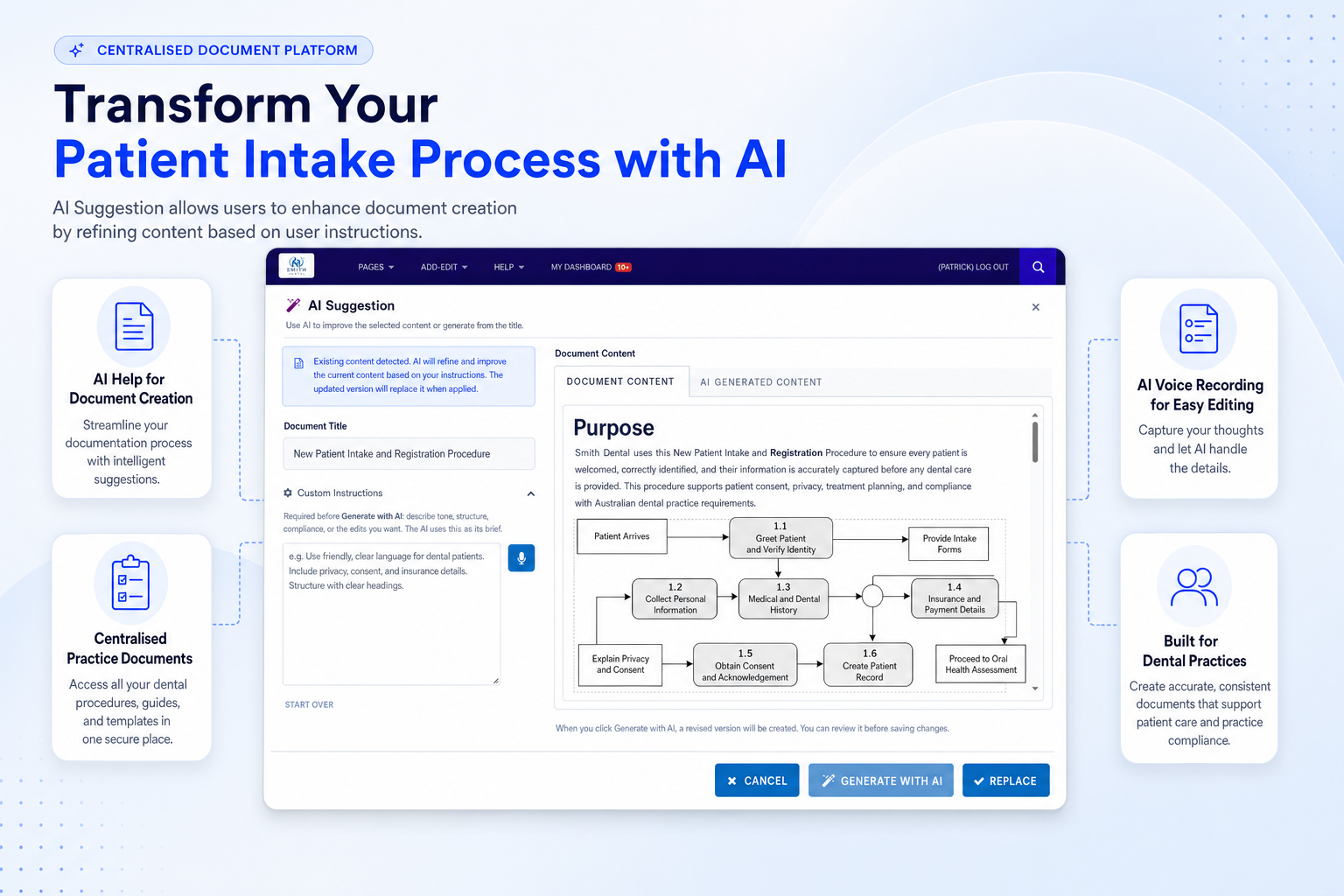
Refine document content, rewrite instructions and improve clarity with intelligent suggestions.
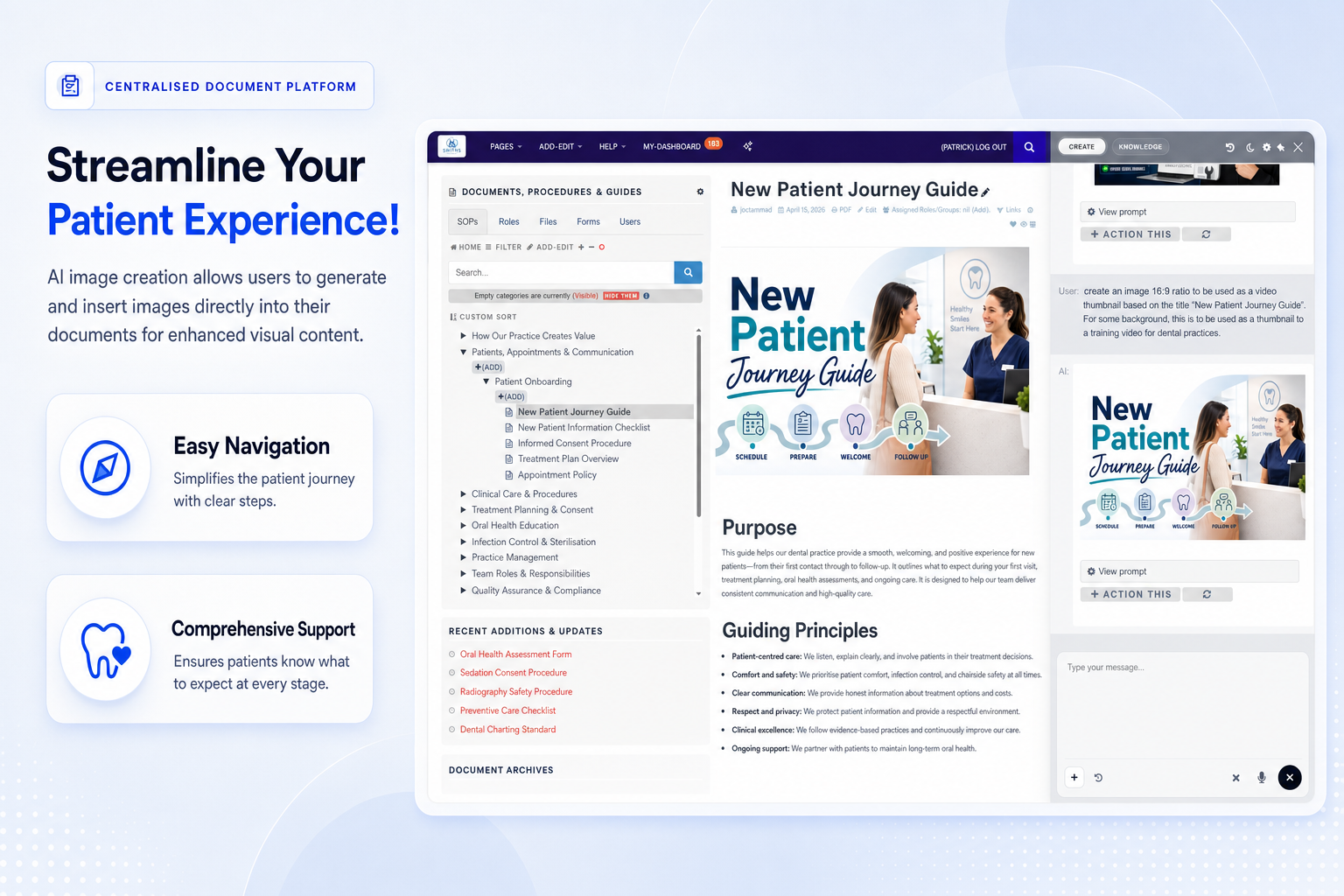
Generate and insert visual content into guides to make patient-facing and staff-facing resources easier to understand.
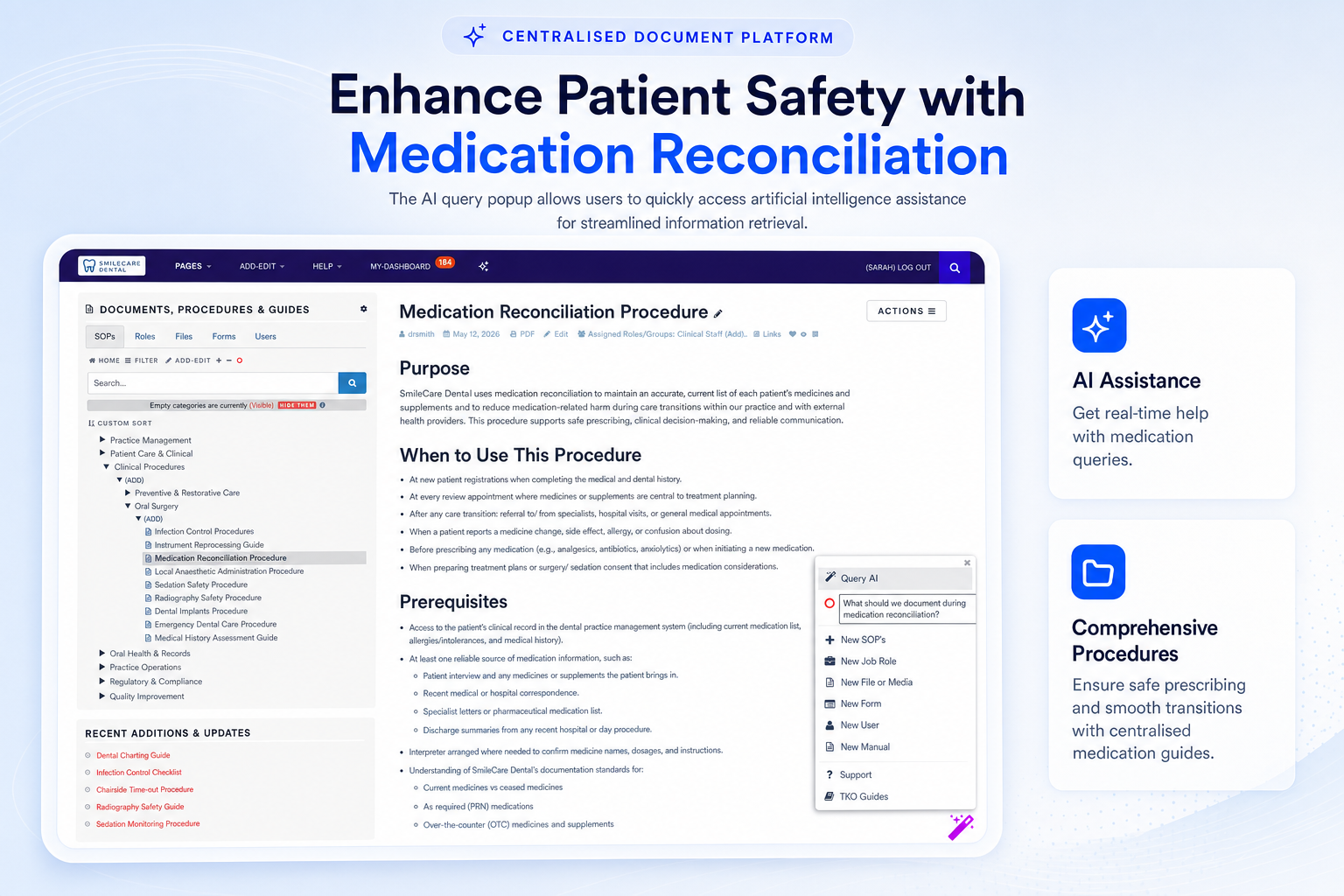
Access real-time AI assistance while working in documents so staff can find guidance without losing momentum.
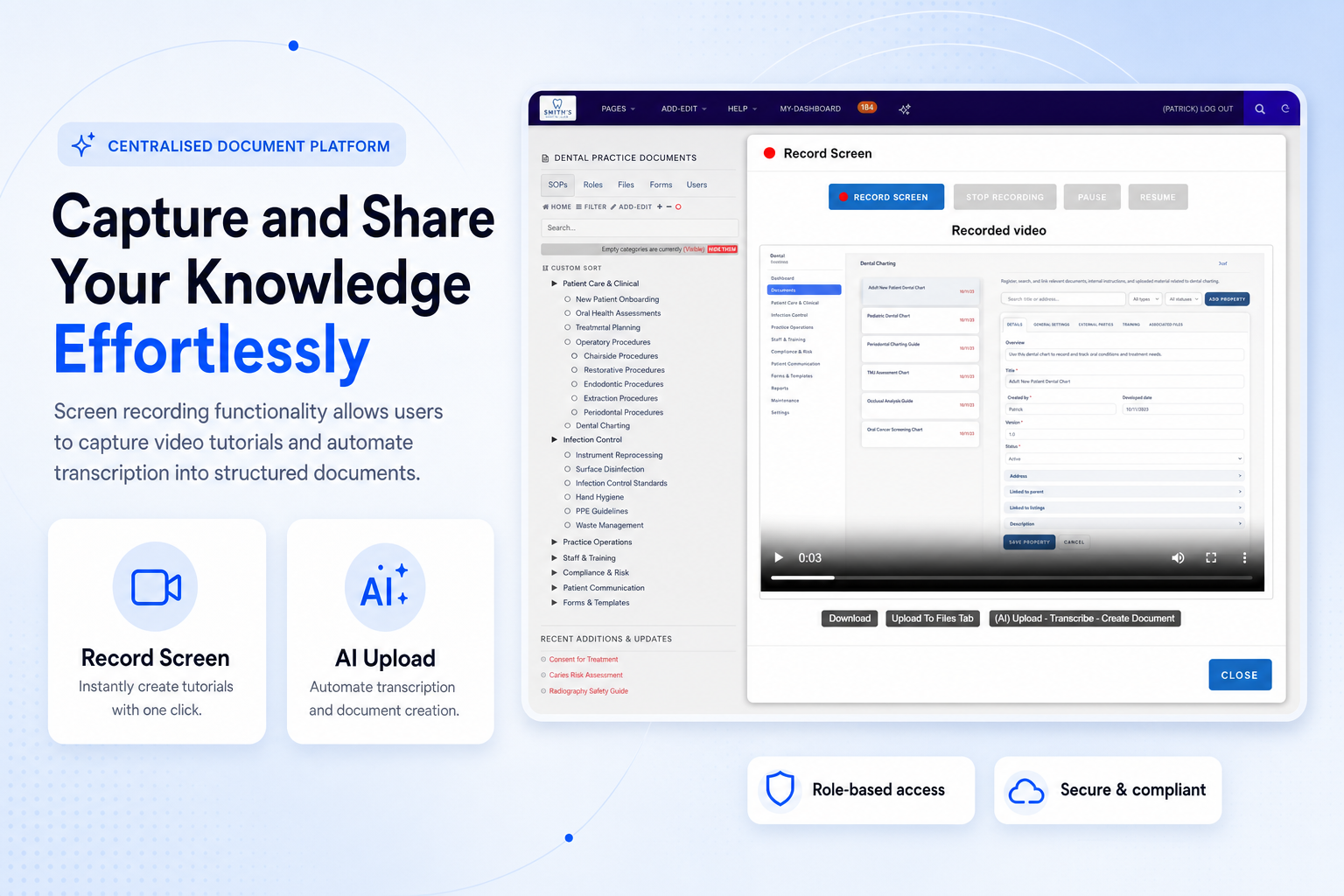
Record tutorials, transcribe the content and turn everyday tasks into repeatable staff training resources.
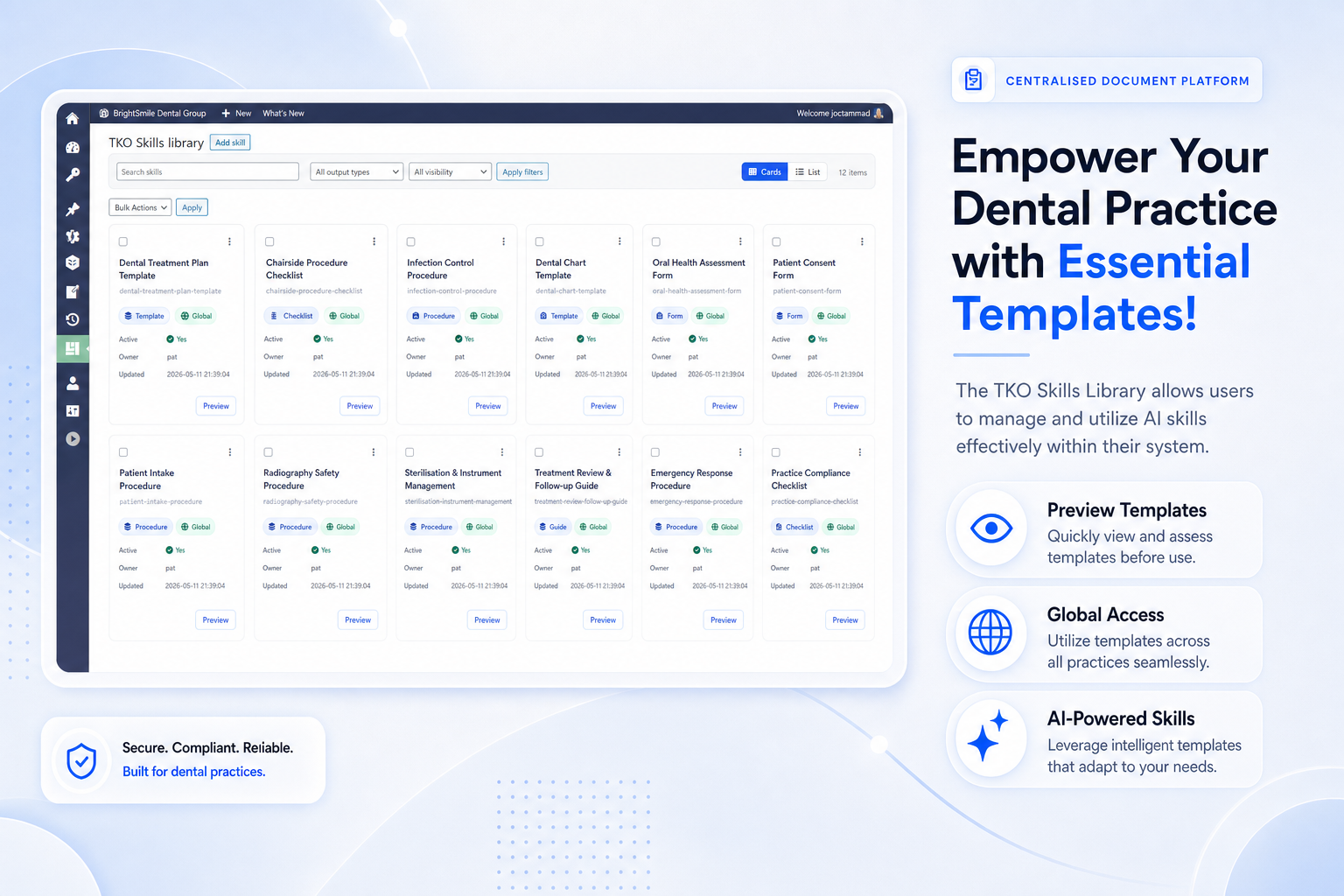
Manage reusable AI skills and templates so content creation stays consistent across your organisation.
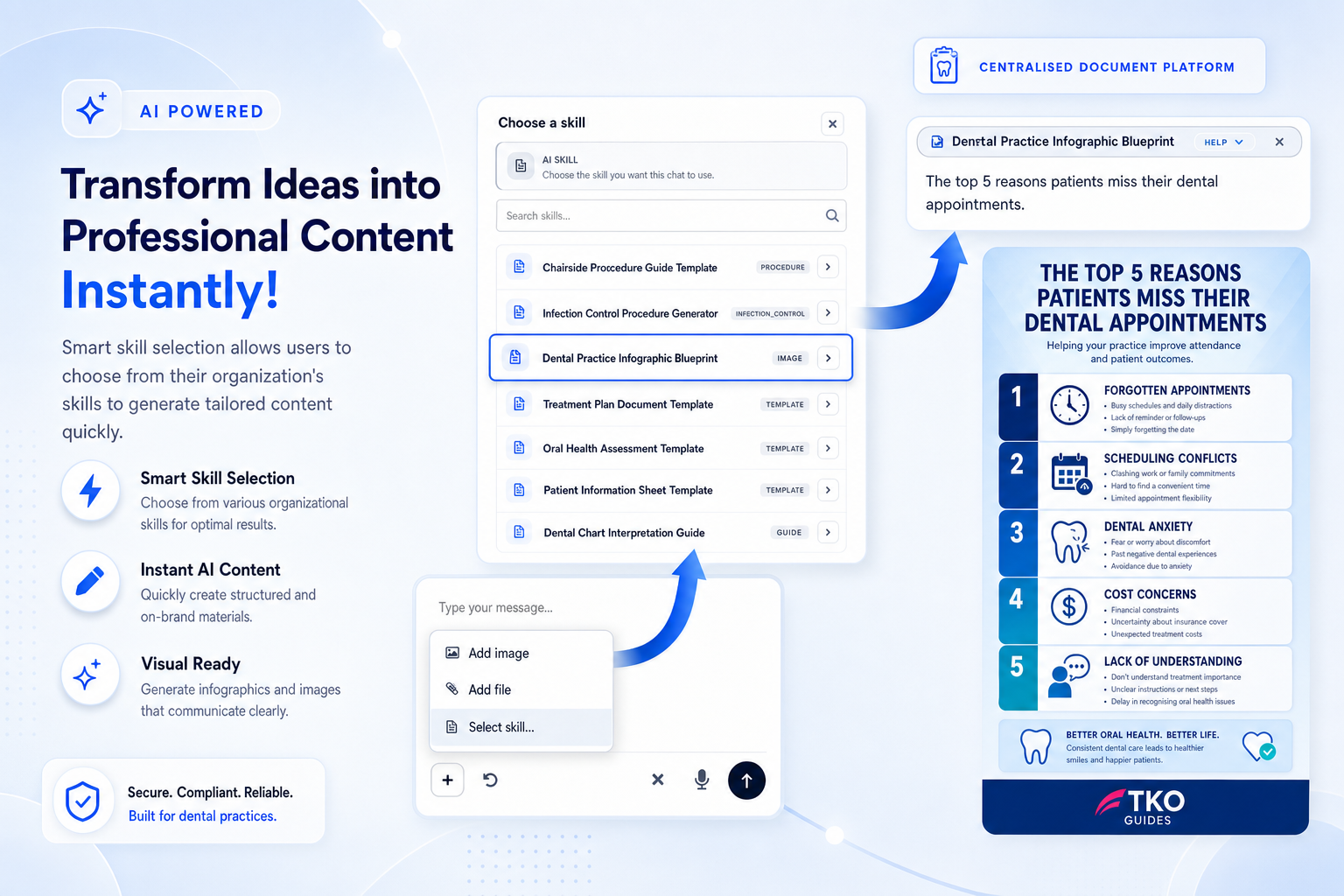
Select the right skill and generate tailored content for procedures, training, forms and internal guidance.
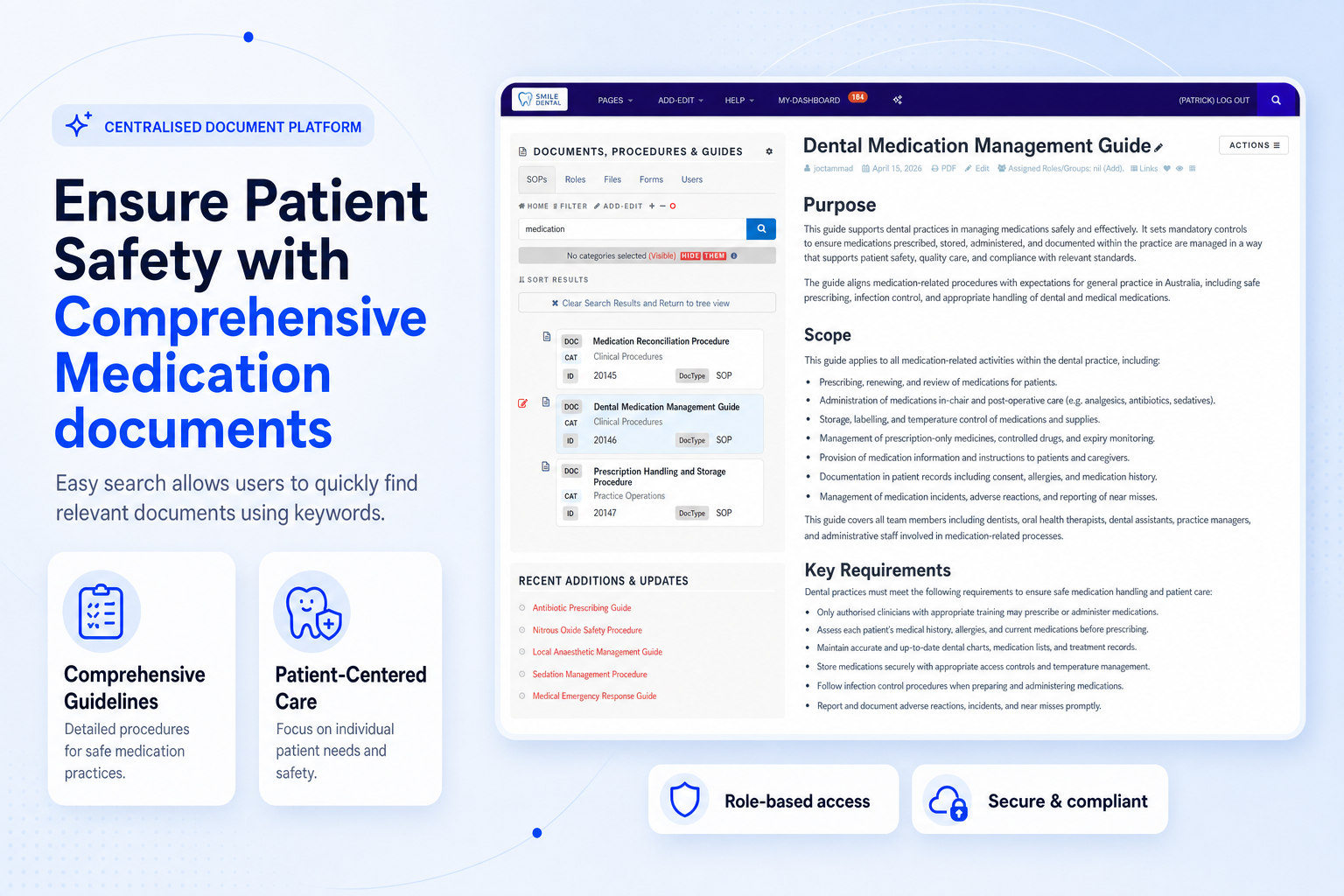
Find relevant procedures and guides quickly using keywords, categories and structured document organisation.
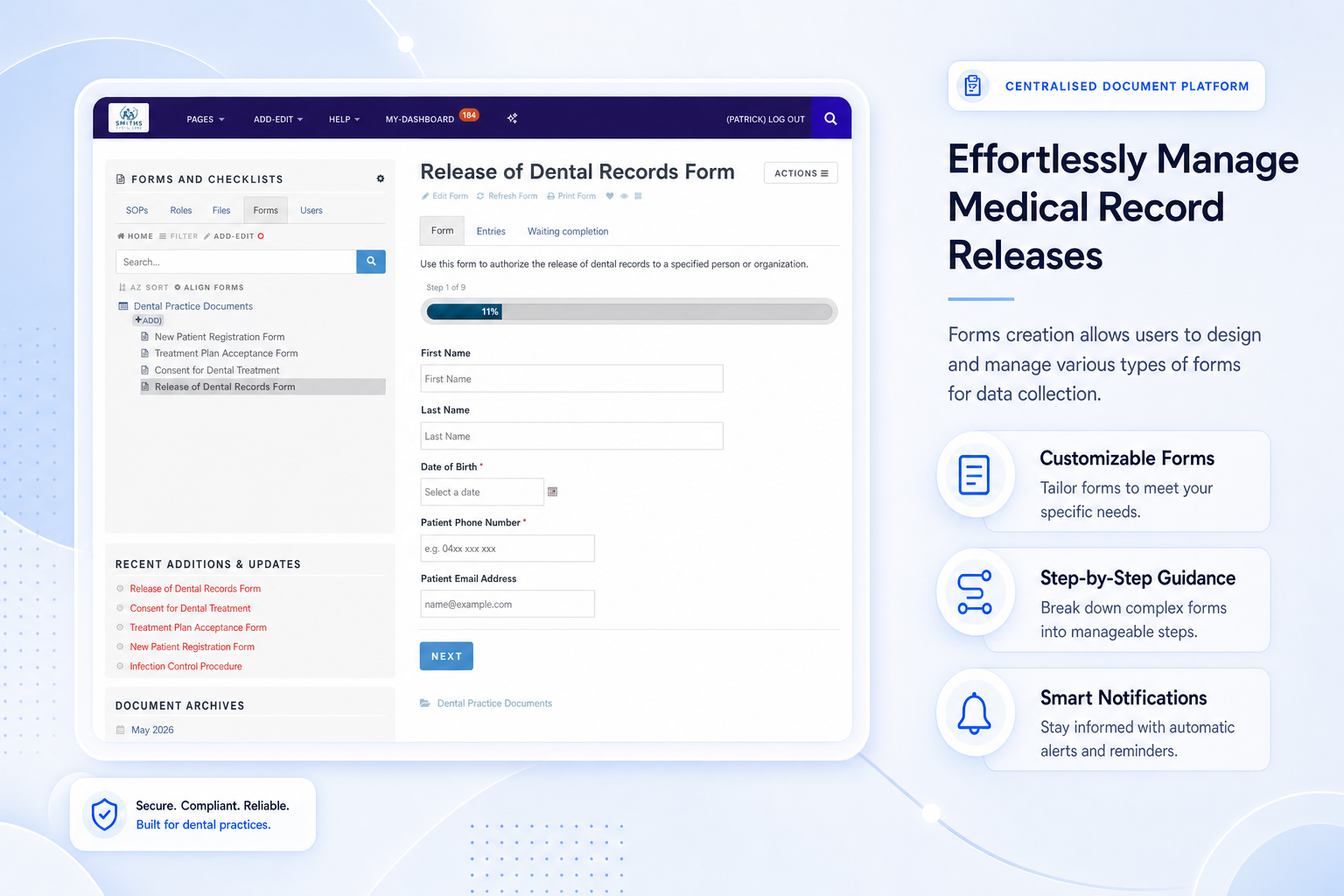
Create guided forms for patient records, internal requests, checklists and controlled information collection.
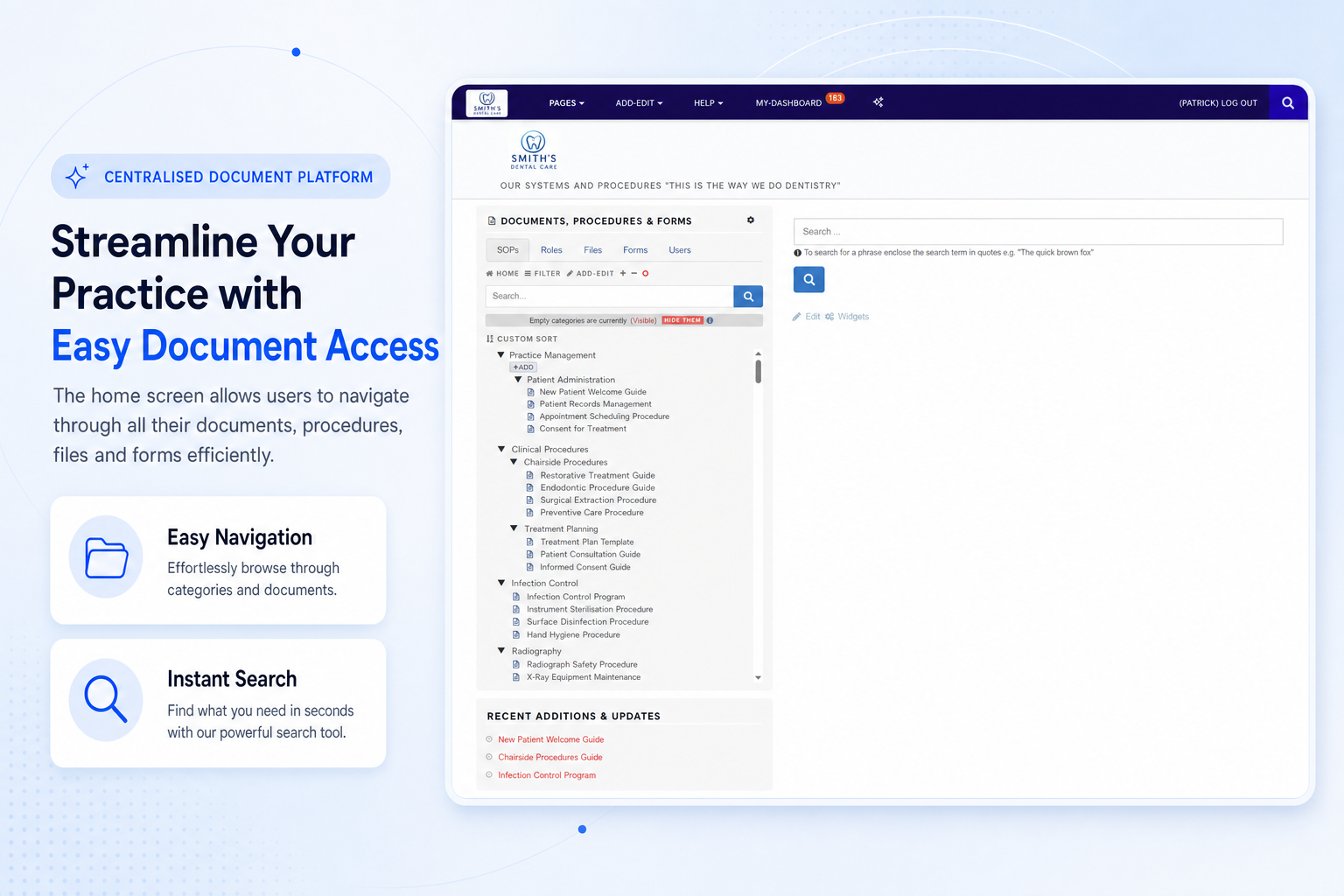
Navigate documents, procedures, files and forms from a central screen designed for everyday use.
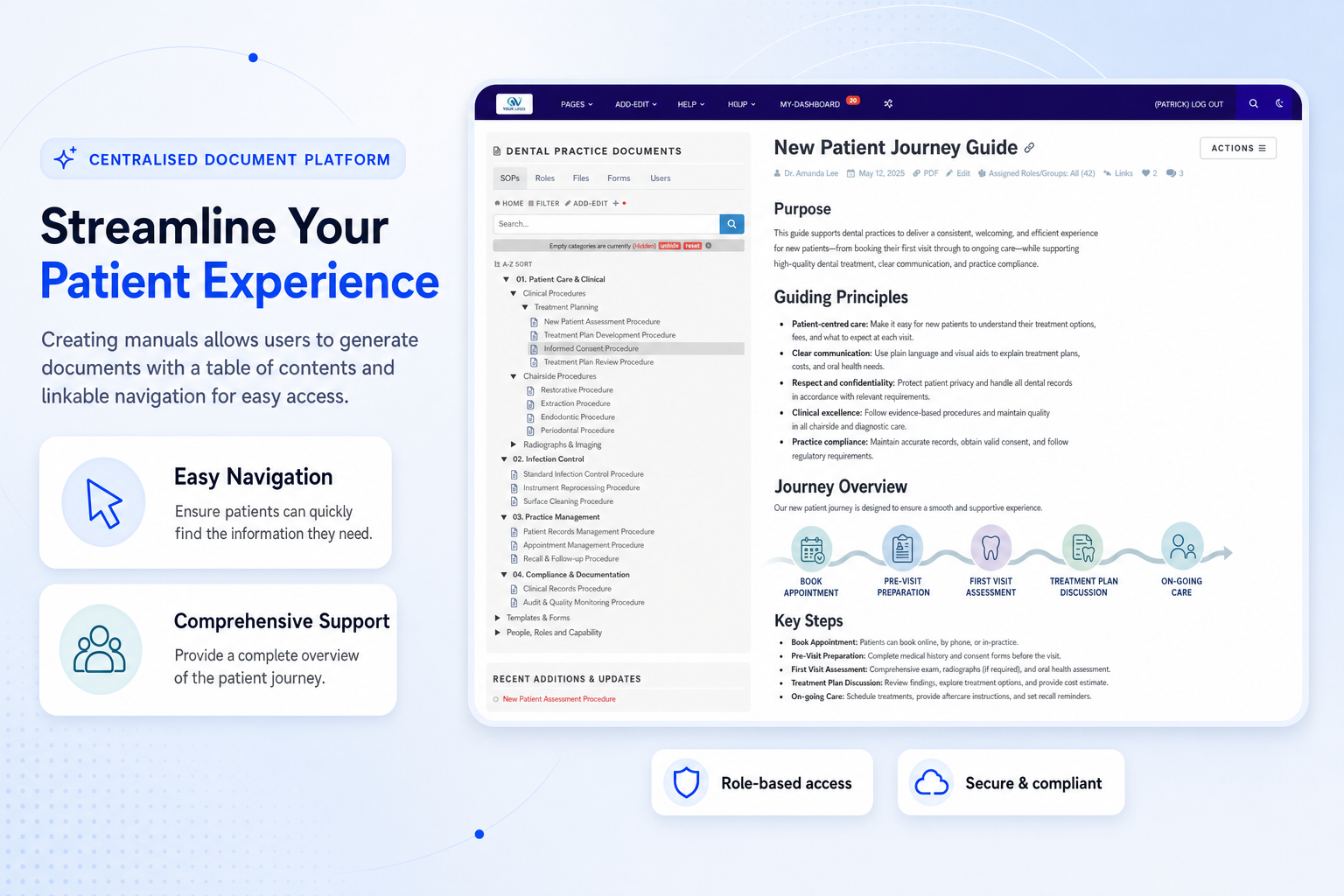
Generate manuals with a table of contents and linkable navigation for clearer staff and patient resources.
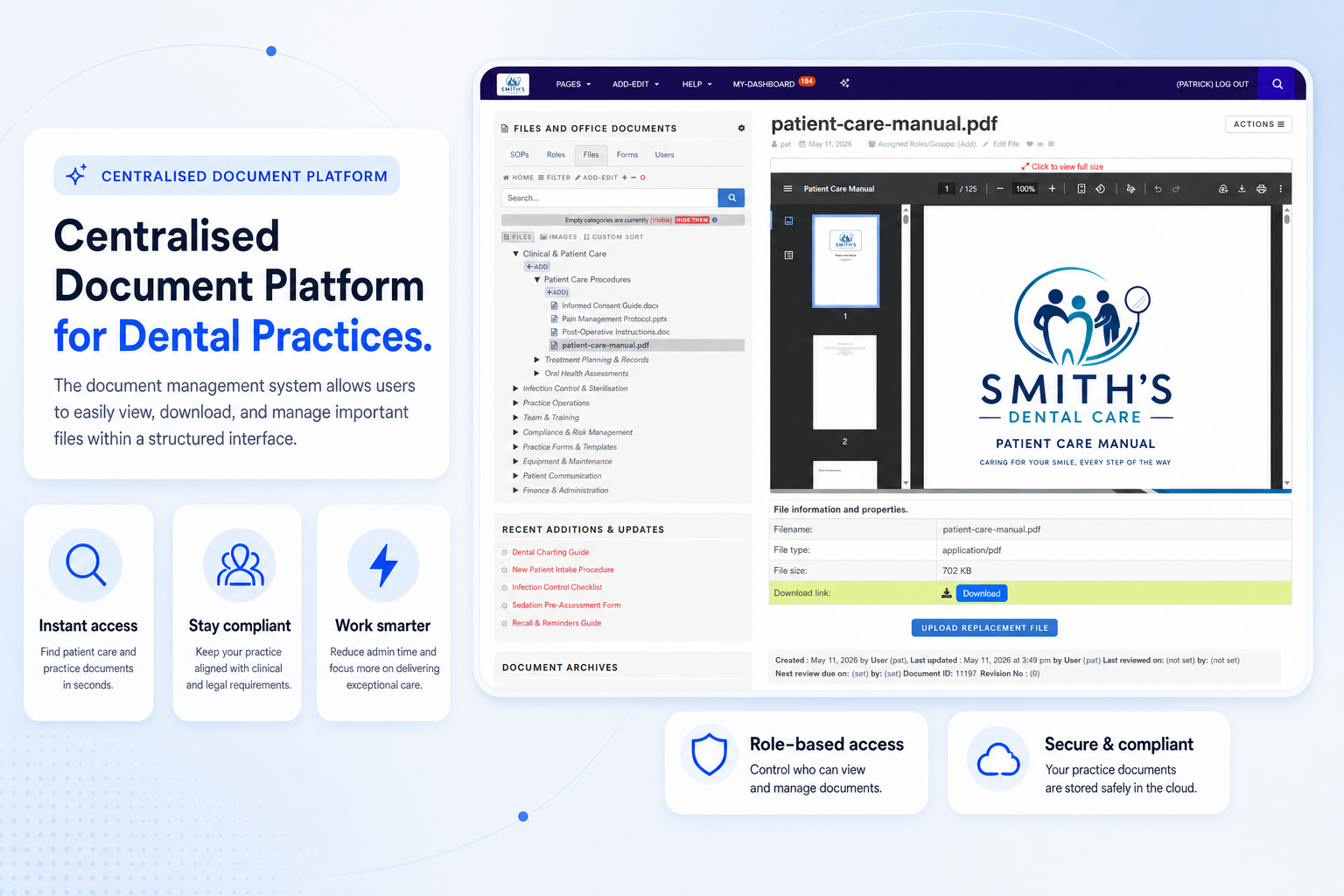
View, download and manage important files in a structured interface rather than scattered shared folders.
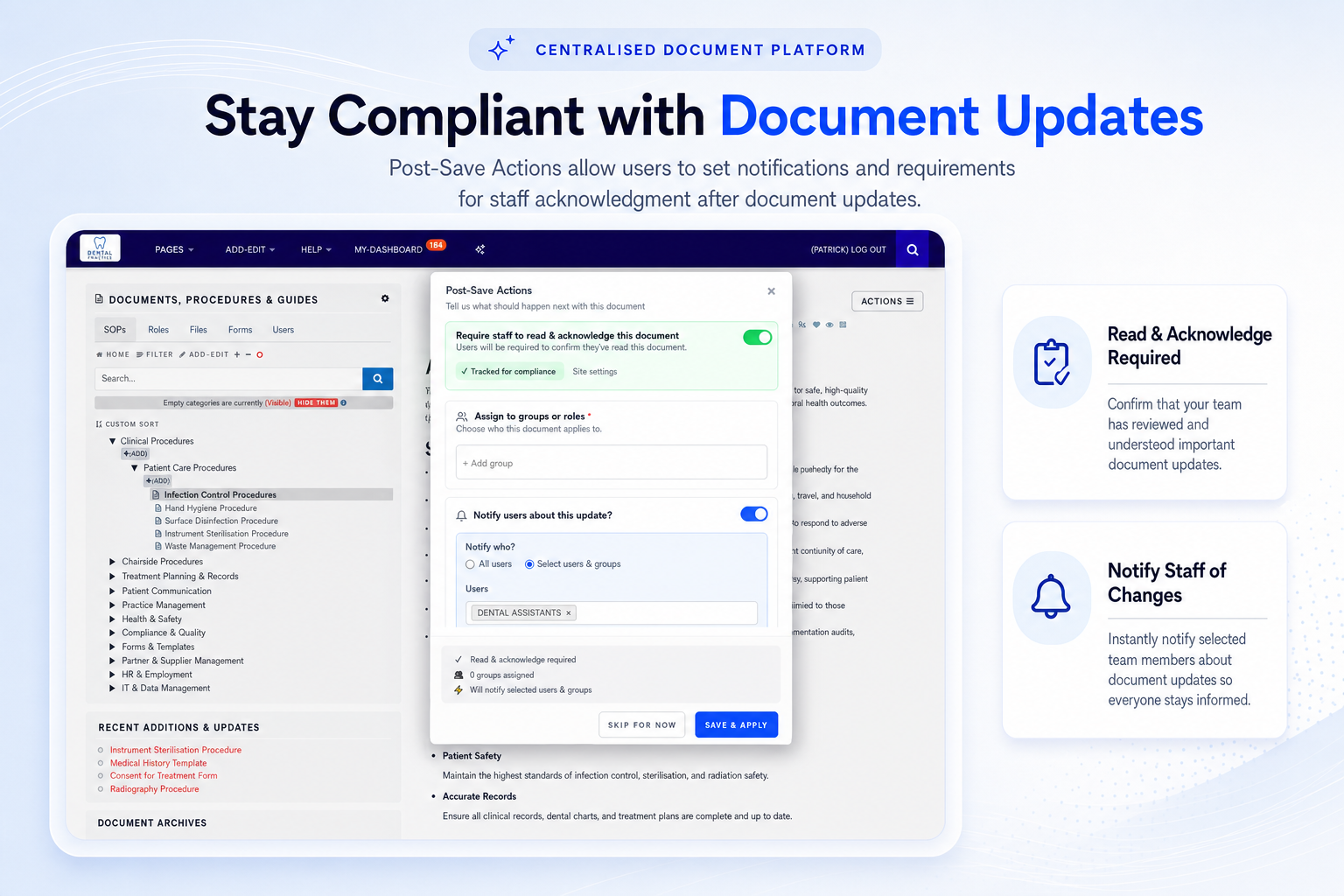
Notify staff after updates and request read-and-acknowledge confirmation where action or awareness is required.
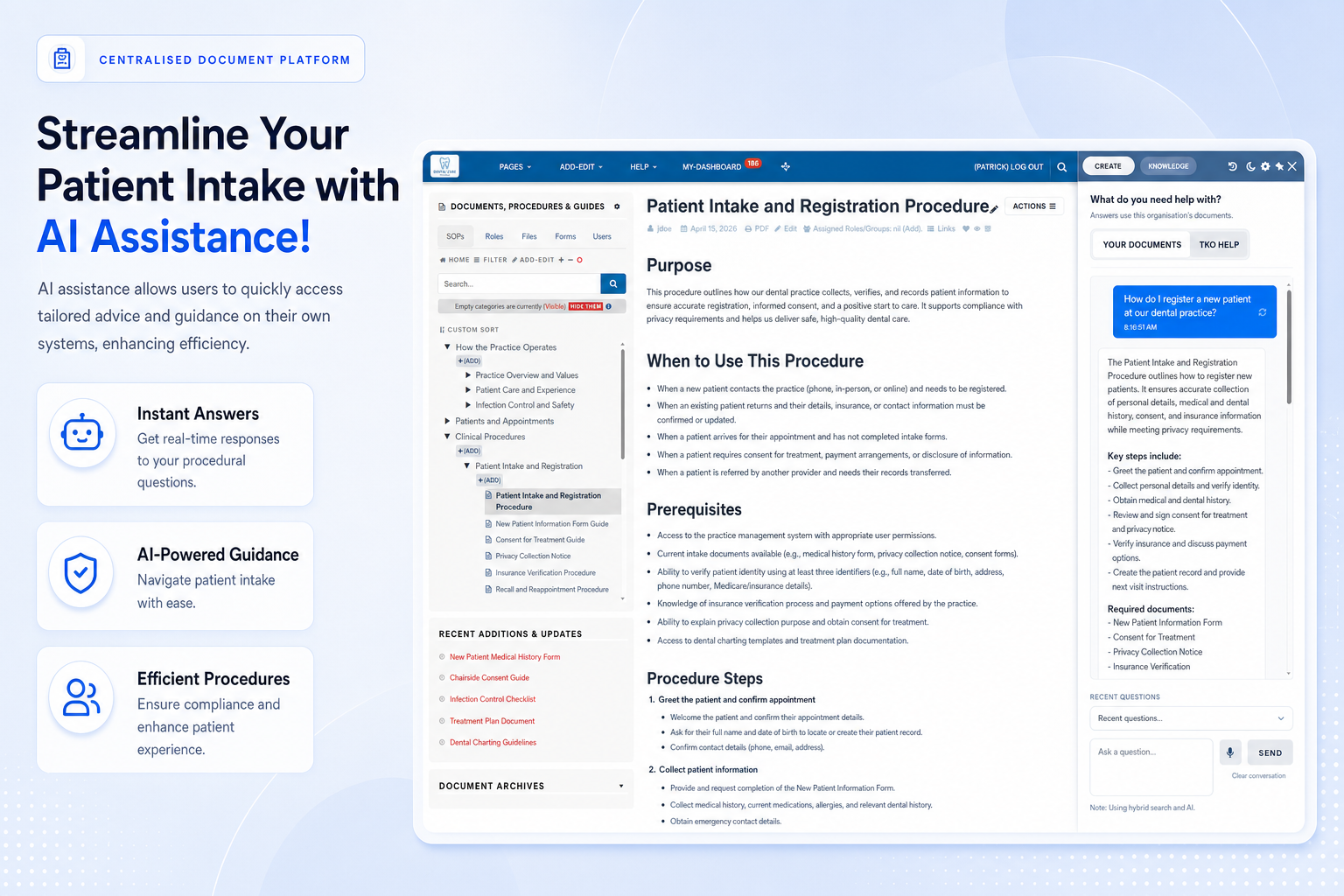
Access tailored guidance from your own documents to support efficient and consistent patient intake processes.
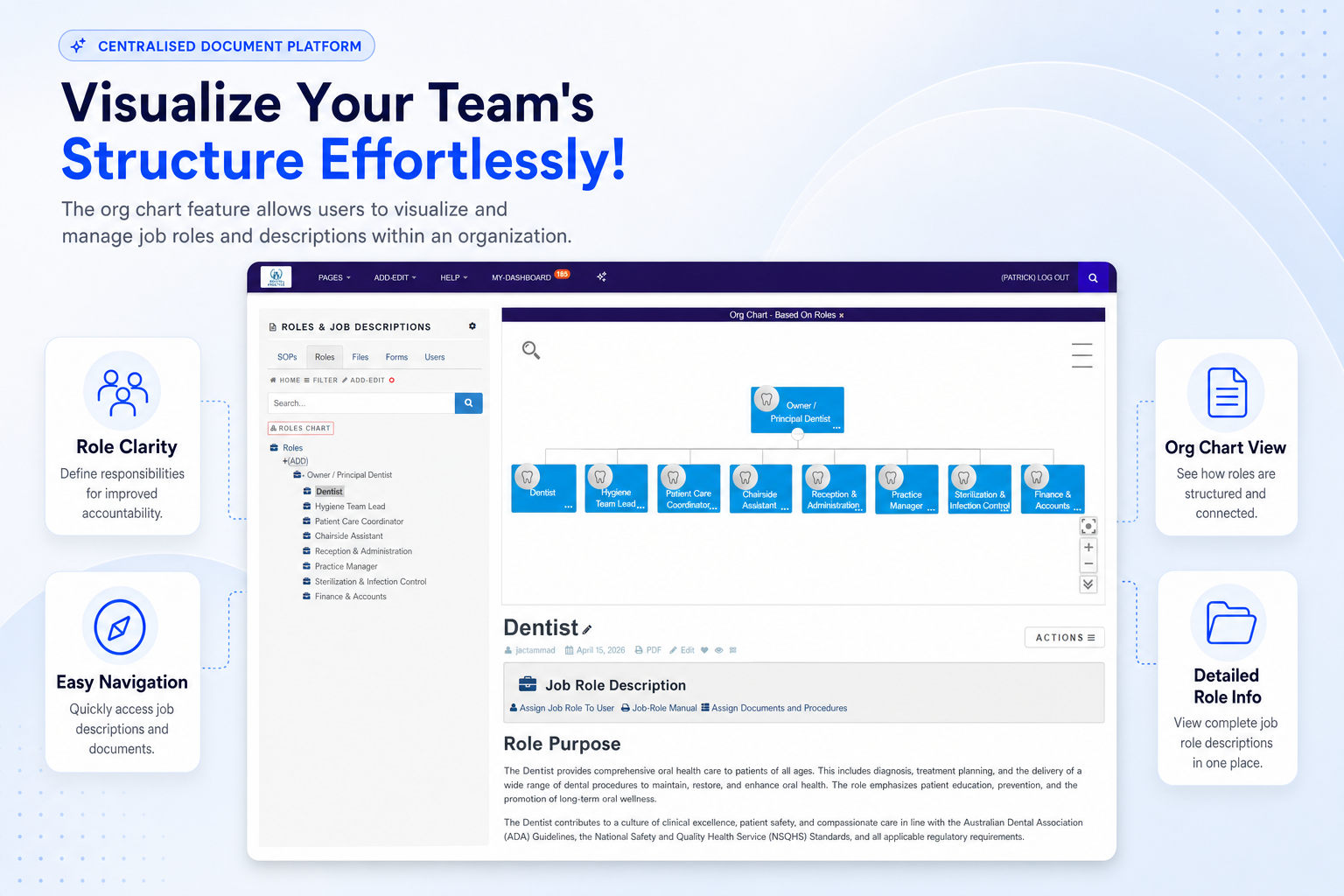
Map roles and responsibilities so staff can see where duties, job descriptions and documents connect.
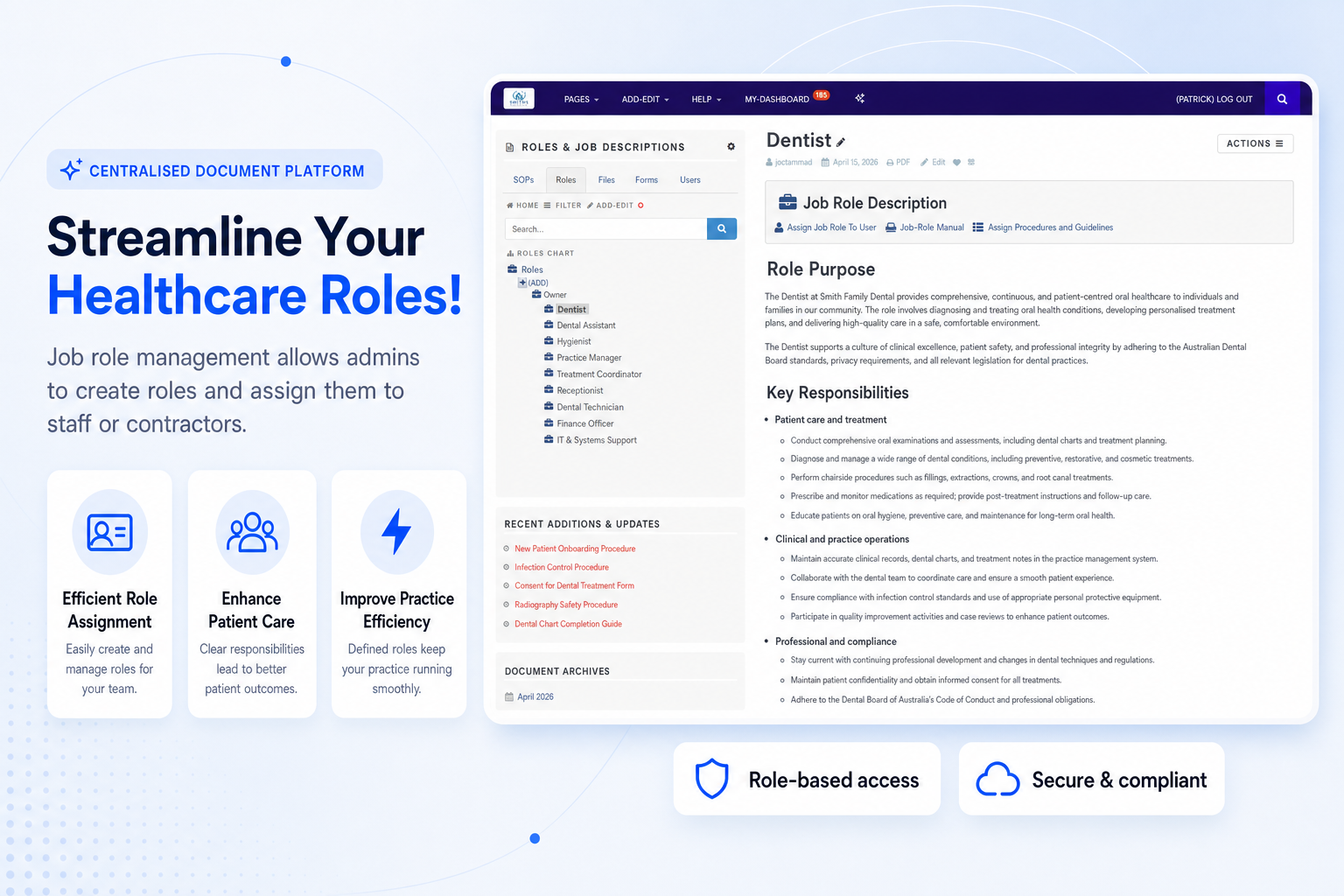
Create roles and assign relevant guides, responsibilities and documents to staff or contractors.
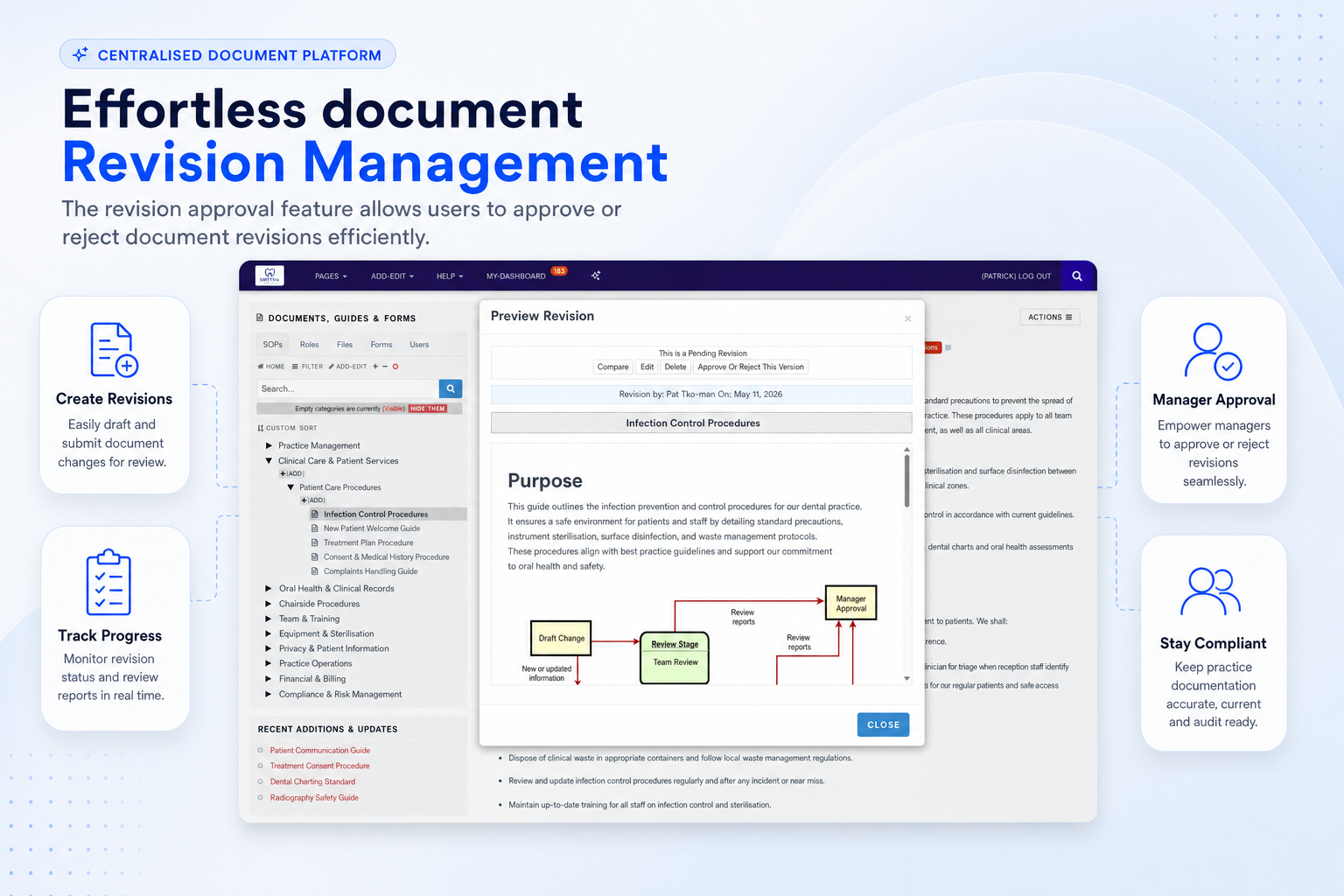
Approve or reject document revisions so important updates move through a controlled review process.
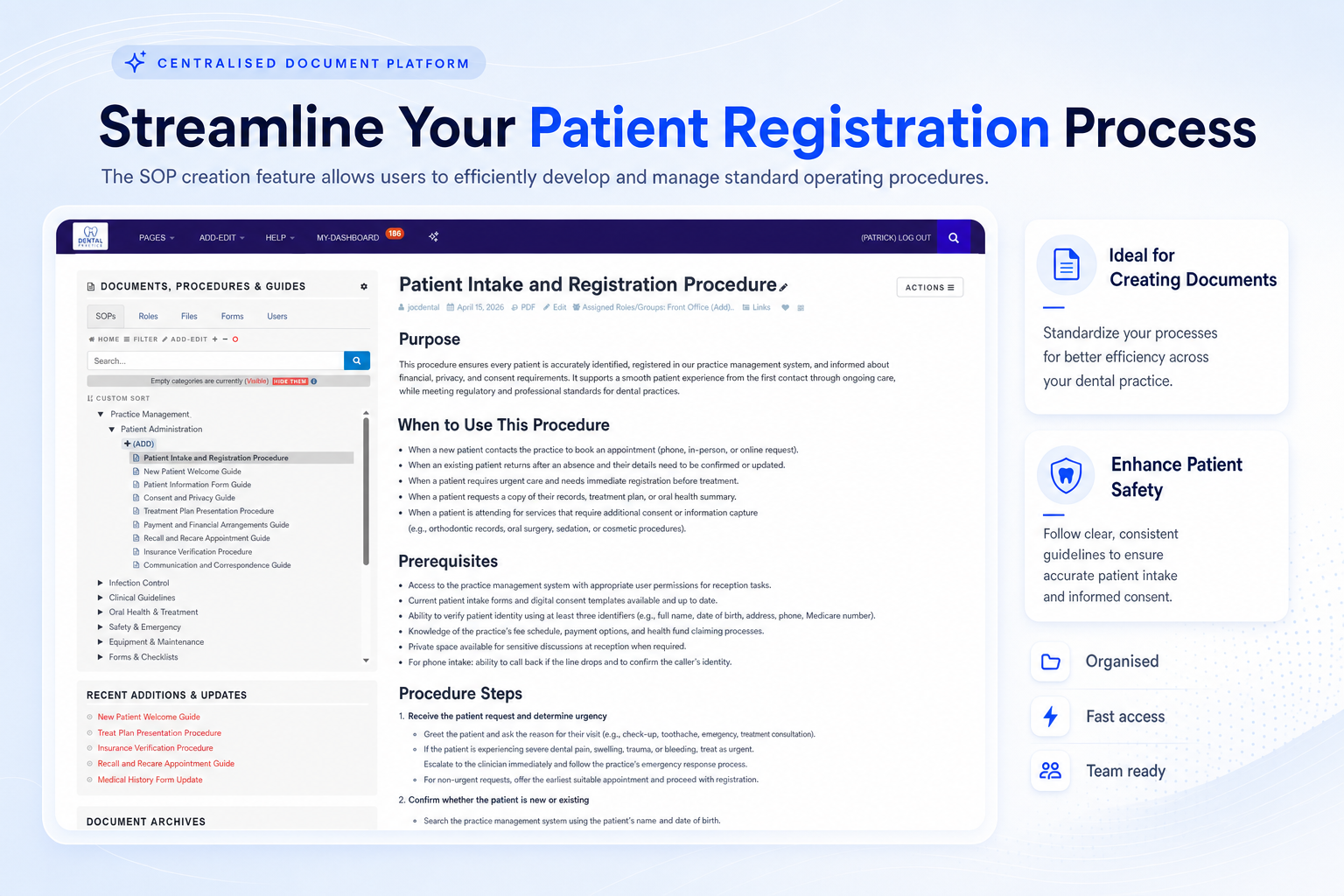
Develop and manage standard operating procedures that support efficiency, safety and consistency.
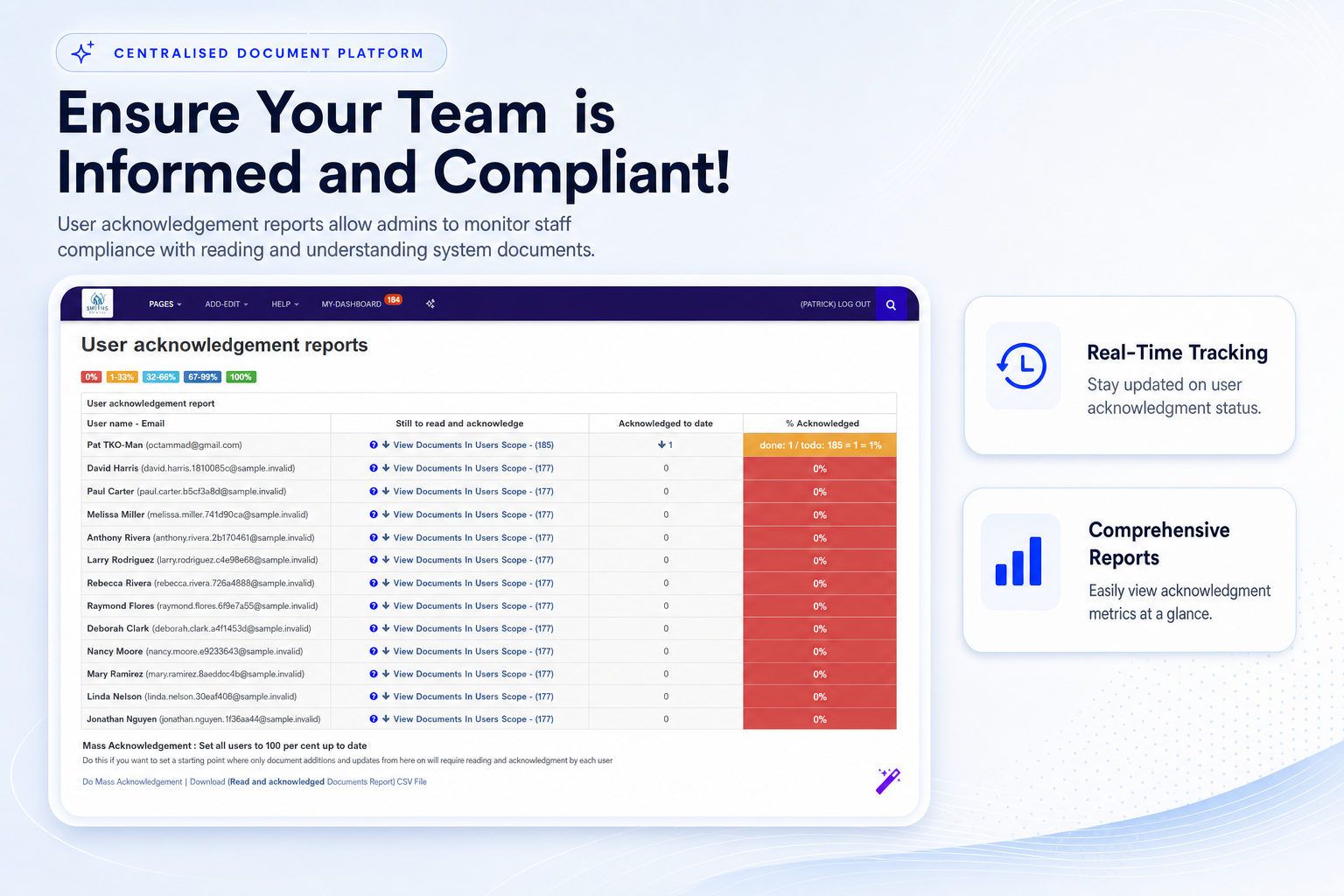
Monitor which staff have read and acknowledged assigned documents, updates and workplace guides.
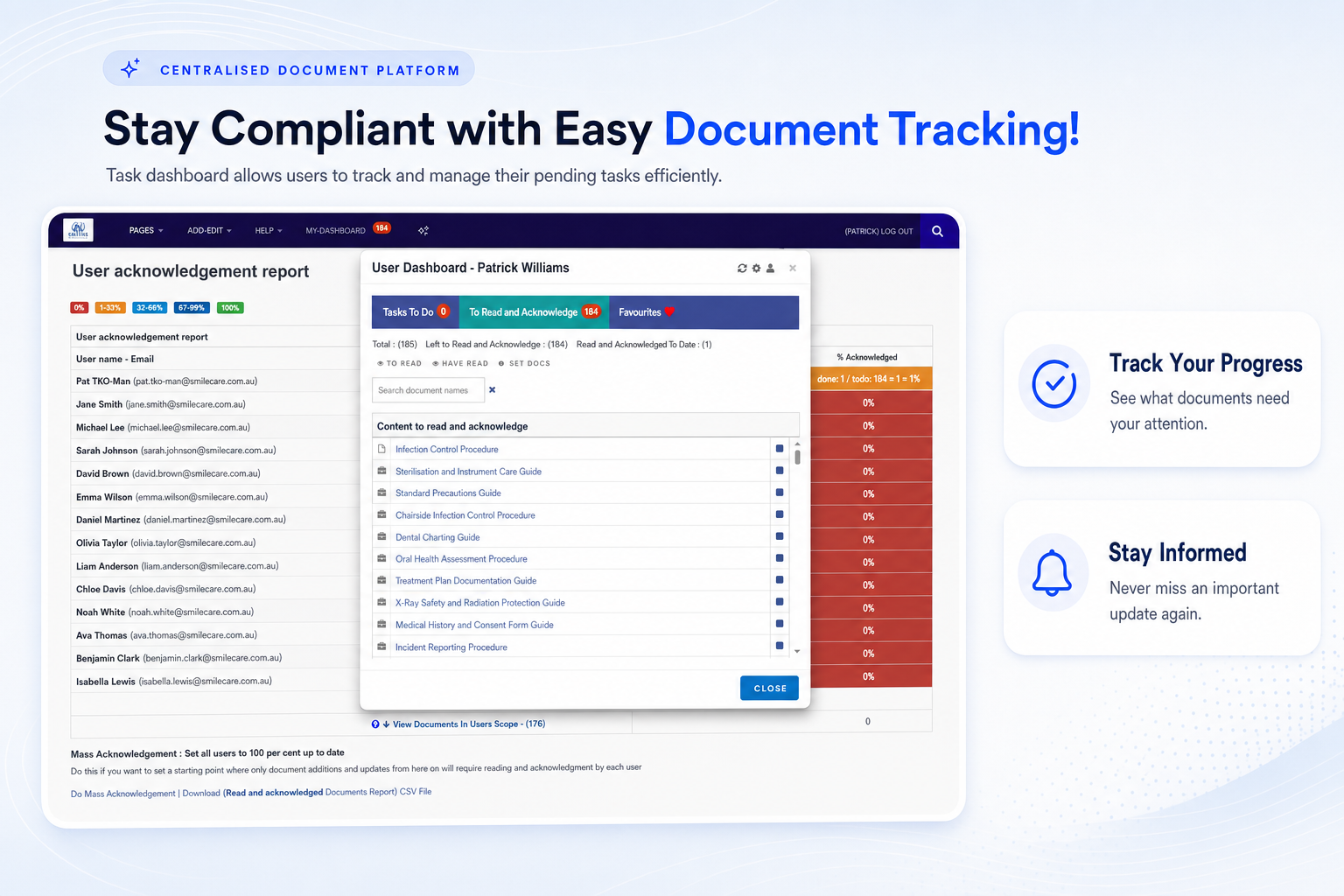
Give users a clear view of pending tasks, assigned reading and document actions that need attention.
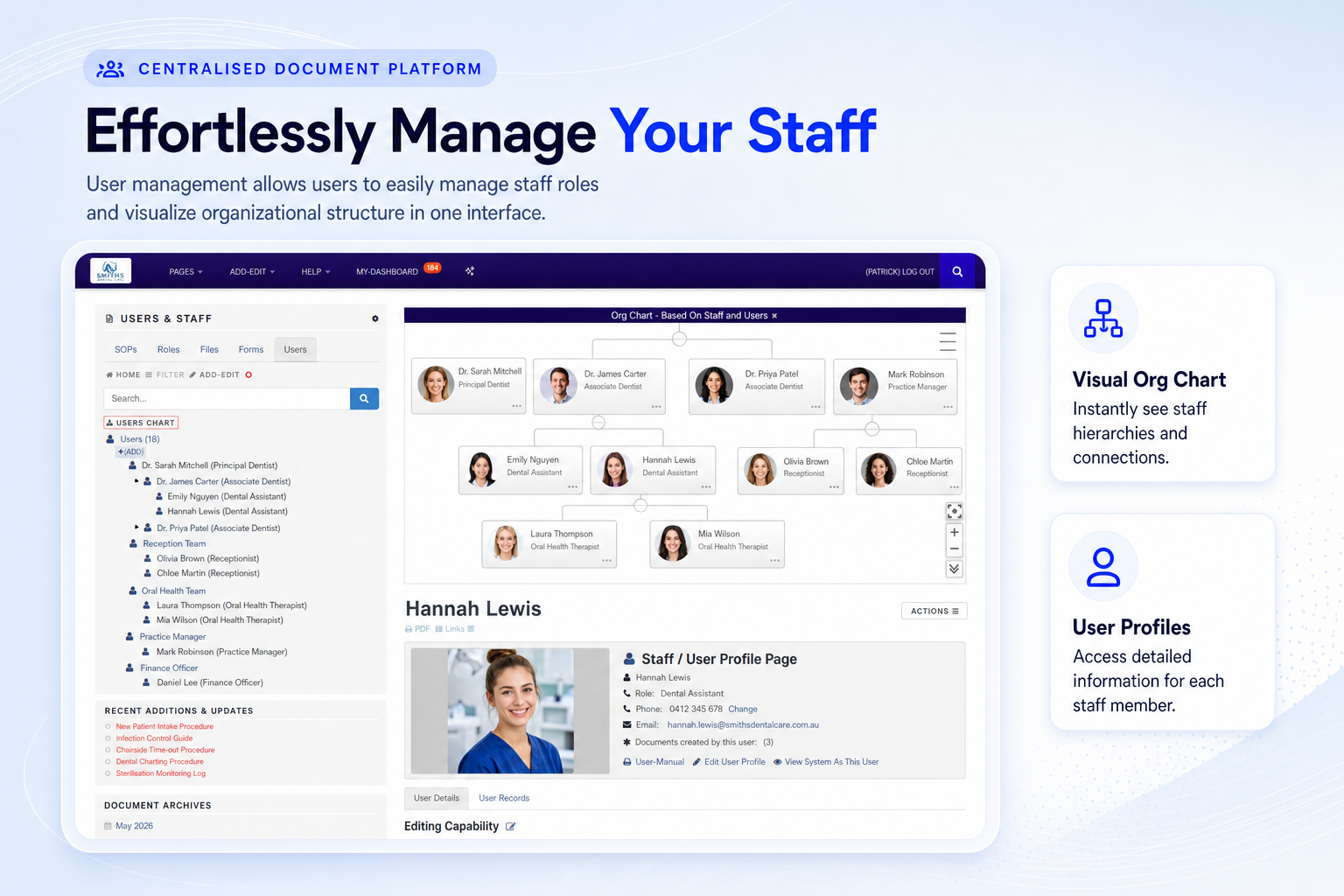
Manage staff access, profiles and role relationships in one place so the right people see the right documents.
Operational leaders across Australia use structured document systems to bring order, consistency and accountability to busy workplaces.
“Having one place for current documents, review dates and evidence has made quality work feel far more controlled and far less reactive.”
“The biggest shift is confidence. Staff can find the latest procedure quickly, and managers can see what has changed.”
“A structured SOP and document system saves time because the team no longer has to hunt through multiple folders for the right version.”
If your team is juggling compliance, onboarding and documentation, these answers will help you understand how TKO Guides fits.
Yes. TKO Guides helps centralise documents, store revisions, track review dates and provide evidence such as acknowledgements and document history when you need to respond quickly.
Yes. You can import existing files and organise them into a clearer structure, then improve, review and assign them from the TKO platform.
You can assign role-based documents, provide SOPs and staff guides, request acknowledgements and create training resources from screen recordings or existing knowledge.
TKO Guides includes revision storage and version comparison so your team can see what changed, restore previous versions when needed and work from the current document.
Yes. The platform supports structured access, shared resources and consistent documents across distributed teams, making it easier to maintain standards across locations.
See how TKO Guides can help you organise SOPs, guide staff, track changes and retrieve audit evidence without adding more manual admin.
Have a question before booking? Reach out and we’ll help you understand the best starting point for your practice.
1300 498 180 or (int) +61 419337287